
Choose simple smart home tools with the older adult
Lighting, voice controls, reminders, leak alerts, door sensors, locks, temperature awareness, and other routines may help make ordinary home tasks easier to manage when the setup is wanted and understood.
What is a senior smart home?
It is a smart home setup chosen with an older adult to support ordinary controls, reminders, communication, comfort, or awareness without making the home harder to use.
These tools may help with convenience and routines. They do not provide medical care, ensure safety, replace caregivers, or justify monitoring someone without their knowledge and consent.
Smart home ideas for older adults and families
Lighting
Smart bulbs, plugs, switches, or motion routines can make selected lights easier to control while familiar manual controls remain available.
Voice control and reminders
Speakers or displays can support simple commands, timers, appointments, and ordinary household reminders when the wording is easy to remember.
Leak detection
Leak sensors are designed to detect water near the sensor and can alert through a local alarm, app, or compatible system.
Contact sensors and smart locks
Door sensors and locks may support status checks, alerts, codes, or routines, but consent, fit, batteries, and backup access matter.
Temperature awareness
Compatible sensors or thermostats can display conditions or support alerts and schedules when properly installed and configured.
Cameras and video doorbells
A doorbell or agreed shared-space camera may help check supported activity, but privacy, consent, storage, subscriptions, and account access require careful review.
Start with one routine the older adult wants
- Choose the goal together. Identify one task that would genuinely be easier, such as a lamp, timer, reminder, or leak alert.
- Keep controls understandable. Use simple names, few apps, and familiar physical controls.
- Test and document the setup. Confirm alerts, backup access, batteries, and troubleshooting steps with everyone involved.
Easier lighting and nighttime visibility
Lighting is one of the simplest senior smart home upgrades. Smart bulbs help with voice control and schedules, while automatic night lights and dusk-to-dawn bulbs help with simple lighting routines that do not require an app.
Voice-controlled smart bulbs
Smart bulbs are useful for bedside lamps, living room lamps, and rooms where voice control or schedules are easier than reaching for a wall switch. Keep familiar manual controls available and check fixture, WiFi, app, account, and voice-assistant compatibility before buying.
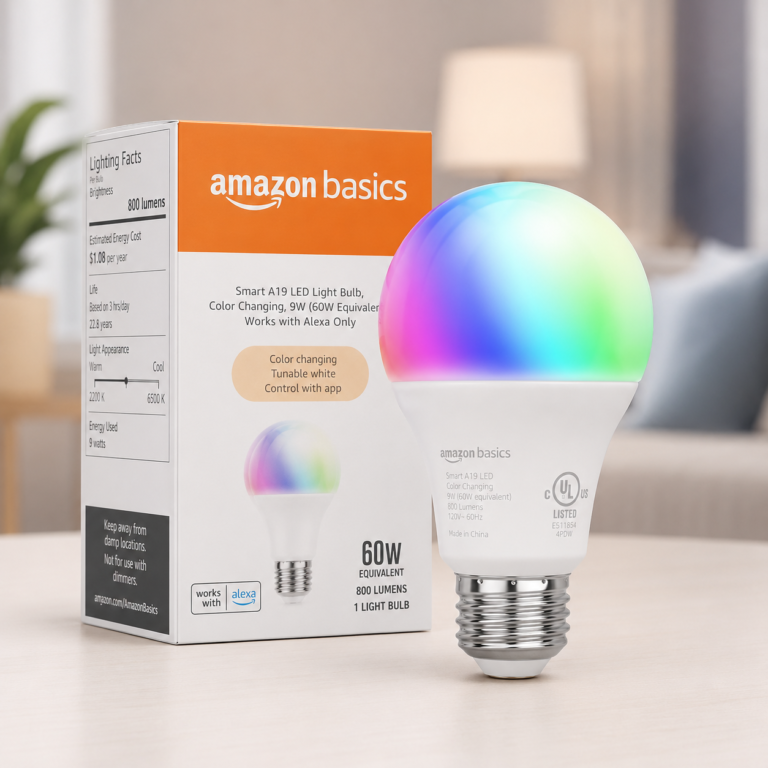
Amazon Basics Smart A19 LED Light Bulb
The Amazon Basics Smart A19 LED Light Bulb is a simple smart bulb option for Alexa households that want voice-controlled lamp or room lighting without adding a separate hub.
- Good fit: Best for a simple Alexa-only smart bulb setup in a bedside lamp, living room lamp, or first smart-lighting test area.
- Watch out for: This is an Alexa-focused bulb, so it is best for homes already using Alexa rather than mixed smart-home platforms.
As an Amazon Associate I earn from qualifying purchases.
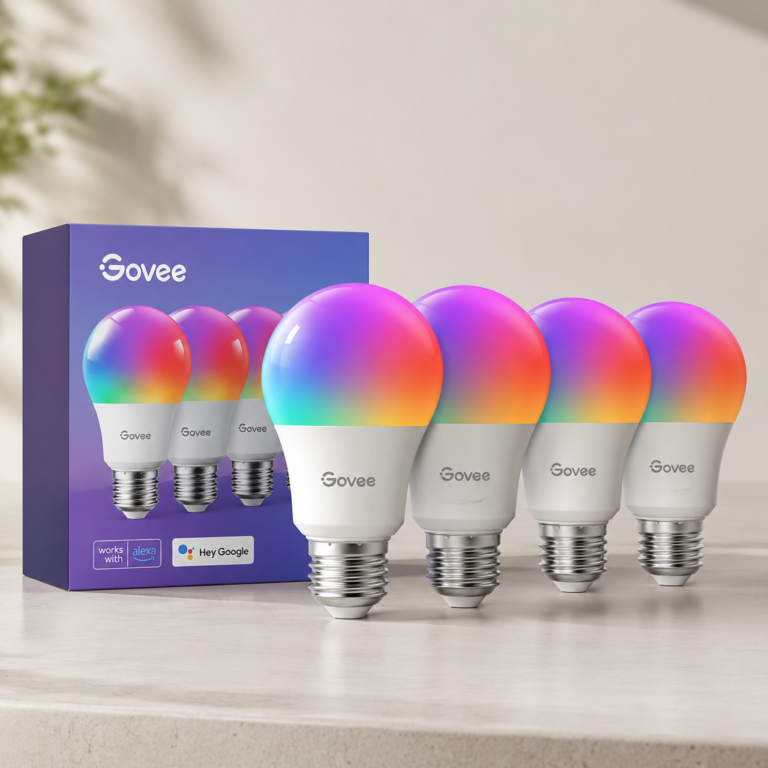
Govee Smart Light Bulbs 4 Pack
The Govee Smart Light Bulbs 4 Pack is a smart lighting option for adding voice control, schedules, dimming, and color or warm-white lighting across multiple lamps or rooms.
- Good fit: Best for adding voice-controlled and scheduled lighting across several lamps or rooms at once.
- Watch out for: This is a multi-bulb smart lighting option, so it is best when the home already has or wants app-based lighting control.
As an Amazon Associate I earn from qualifying purchases.
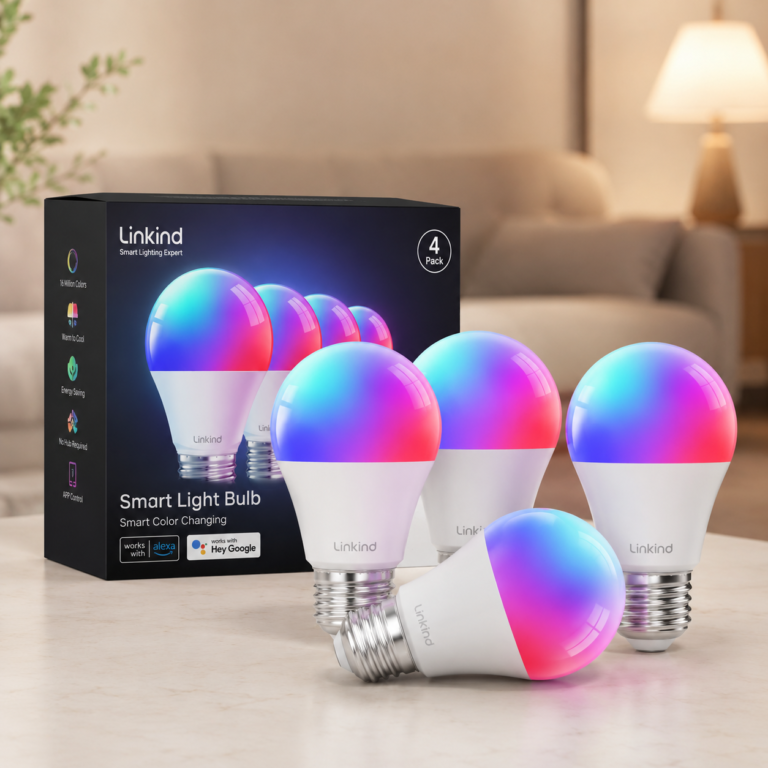
Linkind Smart Light Bulbs 4 Pack
The Linkind Smart Light Bulbs 4 Pack is a multi-bulb smart lighting option for voice control, app control, schedules, dimming, and warm-to-cool or color lighting across several rooms or lamps.
- Good fit: Best for setting up several voice-controlled lamps or rooms with one smart-bulb pack.
- Watch out for: These bulbs are app-connected smart bulbs, so they are a better fit for homes comfortable with app setup or voice assistant setup.
As an Amazon Associate I earn from qualifying purchases.
Automatic lights that do not need an app
Not every lighting upgrade needs an app. Plug-in night lights and dusk-to-dawn bulbs can add simple automatic lighting in hallways, bathrooms, bedrooms, porches, garages, and entry areas.
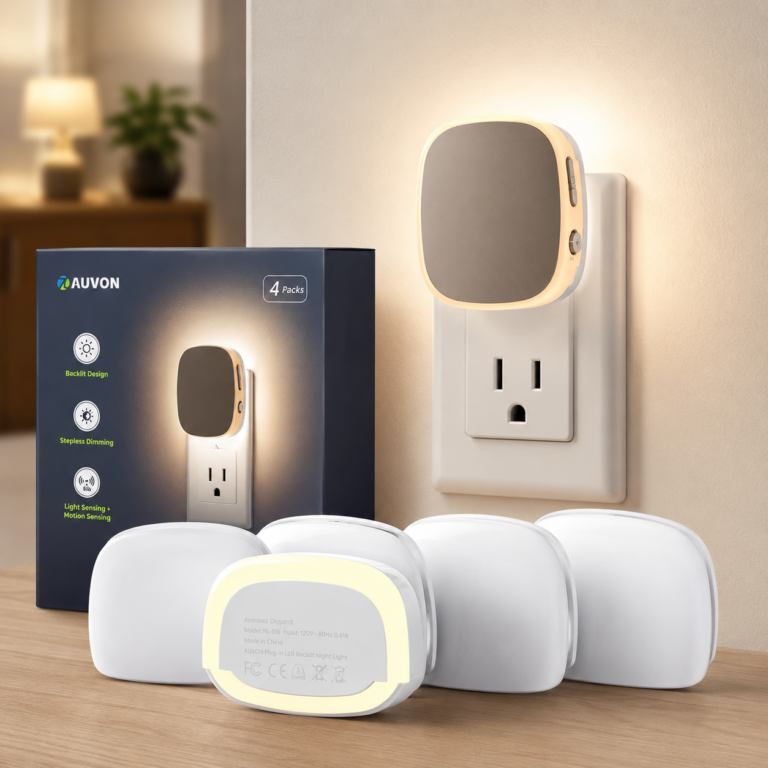
AUVON Plug-in LED Backlit Night Light
The AUVON Plug-in LED Backlit Night Light is a simple motion and light-sensing night light option for hallways, bathrooms, bedrooms, and other nighttime paths.
- Good fit: Best for hallway, bathroom, bedroom, and nighttime path lighting where a small plug-in light is easier than setting up a smart bulb routine.
- Watch out for: This is not a smart bulb and should not be described as app-controlled or voice-controlled.
As an Amazon Associate I earn from qualifying purchases.
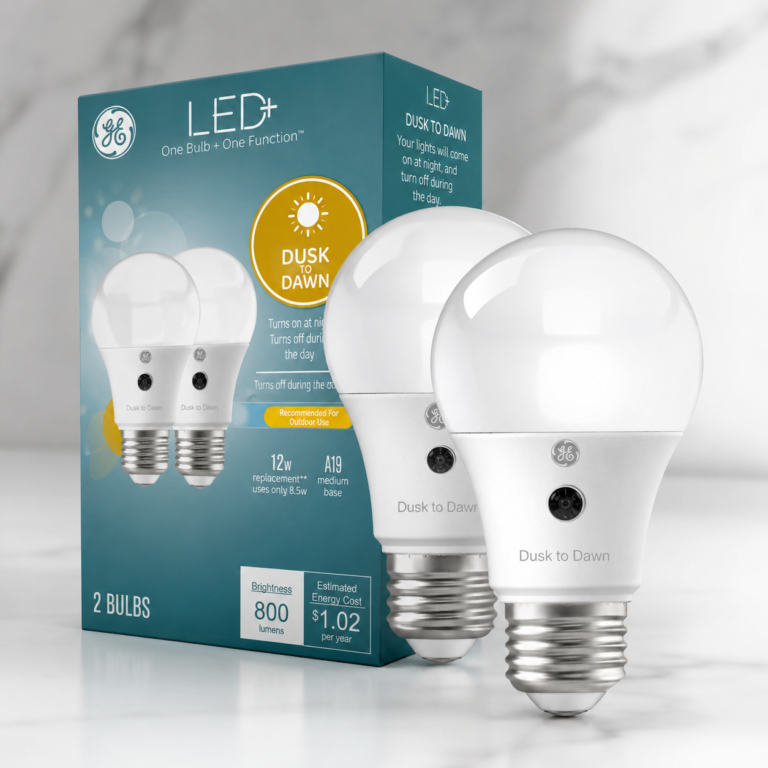
GE LED+ A19 Dusk to Dawn Bulbs
The GE LED+ A19 Dusk to Dawn Bulbs are useful for entry and porch lighting when the goal is automatic evening light without using an app, hub, or voice assistant.
- Good fit: Best for porch, entry, garage, or exterior fixtures where automatic evening lighting is helpful without setting up a smart app routine.
- Watch out for: This is not an app-controlled smart bulb, so position it as automatic dusk-to-dawn lighting rather than voice-controlled smart lighting.
As an Amazon Associate I earn from qualifying purchases.
Check bulb or outlet fit, sensor placement, brightness, fixture location, manual controls, household preferences, and installation requirements before buying. Automatic lighting should remain part of a practical setup with familiar manual controls.
Helpful smart home products for simpler alerts and control
These examples cover compact voice and display control, front-door visibility, a larger alarm sensor kit, and a thermostat-and-entry-awareness bundle. Check compatibility, installation, app access, subscription terms, and support needs before buying.

Echo Show 5 Bedside Smart Display
Check price on AmazonAs an Amazon Associate I earn from qualifying purchases.
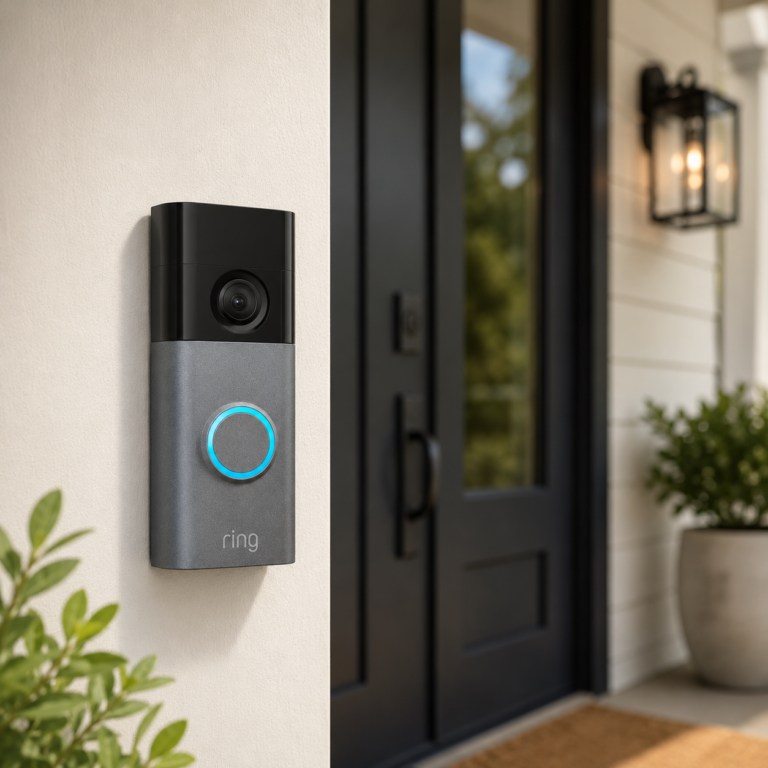
Ring Battery Doorbell Plus
A battery-powered Ring video doorbell with 2K video, wide-angle viewing, enhanced zoom, night vision, and a quick-release battery design for compatible front-door setups.
- Good fit: Homes or renters who want a Ring doorbell with stronger video detail and battery flexibility.
- Watch out for: Check doorframe space, WiFi strength, battery charging expectations, chime compatibility, mounting needs, and Ring subscription terms before buying.
As an Amazon Associate I earn from qualifying purchases.
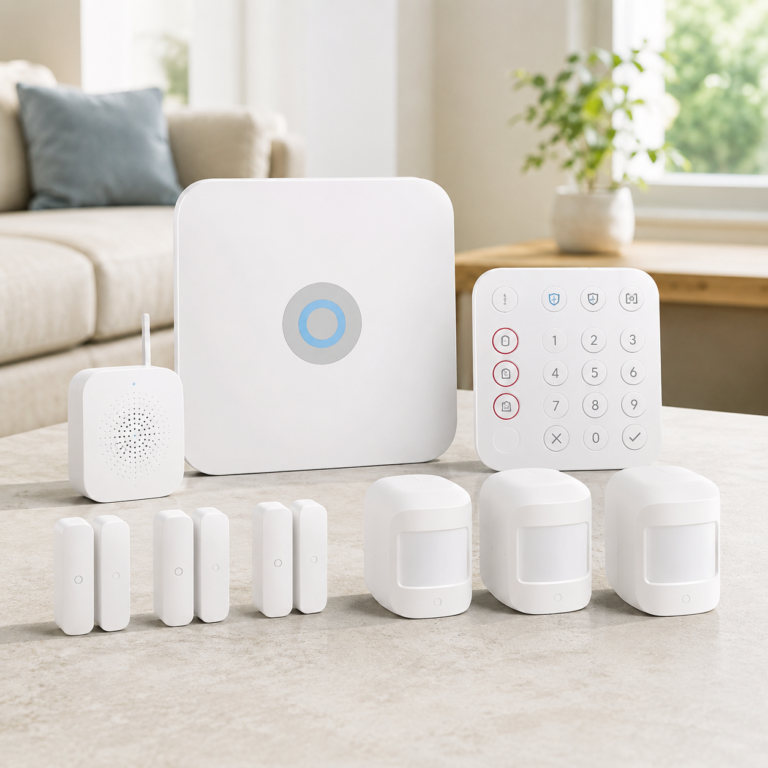
Ring Alarm 14-Piece Kit
A wireless Ring alarm kit with a base station, keypad, contact sensors, motion detectors, and range extender for building a Ring-based home security setup.
- Good fit: Homes that want a starter alarm system with multiple entry sensors and motion sensors in one kit.
- Watch out for: Professional monitoring, emergency response, cellular backup, advanced app features, and some connected security features may require a Ring subscription. Check plan terms, sensor placement, WiFi coverage, and local requirements before buying.
As an Amazon Associate I earn from qualifying purchases.
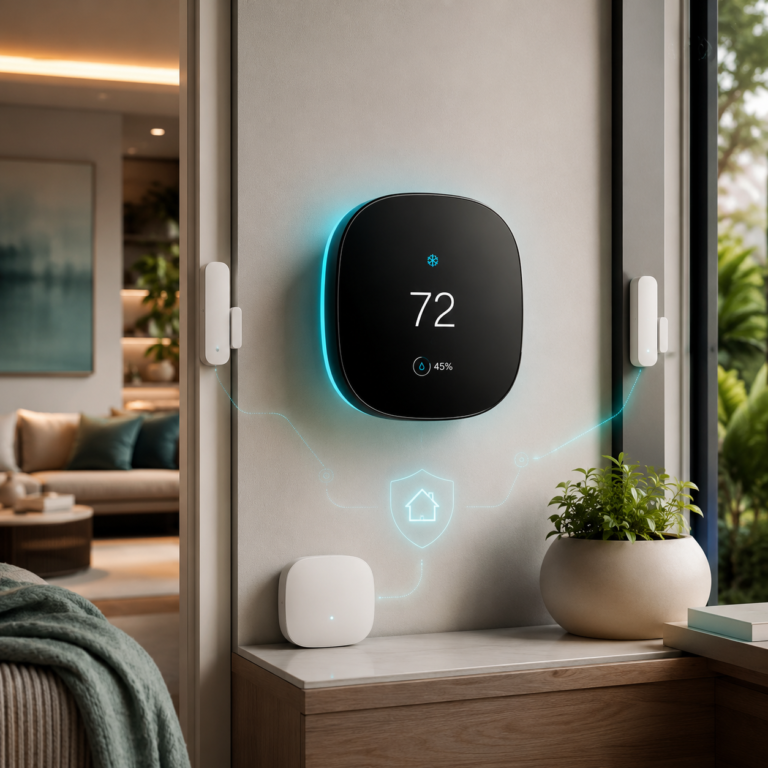
ecobee Comfort and Security Bundle
Thermostat bundle with room sensing, air quality alerts, and door/window awareness.
- Good fit: Homes that want comfort control and entry awareness in one ecobee setup.
- Watch out for: Some security features may require ecobee Smart Security, and Siri requires an Apple home hub.
As an Amazon Associate I earn from qualifying purchases.
The Echo Show 5 can support compatible voice commands, reminders, and quick visual checks. The Ring Battery Doorbell Plus can show supported front-door activity through compatible apps or displays. The Ring Alarm kit can support door, window, and motion alerts when properly configured. The ecobee bundle combines thermostat features with room and entry-awareness sensors in one ecosystem.
Doorbell, recording, alarm, security, or professional monitoring features may require a subscription, additional setup, plan availability, or local requirements. Smart home devices do not replace caregivers, emergency services, medical devices, or professional monitoring.
Use front-door tools for awareness, not assumptions
A compatible video doorbell may help show who is at the door through a phone or supported display. Check camera placement, notification settings, recording terms, account access, and whether the older adult is comfortable using the controls.
A doorbell alert does not confirm a visitor’s identity or make it appropriate to open the door. Keep familiar door-viewing and communication choices available.
Use clear commands and ordinary reminders
- Choose short, memorable names for lights, rooms, and routines.
- Use displays or voice assistants for timers, appointments, household tasks, or other ordinary reminders.
- Keep familiar switches, thermostat controls, keys, and written instructions available.
- Treat reminders as organizational prompts, not medical advice or confirmation that a task was completed.
- Give support access only to people the older adult has approved.
Add separate awareness layers only when they stay manageable
Leak sensors are designed to detect water near the sensor and can send supported alerts or sound a local alarm. Smart thermostats can support schedules, remote adjustments, and room-aware comfort features when the home’s heating and cooling system is compatible.
Neither type of device ensures damage prevention or a particular health outcome. For product comparisons and placement guidance, visit Smart Leak Detection and Energy Automation.
What to check before buying or setting up
- Ask whether the older adult wants the device and understands its purpose.
- Check phone, app, WiFi, hub, platform, and subscription requirements.
- Review physical controls, voice commands, display size, volume, and accessibility.
- Confirm batteries, wiring, mounting, installation, and renter restrictions.
- Plan manual keys, switches, thermostat controls, and other backup access.
- Decide who receives alerts and what they are expected to do with them.
- Write down account ownership and basic troubleshooting information.
What to test together
- Practice the ordinary control path first: switch, voice command, app button, remote, or written shortcut.
- Confirm reminders, lights, alerts, locks, or sensors behave in a way the older adult understands and wants.
- Test battery changes, WiFi interruptions, power outages, and manual overrides before depending on a routine.
- Review who receives alerts, what each alert means, and whether any action is expected.
- Revisit consent and comfort after a few days of normal use, not only during installation.
Consent should guide every monitoring feature
Smart home tools should support independence rather than make someone feel watched or controlled. Explain each device, what it records or reports, who can access it, and how it can be turned off.
- Use cameras only in specifically agreed shared spaces.
- Do not place cameras in bedrooms, bathrooms, changing areas, or other private spaces.
- Do not share motion, door, lock, camera, or routine data without clear agreement.
- Review consent again when devices, settings, recipients, or living arrangements change.
- Preserve the older adult’s access to controls and account information where appropriate.
What should not be automated or monitored without consent
- Do not add cameras, microphones, motion tracking, door tracking, or location sharing secretly.
- Do not automate locks, thermostats, lights, or appliances in ways the resident cannot understand or override.
- Do not send personal activity alerts to family members or caregivers without agreement.
- Do not treat reminders as medical instructions or a substitute for a professional care plan.
- Do not use connected devices as a replacement for agreed check-ins, emergency plans, or in-person support.
Shared alerts should have a clear purpose
When everyone agrees, shared reminders, visitor alerts, leak alerts, or device-status checks can support everyday coordination. Decide in advance who receives each alert, what it means, and whether any action is expected.
Smart home notifications are convenience and awareness tools. They are not medical monitoring, emergency response, or proof that a person is safe.
Common mistakes and who may need a simpler setup
- Making the setup depend on too many apps, passwords, or voice commands.
- Removing familiar manual switches, keys, controls, or routines.
- Buying devices the older adult does not want or cannot comfortably use.
- Sending alerts to too many people or without a clear purpose.
- Ignoring WiFi strength, battery maintenance, or backup access.
- Using reminders or sensors as the entire support plan.
Continue with a related smart home guide
AI Home Automation Basics
Review apps, hubs, WiFi, Matter, sensors, and routines.
Start Here
Choose one household goal and build a manageable first setup.
Smart Home Hubs and Alexa Control
Compare smart displays and hub-style control with compatibility and privacy in mind.
Smart Leak Detection
Learn how leak sensors, alerts, placement, and compatibility work.
AI Home Security
Explore cautious guidance for cameras, locks, doors, and alerts.
Energy Automation
Consider simple lighting, thermostat, plug, and schedule routines.
Support independence with one simple routine
Choose the setup together, keep familiar controls available, and expand only when the first routine remains useful and comfortable.