
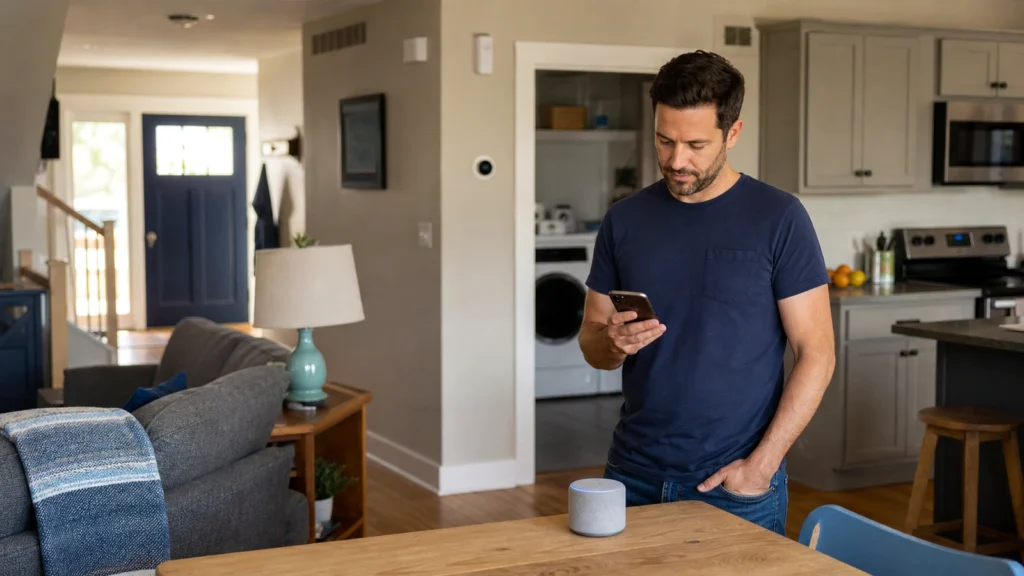
Best AI Home Automation Ideas for Beginners: A Practical Room-by-Room Guide
A useful smart home does not need dozens of devices. Start with one repeated task, one room, and one routine you can test. This guide explains practical lighting, alert, energy, voice-control, and monitoring ideas without assuming that every home needs the same platform.
Compatibility caution: Device support, app features, subscriptions, account requirements, and platform integrations can change. Check the manufacturer documentation and the exact model before buying or changing an important household routine.
What are the best AI home automation ideas for a beginner?
The best starting ideas solve a small, repeated problem: schedule one lamp, control a suitable plug-in device, receive a water alert near a washer, use a voice routine for reminders, or check a supported entry alert.
Begin with a low-risk routine that is easy to test and easy to undo. A device does not need advanced AI to be useful. Sensors, schedules, and simple trigger-and-action routines often provide more practical value than a complicated setup.
Choose the routine before choosing the device
A clear trigger and action make compatibility, placement, and product decisions much easier.
1. Name the problem
Examples include a dark hallway, a lamp left on, missed laundry-room water alerts, or too many separate controls.
2. Pick the trigger
The trigger might be a schedule, motion, an open door, detected water, a voice command, or a button press.
3. Pick the action
Keep the first action simple: turn on a light, send an alert, start a supported routine, or show device status.
4. Check the control path
Confirm whether the routine depends on WiFi, a vendor app, a hub, a voice assistant, cloud access, or a subscription.
5. Keep a fallback
Important lights, locks, alarms, thermostats, and appliances should still have a practical manual control or recovery plan.
6. Test failure cases
Check what happens if the internet is down, a battery is low, an account is signed out, or an alert is delayed.
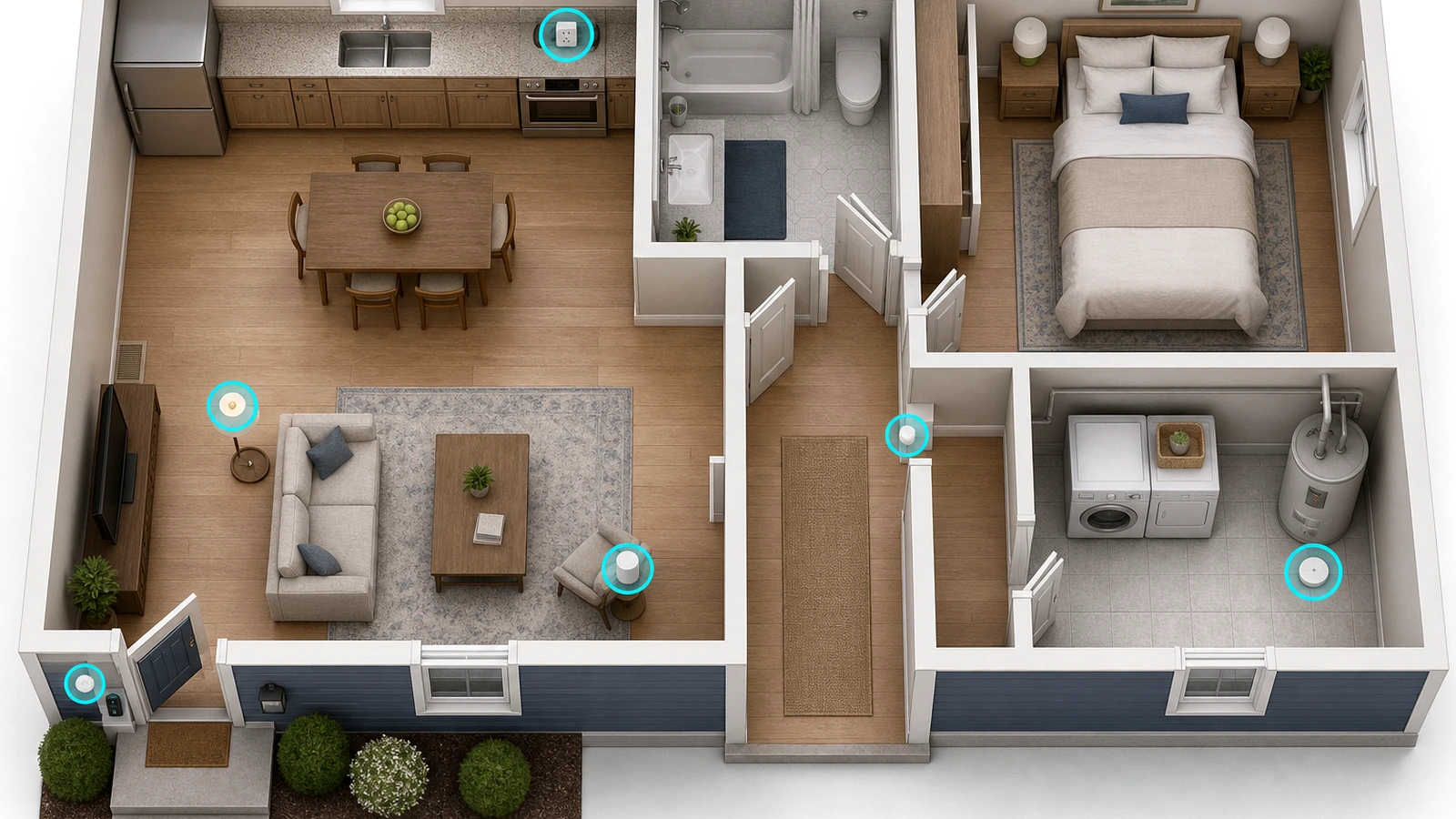
Start where one small automation would be noticeable
The right first room is the one with a repeated task or condition you already notice.
Entryway and front door
Consider a supported door alert, battery doorbell, contact sensor, or scheduled porch light. These tools can send alerts or make an entry easier to check, but they do not prevent crime or guarantee that every event will be captured.
Check first: mounting permission, doorframe space, WiFi strength, battery charging, household privacy preferences, chime support, and subscription terms.
Living room
A voice speaker, smart display, lamp routine, or scene button can make shared controls easier. A simple evening routine might turn on a compatible lamp and set a reminder without trying to automate the entire room.
Check first: microphone and camera controls, account sharing, device compatibility, placement, and whether everyone has a non-voice way to control the room.
Kitchen and dining area
Useful ideas include scheduled accent lighting, a voice timer, a compatible smart plug for a suitable lamp or fan, and a leak sensor near a sink or dishwasher area.
Check first: electrical load, outlet location, splash exposure, manufacturer instructions, and whether a plugged-in appliance should ever operate unattended. Do not use a smart plug to bypass an appliance’s safety controls.
Bedroom
Start with dimmable lighting, a bedtime routine, a wake-up schedule, or a simple reminder. A voice assistant is optional; a physical button or app-controlled lamp may be a better fit when microphone privacy or nighttime interruptions are concerns.
Check first: brightness, shared-room preferences, notification volume, microphone controls, and manual access if the app is unavailable.
Hallway and bathroom path
A motion- or light-sensing night light can be more dependable and easier to understand than a multi-device routine. Not every useful automation needs WiFi, an app, or AI.
Check first: outlet clearance, motion range, brightness, sensor direction, and whether the light could disturb another room.
Laundry room, basement, and utility area
Water sensors are designed to detect water near the sensor and may help you notice a problem sooner. Place them where water would likely reach the sensor, then test the local alarm and any supported app alert.
Check first: gateway range, 2.4 GHz WiFi needs, batteries, alert permissions, sensor placement, and periodic testing. A sensor does not repair plumbing or stop a leak by itself.
Home office
A focus routine can adjust a compatible lamp, silence selected notifications, or turn off a suitable smart plug at the end of the day. Energy monitoring can also make the usage of compatible plug-in equipment easier to review.
Check first: device load, restart behavior after an outage, employer privacy rules, account access, and whether cutting power could interrupt updates or damage work.
Pet area
A camera, feeder schedule, room-temperature alert, or lighting routine may help you check a shared pet area. These tools do not replace attentive care, in-person checks, or veterinary advice.
Check first: camera privacy, cords, chewing risks, feeder cleaning, food type, reliable power, alert settings, and a backup plan.
Older adult or shared family space
Lighting, voice control, reminders, leak alerts, and simple entry awareness may make selected routines easier. Build the setup with the person who will use it and preserve independence and manual controls.
Check first: consent, account access, understandable controls, alert recipients, camera boundaries, maintenance responsibility, and what happens during an outage.
Starter products to compare for four common routines
These are examples from the site’s existing product records, not a requirement to buy four devices at once. Choose only the category that solves your first problem.
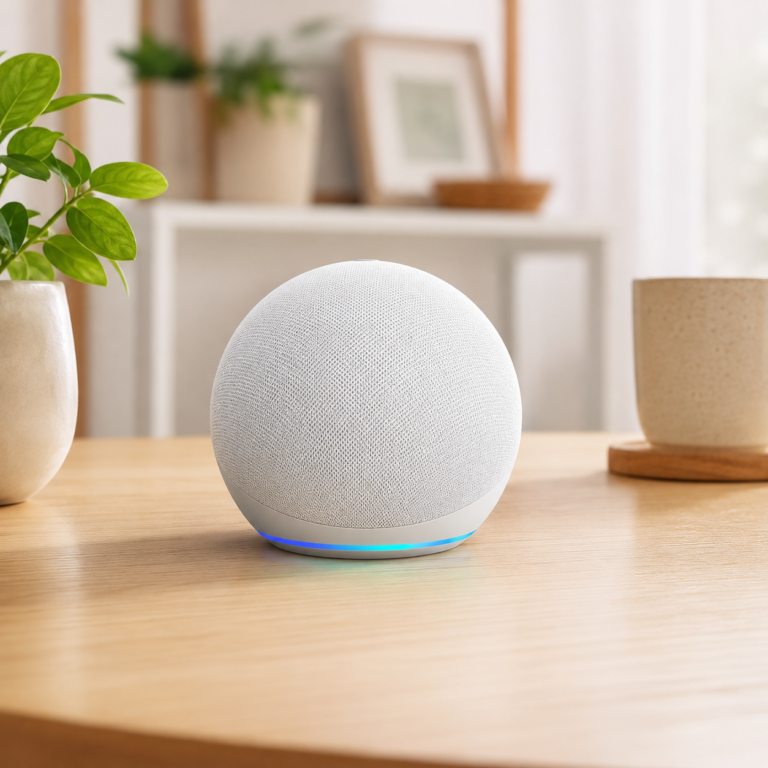
Amazon Echo Dot Glacier White
A compact Alexa speaker for supported timers, reminders, voice commands, and routines in a bedroom, office, dining area, or living room.
- Good fit: Beginners who already use Alexa and want voice control without adding a screen.
- Watch out for: Skip it if you do not want an Alexa account or an always-available microphone. Check WiFi, microphone controls, compatible devices, household access, and whether connected services require subscriptions. It normally needs no permanent installation, which may suit renters.
As an Amazon Associate I earn from qualifying purchases.
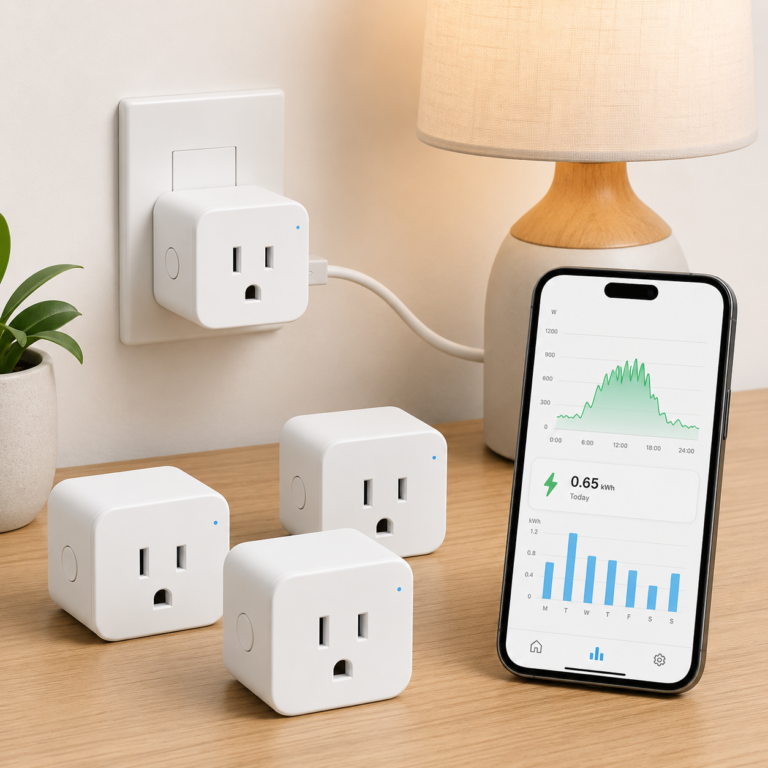
TP-Link Tapo P115 Smart Plug Energy Monitoring 4 Pack
A four-pack of compact smart plugs that can support app control, schedules, timers, and energy-usage tracking for suitable plug-in devices.
- Good fit: Renters or homeowners who want to test plug-in routines and review energy use without changing wiring.
- Watch out for: Skip it if 2.4 GHz WiFi setup is a problem or the intended device exceeds the plug rating. Check app and platform support, outlet spacing, electrical load, and current account terms. Do not automate an appliance that should not run unattended.
As an Amazon Associate I earn from qualifying purchases.
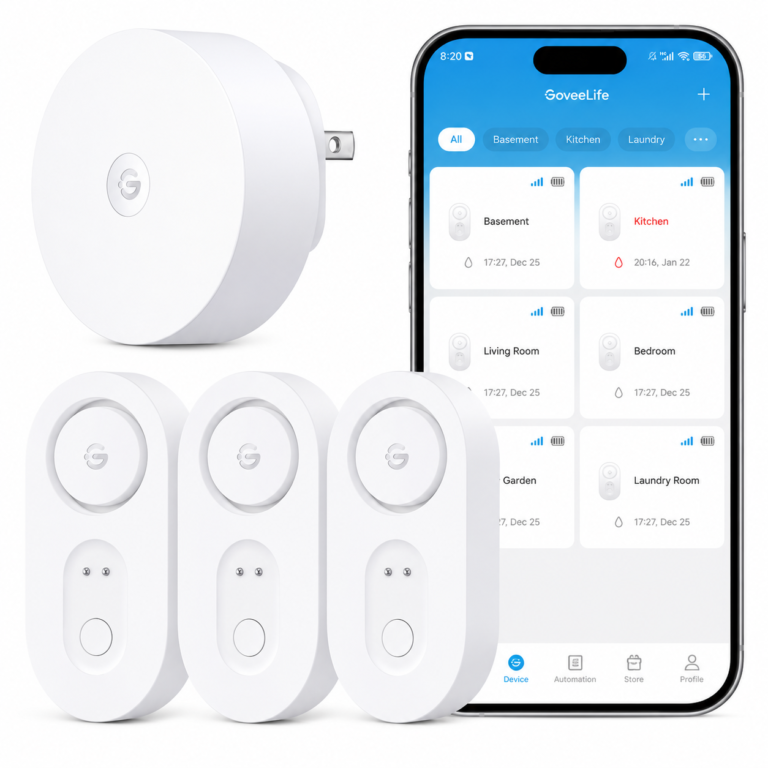
GoveeLife Upgraded Smart Water Leak Detector 1s
A gateway-based water leak detector kit designed to provide a local alarm and supported app or email alerts when water reaches a sensor.
- Good fit: Beginners who want sensors near sinks, laundry equipment, a water heater, or other water-prone areas and are comfortable setting up a gateway.
- Watch out for: Skip it if you do not want another gateway or cannot support its 2.4 GHz WiFi connection. Check batteries, gateway range, notification permissions, placement, and current service terms. It may help you notice water sooner but does not prevent damage or repair a leak. No plumbing change is normally required.
As an Amazon Associate I earn from qualifying purchases.
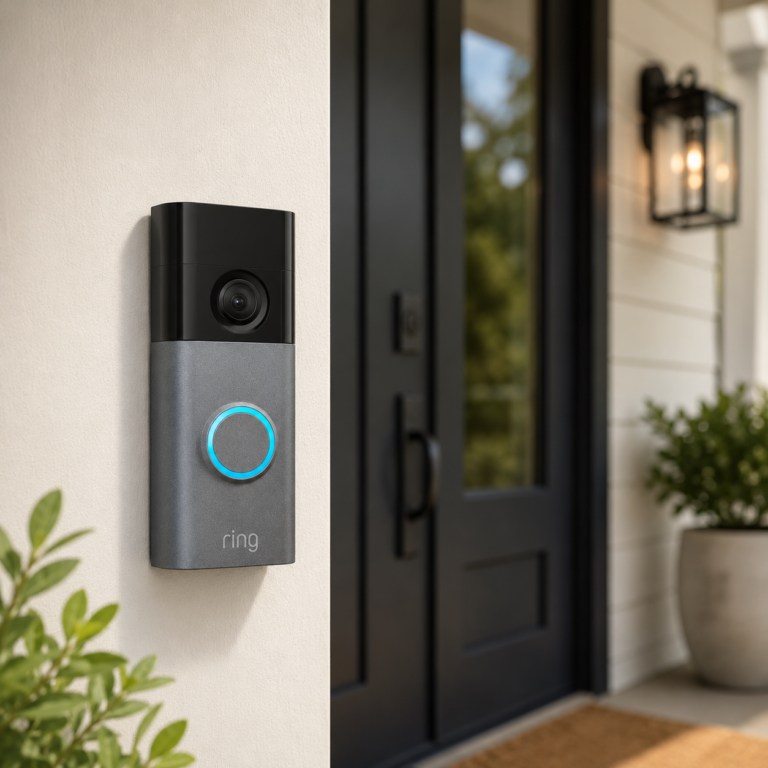
Ring Battery Doorbell Plus
A battery-powered video doorbell for supported front-door alerts, app viewing, and compatible Alexa display or announcement features.
- Good fit: Homes or renters with mounting permission that want front-door awareness without relying on existing doorbell power.
- Watch out for: Skip it if you do not want a camera at the entry, recurring charging, a Ring account, or possible subscription costs. Check WiFi, mounting space, chime support, privacy, household consent, battery expectations, and landlord or association rules. It does not guarantee security or package protection.
As an Amazon Associate I earn from qualifying purchases.
Product restraint matters: One well-tested routine is more useful than several devices that depend on different apps and do not work together.
WiFi, Matter, Thread, Zigbee, and Z-Wave are not interchangeable labels
A device can use one connection technology while depending on a separate app, controller, hub, or voice platform.
| Term | Beginner meaning | What to verify |
|---|---|---|
| WiFi | The device connects through the home network, often through a vendor app and cloud account. | 2.4 GHz or 5 GHz support, signal strength, router settings, account requirements, and internet-dependent features. |
| Matter | A smart-home interoperability standard intended to help supported devices work across compatible ecosystems. | The exact device type, Matter version, controller, platform support, feature differences, and update requirements. |
| Thread | A low-power IPv6 mesh network used by some smart-home devices, including some Matter devices. | Whether a compatible Thread Border Router is required and already available in the chosen ecosystem. |
| Zigbee or Z-Wave | Low-power smart-home networks commonly used by sensors, switches, locks, and hubs. | A compatible hub, regional support where relevant, device certification, and whether the hub exposes the features you need. |
| Voice platform | Alexa, Google Home, Apple Home, or another control layer may organize supported devices and routines. | Exact model support, linked accounts, household sharing, privacy controls, subscription terms, and which features remain in the vendor app. |
Do not buy from a compatibility logo alone. Confirm the exact model in the platform or manufacturer documentation. A compatible device may expose only part of its feature set outside the original app.
For a deeper explanation, read AI Home Automation Basics and Smart Home Hubs and Alexa Control.
Favor reversible devices and written permission when mounting is involved
Usually easier to reverse
- Smart plugs used within their ratings
- Plug-in voice speakers or displays
- Smart bulbs in compatible fixtures
- Battery water sensors
- Motion- or light-sensing night lights
Ask before changing
- Doorbells and exterior camera mounts
- Locks, handles, or deadbolts
- Thermostats and HVAC wiring
- Hardwired switches or floodlights
- Anything that drills, rewires, or changes shared property
Keep original hardware, document the setup, and plan how accounts and devices will be removed when moving.
Treat accounts, cameras, microphones, updates, and alert delivery as part of the setup
- Use unique passwords and multifactor authentication when the service supports it.
- Review camera fields of view, privacy zones, microphone controls, recordings, and household consent.
- Install device and app updates, and replace products that no longer receive appropriate support.
- Limit shared account access and remove former household members or installers who no longer need control.
- Test alerts on every intended phone and confirm that notification permissions remain enabled.
- Do not assume cloud-dependent features will work during an internet or service outage.
- Do not use automation as a replacement for smoke and carbon-monoxide alarms, professional monitoring, caregivers, emergency services, medical care, veterinary care, or needed repairs.
- Use smart plugs only with suitable devices and within electrical ratings and manufacturer instructions.
Avoid building a smart home that is harder to live with
Buying before defining the routine
A device with many features can still be a poor fit when it does not solve a repeated household problem.
Mixing too many apps at once
Begin with one control platform or a small number of compatible devices before adding another ecosystem.
Ignoring power and network details
Check batteries, outlets, transformers, C-wires, 2.4 GHz requirements, signal strength, hubs, and Border Routers before buying.
Depending on an untested alert
Trigger a real test, confirm the alert reaches the correct phones, and repeat checks after app, phone, or network changes.
Removing every manual control
Guests and household members still need an understandable way to operate lights, locks, temperature, and other important systems.
Forgetting subscriptions and support life
Check which features need a plan, what remains without one, and whether the manufacturer still provides updates and support.
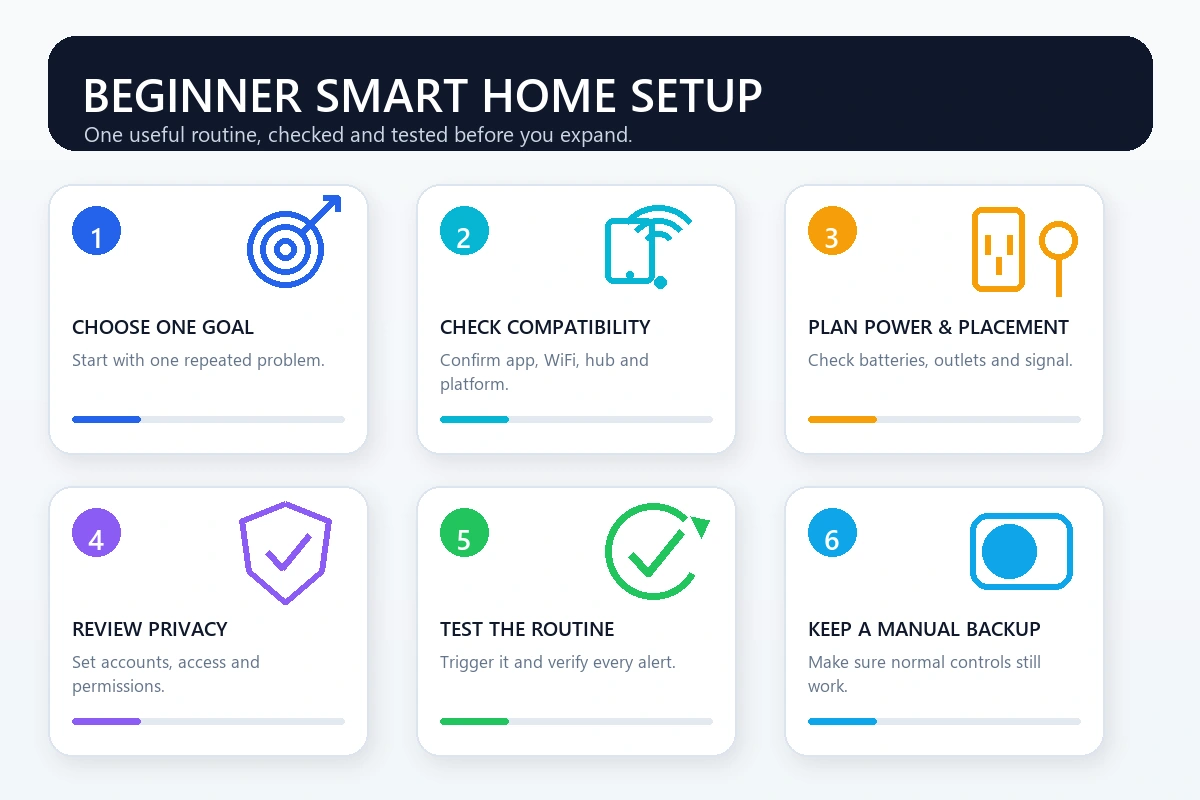
Use this checklist for the first room
- Write down the problem, trigger, action, and manual fallback.
- Confirm the exact model works with the intended app, platform, hub, and network.
- Check power, batteries, wiring, electrical load, mounting, and renter restrictions.
- Review account, privacy, camera, microphone, household-sharing, and subscription settings.
- Install updates before building the routine.
- Place the device where its sensor, signal, or control can work as intended.
- Run the routine several times, including from each intended phone or control method.
- Test the manual fallback and consider what happens during internet or power loss.
- Set a reminder to review batteries, alerts, access, subscriptions, and device support periodically.
Continue with the household goal that matters next
Start Here
Choose one practical smart-home problem and a manageable next step.
AI Home Security
Compare cautious ideas for cameras, doorbells, sensors, locks, and alerts.
Smart Leak Detection
Review sensor placement, gateways, app alerts, local alarms, and shutoff options.
Energy Automation
Explore thermostats, smart plugs, lighting schedules, monitoring, and compatibility.
Senior Smart Home
Plan simpler controls and alerts with privacy, consent, and independence in mind.
Pet Smart Home
Consider cameras, feeders, temperature awareness, lighting, and routines around pets.
Frequently Asked Questions
Do I need a smart home hub to begin?
No. Many WiFi devices work through their own apps. A compatible hub becomes useful when it supports the devices or protocols you want, reduces app switching, or enables routines that cannot run through one device alone.
What is the easiest first smart home automation?
A scheduled lamp, a suitable smart plug routine, a motion-sensing night light, or a tested water alert are manageable starting points. Choose one that is easy to verify and still has a manual fallback.
Do I need Matter for a beginner smart home?
No. Matter may make supported devices easier to use across compatible platforms, but the exact device type, controller, app, feature support, and network requirements still need to be checked.
What is the difference between Matter and Thread?
Matter is an interoperability standard for supported smart-home devices. Thread is a low-power IPv6 mesh network that some Matter devices use. A Thread setup may require a compatible Thread Border Router.
Are smart plugs safe for every appliance?
No. Check the plug rating, appliance instructions, outlet condition, restart behavior, and whether the appliance should ever run unattended. Do not use a smart plug to bypass built-in safety controls.
Can renters build a useful smart home?
Yes. Plug-in speakers, smart plugs, compatible bulbs, battery water sensors, and simple night lights may be easier to reverse. Get permission before mounting, drilling, rewiring, replacing locks, or changing thermostats.
Will smart home routines work without the internet?
It depends on the device, hub, protocol, and routine. Some controls may work locally while cloud-dependent alerts, voice services, remote access, or app features may stop. Test the behavior rather than assuming.
How many devices should a beginner buy first?
Usually one device or one small kit is enough to test a meaningful routine. Add another category only after the first setup is reliable and the household understands how to control it.
Primary sources behind the compatibility and security guidance
Build one routine you can explain, test, and control manually
Start with one room and one useful outcome. Before buying, verify the exact model’s compatibility, WiFi or hub needs, app and account requirements, battery or wiring needs, privacy controls, installation limits, subscriptions, and fallback behavior.