
Alexa vs Google Home for Beginners: Which Smart Home Assistant Should You Start With?
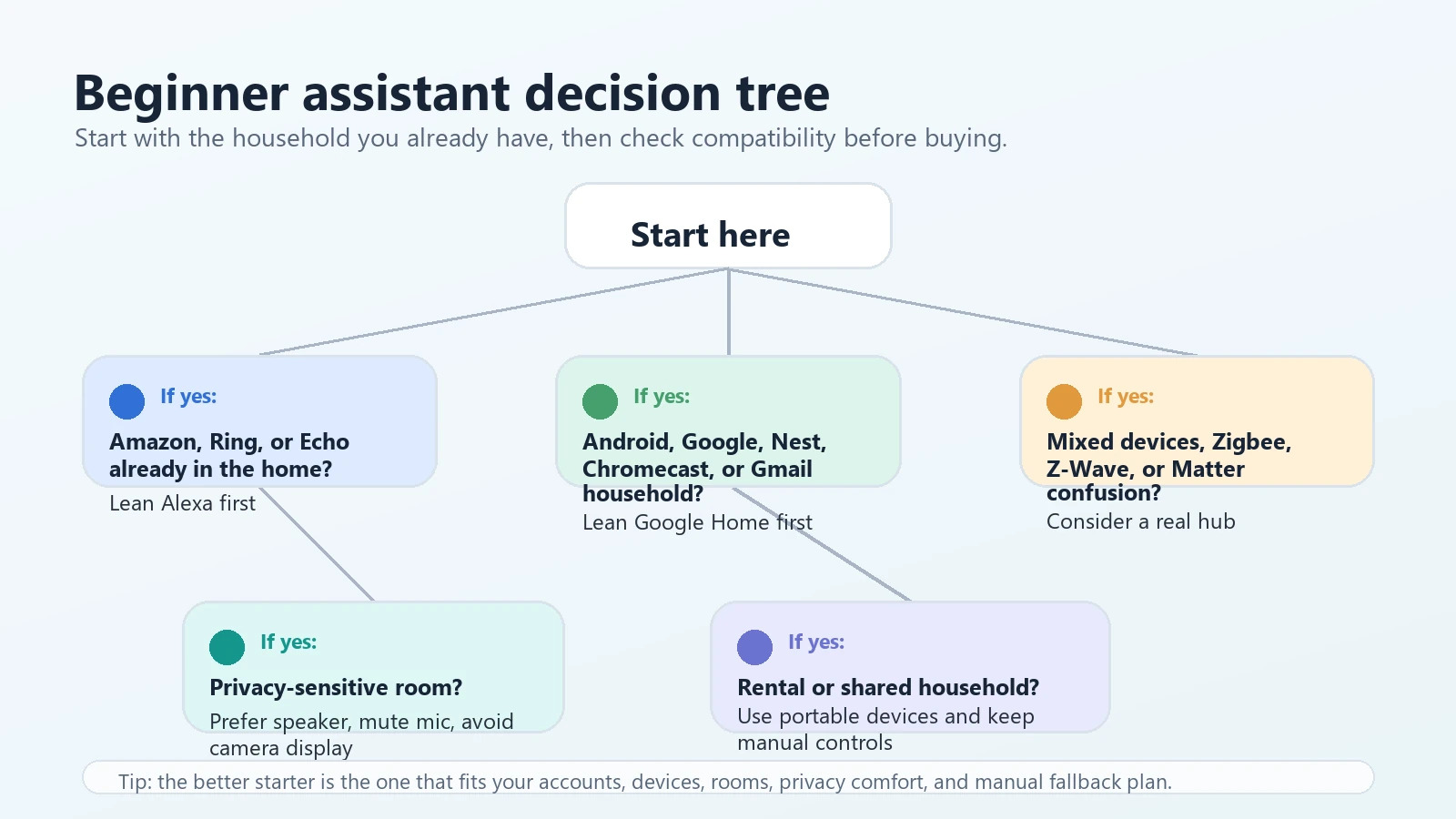
If you are choosing your first smart-home assistant, do not start with a brand war. Start with your household, your phone ecosystem, the devices you already own, your privacy comfort level, and how much automation you actually want.
Which smart home assistant should a beginner start with?
Alexa is usually easier to start with if your home already uses Echo devices, Ring products, Amazon services, or you want simple voice control from a low-friction speaker or display.
Google Home is often the better starting point if your household is built around Android phones, Google accounts, Chromecast, Nest devices, and Google-style app control.
The best beginner choice is the one that works with your existing accounts, rooms, devices, and privacy expectations. Check compatibility before buying, and keep manual controls available.
What this comparison is really about
For beginners, Alexa vs Google Home is not just a question of which assistant answers trivia better. It is a setup decision. The assistant you choose affects which app you open, which routines you build, which family members can control devices, which cameras or displays feel comfortable in the home, and which smart devices are easiest to add later.
A smart assistant may help with voice commands, reminders, schedules, compatible device control, and simple routines. It does not fix weak WiFi, unclear household permissions, unsupported devices, bad placement, or privacy settings nobody reviewed.
Table of contents
- Who should start with Alexa?
- Who should start with Google Home?
- What both assistants can do
- What AI changes and what it does not fix
- Smart speaker vs smart display
- Compatibility checklist
- Privacy and microphone settings
- Renter-friendly considerations
- Common beginner mistakes
- Product cards and browse option
- FAQ
- Final takeaway
Who should start with Alexa?
Alexa is a strong beginner choice when the home already leans toward Amazon services, Echo speakers, Ring devices, Fire TV, or Alexa-compatible smart plugs, bulbs, cameras, and thermostats. It can also be a simple choice for a shared household because a small speaker can handle timers, reminders, music, announcements, and compatible smart-home commands without adding a screen.
Good Alexa starter scenarios
- You already have Ring cameras, Ring doorbells, or Echo devices.
- You want simple voice control for lights, plugs, timers, and reminders.
- You prefer a small speaker in a kitchen, office, bedroom, or living room.
- You want a smart display for compatible camera views, recipes, calendars, or family reminders.
When Alexa may not be the cleanest fit
- Your home is built around Android phones, Google accounts, Chromecast, and Nest devices.
- You do not want another Amazon account or voice assistant account in the home.
- You are privacy-sensitive and do not want a camera display in shared or private spaces.
- Your devices are Google Home-first or require a different hub or app for full features.
Who should start with Google Home?
Google Home is often the better beginner choice for Android households, Google account households, Chromecast users, Nest thermostat users, and people who already manage home routines through Google apps. It can feel more natural when the phones, calendars, maps, media devices, and smart-home controls already live in the Google ecosystem.
Good Google Home starter scenarios
- The household mostly uses Android phones or Google accounts.
- You already use Nest thermostats, Chromecast, or Google Home app controls.
- You want smart-home routines tied closely to Google household behavior.
- You want to avoid building a separate Amazon-centered smart-home setup.
When Google Home may be frustrating
- You already own several Alexa-only or Ring-centered devices.
- Your household members expect Echo speakers or Alexa voice commands.
- You are buying accessories that advertise Alexa support more clearly than Google support.
- You need a hub for devices that are not simple WiFi or Matter accessories.
What both assistants can do
For a normal beginner setup, Alexa and Google Home overlap more than most people expect. Both can support voice commands, app control, routines, compatible smart lights, plugs, thermostats, cameras, doorbells, speakers, and displays. The difference is usually not whether voice control exists. The difference is which devices are supported well, which app your household will actually use, and how cleanly routines work after setup.
| Beginner need | Alexa | Google Home | What to check |
|---|---|---|---|
| Voice control | Strong if the household already uses Echo or Alexa-compatible devices. | Strong if the household already uses Android, Google, Nest, or Chromecast. | Check the exact device compatibility list, not just the assistant name. |
| Simple routines | Useful for lights, reminders, plugs, announcements, and compatible devices. | Useful for household routines, compatible devices, media, and app-based control. | Test one routine before building a whole-home automation plan. |
| Smart display use | Helpful for compatible camera views, reminders, timers, and shared spaces. | Helpful if the display options and services fit your Google household. | Review camera, microphone, and account settings before placing a display. |
| Matter devices | May support Matter devices when the right controller and setup path are present. | May support Matter devices when the right controller and setup path are present. | Matter helps compatibility, but it does not guarantee every feature in every app. |
| Hub-heavy setups | May still need a separate hub for some Zigbee, Z-Wave, Matter, or brand-specific devices. | May still need a separate hub for some Zigbee, Z-Wave, Matter, or brand-specific devices. | A voice assistant is not always the same thing as a full smart-home hub. |
What AI changes and what it does not fix
Newer assistant features can make voice control feel more conversational and may make routines easier to describe. That can be useful for beginners who do not want to memorize exact commands. But AI does not magically make every smart-home device compatible, and it does not remove the need to check app accounts, WiFi strength, wiring, hub requirements, and subscriptions.
Useful way to think about AI assistants
AI can improve the conversation layer. The home still depends on the device layer: sensors, bulbs, cameras, thermostats, hubs, wiring, WiFi, and permissions. If that layer is messy, the assistant may still misunderstand, fail, or control the wrong device.
Smart speaker vs smart display
A smart speaker is usually the safer first step if you want simple voice control without adding a camera or screen. It works well for timers, music, reminders, announcements, and basic compatible smart-home commands. A smart display makes sense when a screen solves a real problem: checking a compatible camera, seeing a timer from across the kitchen, following a recipe, reviewing a calendar, or giving a shared family space a visual dashboard.
Start with a speaker if…
- You want a low-clutter first device.
- You do not need camera views or visual controls.
- You are placing it in a bedroom, office, or privacy-sensitive room.
- You want an easy rental-friendly setup.
Consider a display if…
- You want a shared kitchen or family-room dashboard.
- You use compatible smart cameras or video doorbells.
- You want visual timers, lists, calendars, or routines.
- Your household is comfortable reviewing camera and microphone settings.
Compatibility checklist before buying
Do this before you choose Alexa or Google Home. It takes longer than reading a product title, but it prevents the classic beginner mistake: buying a device that technically sounds smart but does not work cleanly in your actual home.
- Phone ecosystem: Is the household mostly iPhone, Android, mixed, Amazon-centered, or Google-centered?
- Existing devices: Do you already own Ring, Nest, Echo, Chromecast, SmartThings, or brand-specific hubs?
- Voice assistant support: Does each device explicitly support Alexa, Google Home, both, or neither?
- Matter support: Does the device support Matter, and do you have a compatible controller or app path?
- Thread support: If Thread is mentioned, do you have a Thread border router where it is needed?
- Hub requirements: Is the device WiFi-only, Bluetooth, Zigbee, Z-Wave, Matter, Thread, or locked to a brand hub?
- WiFi: Does the device need 2.4 GHz WiFi, 5 GHz WiFi, dual-band WiFi, or wired Ethernet?
- Subscription terms: Are the features you care about included, optional, or tied to a paid plan?
- Manual fallback: Can people still use the light, thermostat, lock, or appliance without voice control?
Privacy and microphone settings
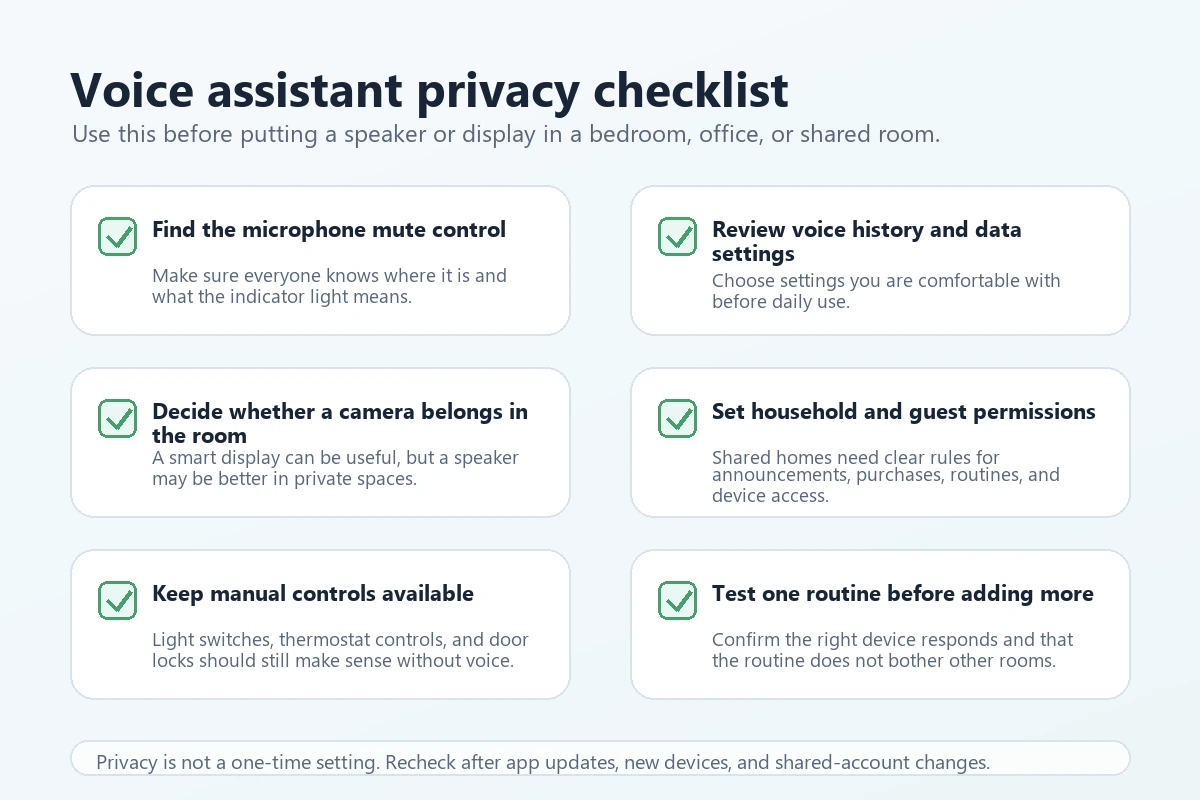
Any voice assistant deserves a privacy check before it becomes part of daily life. This matters even more in bedrooms, offices, children’s spaces, guest rooms, and shared homes. A speaker with a microphone mute button may feel different from a display with a camera. A household routine may feel helpful to one person and intrusive to another.
Privacy-sensitive household rule
If someone in the home is uncomfortable with always-available microphones or camera displays, do not wave that concern away. Choose a simpler device, place it in a less sensitive room, use mute controls, or skip the assistant in that room.
Renter-friendly considerations
Renters should usually start with portable, reversible devices: speakers, smart plugs, smart bulbs in lamps, and countertop displays. Be careful with thermostats, doorbells, cameras, smart locks, and wired devices unless the lease, building rules, and owner permissions are clear.
More renter-friendly
- Countertop smart speakers.
- Countertop smart displays.
- Plug-in smart plugs for lamps or fans.
- Smart bulbs in lamps you control.
Use caution or get permission
- Thermostat replacements.
- Hardwired doorbells or cameras.
- Smart locks and door hardware.
- Outdoor cameras or shared-space monitoring.
Common beginner mistakes
- Buying by brand name only: A device can work with one assistant and still miss the exact feature you wanted.
- Starting with too many rooms: Test one room and one routine before expanding.
- Ignoring manual controls: Other people still need switches, apps, remotes, and clear labels.
- Putting displays everywhere: Screens are useful in some rooms and annoying or invasive in others.
- Assuming Matter solves everything: Matter can improve interoperability, but it does not promise every advanced feature in every app.
- Missing subscription limits: Camera, security, storage, AI, or advanced notification features may depend on optional plans.
- Skipping household consent: Shared homes need agreement before cameras, announcements, voice purchasing, or location-based routines.
Product cards and browse option to compare
These product cards use only resolved local product IDs from the AI Home Automation Hub product data. The local product shelf currently includes Alexa speakers and displays, a mixed-protocol hub, a Google Home-compatible thermostat, and cross-platform smart lighting examples. A Google Nest speaker or Google smart display product card was not available in the local product records for this draft, so no Google speaker card is invented here.
Use these as comparison anchors, not universal rankings. Check current compatibility, app requirements, account requirements, hub needs, privacy settings, and subscriptions before buying.
Product data note: The product cards below use only resolved local AI Home Automation Hub product records. Since no local Google Nest speaker or Google smart display record was available, this is not a complete Alexa-vs-Google product lineup.
The Google/Nest link below points to a Google/Nest product browsing page on Amazon. Product selection, prices, discounts, ratings, stock, shipping, and availability can change. Use it as a starting point, then verify the exact model, compatibility, app requirements, subscriptions, and installation needs before buying.
 Google/Nest browse option
Browse Google/Nest products on Amazon
Use this as a starting point for Google/Nest thermostats, cameras, doorbells, Wi-Fi, and streaming devices. Verify the exact model, compatibility, app requirements, subscriptions, and installation needs before buying.
Browse Google/Nest products on Amazon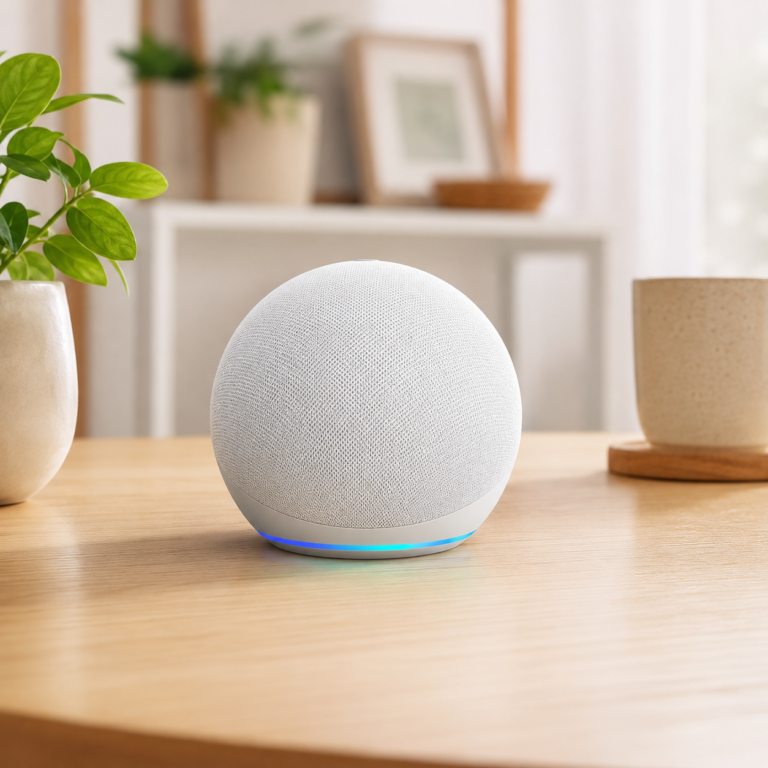
Amazon Echo Dot Glacier White
A compact speaker-style starting point for Alexa voice control in a bedroom, office, kitchen, or living room.
- Good fit: Beginners who want voice commands, timers, reminders, music, and simple compatible-device control without adding a screen.
- Watch out for: Not a Google Home device. Check smart-device compatibility, WiFi placement, app accounts, and privacy settings before buying.
As an Amazon Associate I earn from qualifying purchases.
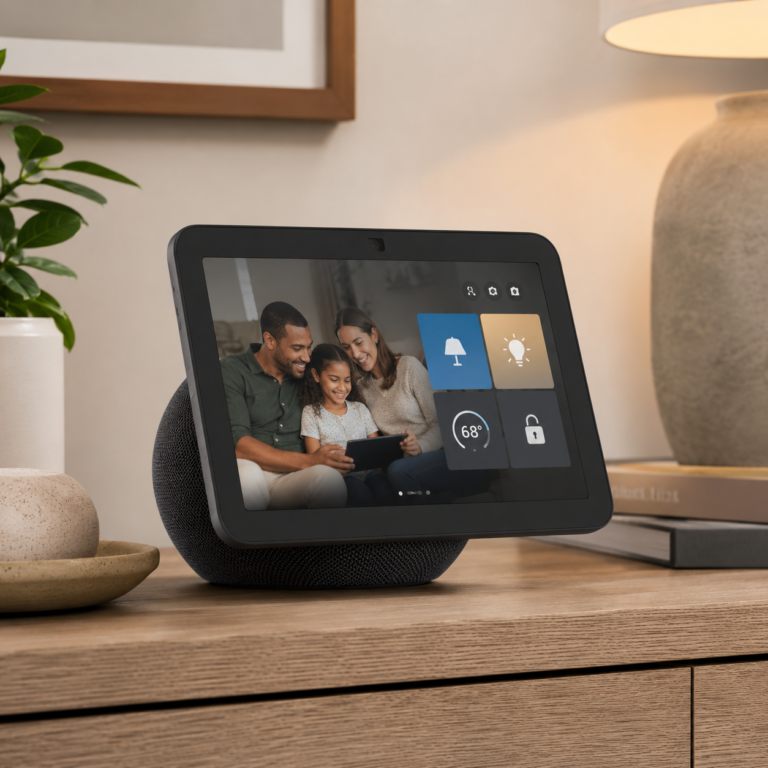
Amazon Echo Show 8
A smart display comparison point for kitchens, desks, and shared rooms where a screen is useful.
- Good fit: Households that want Alexa voice control plus visual timers, compatible camera views, reminders, and shared-room controls.
- Watch out for: A display is more privacy-sensitive than a speaker. Review camera and microphone controls before placing it in a bedroom or shared space.
As an Amazon Associate I earn from qualifying purchases.

Echo Show 5 Bedside Smart Display
A smaller display option for a nightstand, desk, or compact room where visual information matters.
- Good fit: Users who want clock, weather, reminders, simple routines, and compatible smart-home controls in a smaller display.
- Watch out for: The smaller screen is not a whole-home dashboard. Check current feature support, subscriptions, and privacy comfort before buying.
As an Amazon Associate I earn from qualifying purchases.
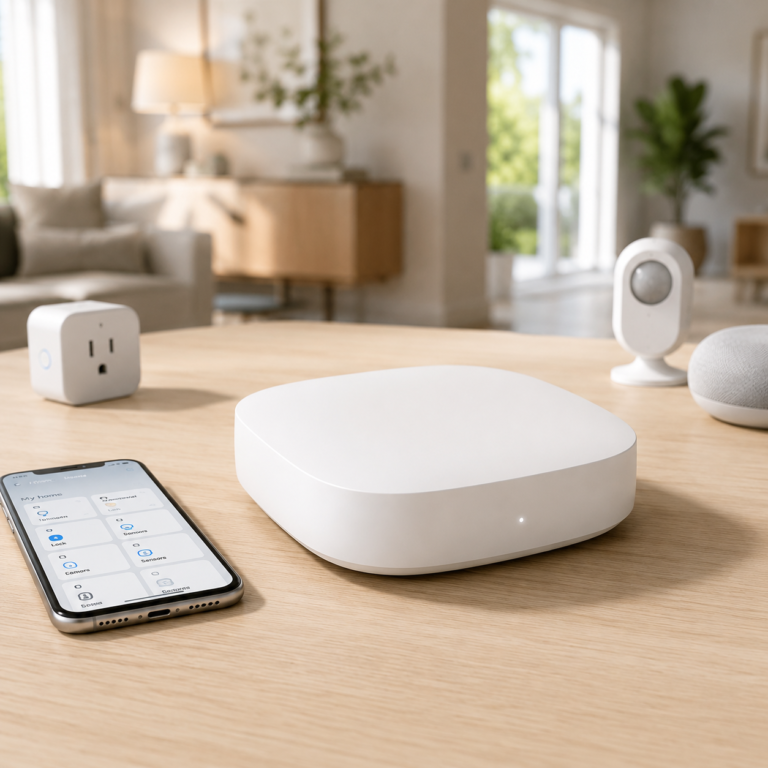
Aeotec Smart Home Hub
A hub comparison point for homes that may outgrow basic voice control.
- Good fit: Homes using mixed smart-home devices, especially when Zigbee, Z-Wave, Matter, SmartThings, Alexa, and Google Assistant support all matter.
- Watch out for: A hub does not make every device compatible. Check each device, protocol, app, and routine before buying.
As an Amazon Associate I earn from qualifying purchases.
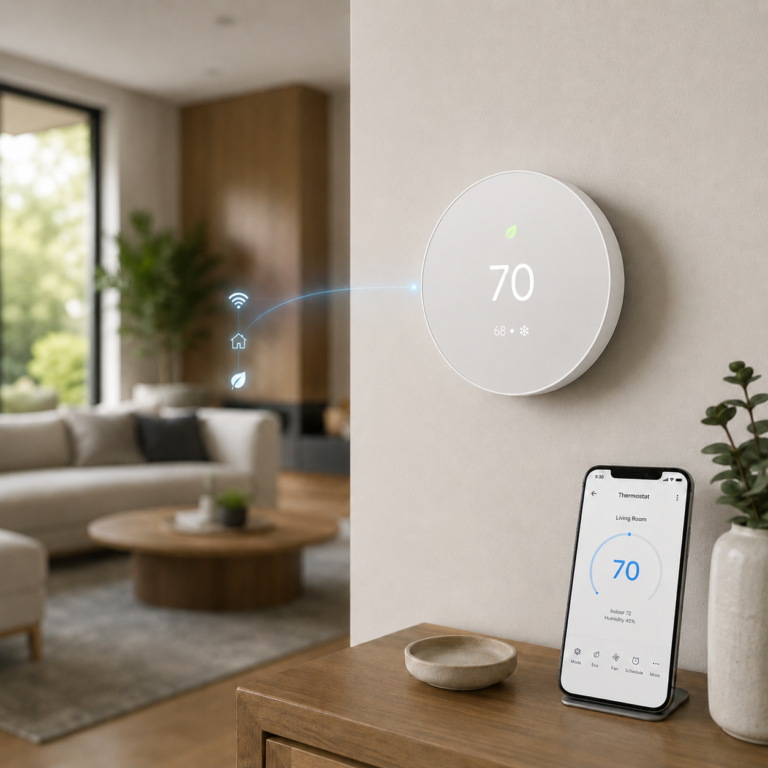
Google Nest Thermostat - Snow
A Google Home-compatible thermostat example, not a smart speaker or display.
- Good fit: Homes already leaning Google Home that want thermostat control and are allowed to replace the thermostat.
- Watch out for: This is not a voice assistant speaker. Renters and homes with complex HVAC should verify compatibility and permission before buying.
As an Amazon Associate I earn from qualifying purchases.
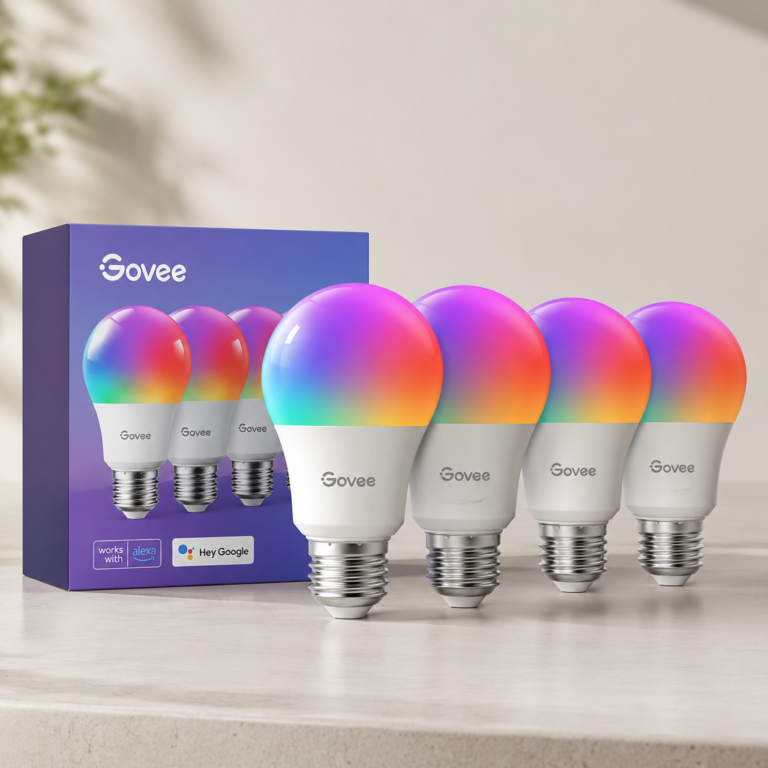
Govee Smart Light Bulbs 4 Pack
A smart-bulb example for testing voice control with Alexa or Google Assistant in a lamp or room.
- Good fit: Beginners who want to compare voice control with a reversible lighting setup before adding harder devices.
- Watch out for: Smart bulbs can frustrate households if wall switches are turned off or if people expect old switch behavior.
As an Amazon Associate I earn from qualifying purchases.
Helpful official resources to check
Use official compatibility and standards resources before you buy. Product details and platform behavior can change, so treat the product box, product page, manufacturer support page, and app compatibility list as the final check.
FAQ
Is Alexa better than Google Home for beginners?
Not universally. Alexa may be easier if your home already uses Echo, Ring, or Alexa-compatible devices. Google Home may be easier if your household already uses Android, Google accounts, Chromecast, or Nest devices. The better starting point is the one that fits your existing household and device compatibility.
Should Android users always choose Google Home?
No. Android households often have a smoother reason to start with Google Home, but device compatibility matters more than phone type alone. If your lights, cameras, doorbell, thermostat, or hub work better with Alexa, that may change the decision.
Do I need a smart-home hub to start?
Usually not for a simple speaker, smart plug, or smart bulb setup. You may need a hub when you add Zigbee, Z-Wave, Thread, Matter, SmartThings, or brand-specific devices. A voice assistant is helpful, but it is not always a full hub.
Is a smart display better than a smart speaker?
A display is better when the screen solves a real problem, such as kitchen timers, compatible camera viewing, calendars, or shared reminders. A speaker is often better for bedrooms, offices, renters, and privacy-sensitive households that only need voice control.
Does Matter mean Alexa and Google Home will both work perfectly?
No. Matter can help with interoperability, but it does not guarantee every feature works in every app or with every controller. Always check the device’s current compatibility notes, required controller, app setup path, and any Thread border router needs.
Can I switch from Alexa to Google Home later?
Sometimes. Switching is easier when your devices support both platforms or Matter. It is harder when your home depends on one ecosystem’s cameras, routines, subscriptions, hubs, or account setup. Keep your first setup small so changing direction is less painful.
Final takeaway
For most beginners, Alexa is the easier first step in an Amazon, Echo, or Ring household. Google Home is the easier first step in an Android, Google, Chromecast, or Nest household. A speaker is usually the simplest first device. A display is useful when the screen solves a real room problem. A hub becomes important when you move beyond basic WiFi devices.
Start with one room, one assistant, one routine, and one manual fallback. Then check compatibility, app requirements, WiFi or hub needs, privacy settings, subscription terms, and household permissions before you expand.
Next step: If you are new to this, read Start Here, then compare the basics in AI Home Automation Basics and the hub-focused guide Smart Home Hubs and Alexa Control.