
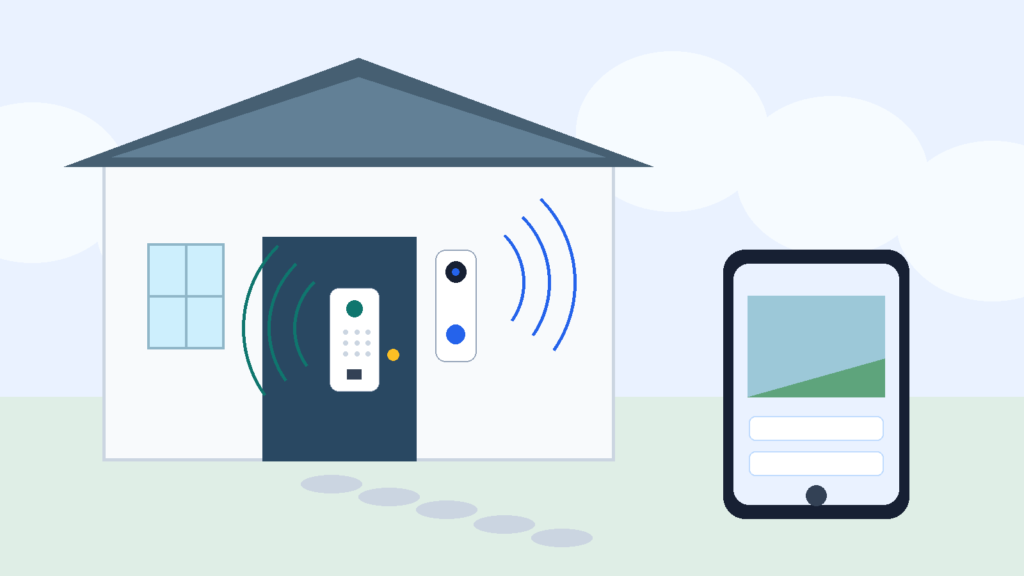
Front door buying guide
Quick Answer: Smart Lock With Camera, Video Doorbell, Or Both?
If you mainly want to see and talk to people at the front door, start with a video doorbell. If you mainly want keyless entry, guest codes, fingerprint or face entry, and remote lock control, start with a smart lock. If you want both jobs done well, separate devices are usually the most flexible setup.
A smart lock with a camera can be the right choice, but it is not automatically better than a video doorbell. It combines access control and visitor viewing into one front-door device, which can reduce clutter. The tradeoff is that it also combines the hard parts: door fit, battery upkeep, backup access, app reliability, biometric privacy, camera angle, WiFi, and installation permission.
The practical answer: choose a video doorbell for visitor visibility, a smart lock for access control, and separate devices when you want each job handled cleanly.
Before installing any camera, lock, or doorbell, check your lease, HOA rules, local recording laws, door measurements, wiring, and household privacy expectations. Do not point cameras into private neighbor areas.
A Video Doorbell Is Not The Same Thing As A Smart Lock
A video doorbell is primarily a visitor camera and communication device. It helps you see who is at the door, answer a doorbell press, talk through the app, receive motion alerts, and check the package area if the field of view is right.
A smart lock is primarily an access-control device. It helps you lock or unlock the door by app, keypad, fingerprint, face recognition, NFC, Apple Watch, passcode, physical key, or another supported method depending on the model.
The confusion happens because both devices live at the front door. Product pages can make them look interchangeable, but the best doorbell placement is often not the best lock placement. A doorbell should usually frame a visitor’s face, the porch approach, and the package drop area. A lock has to fit the door hardware first.
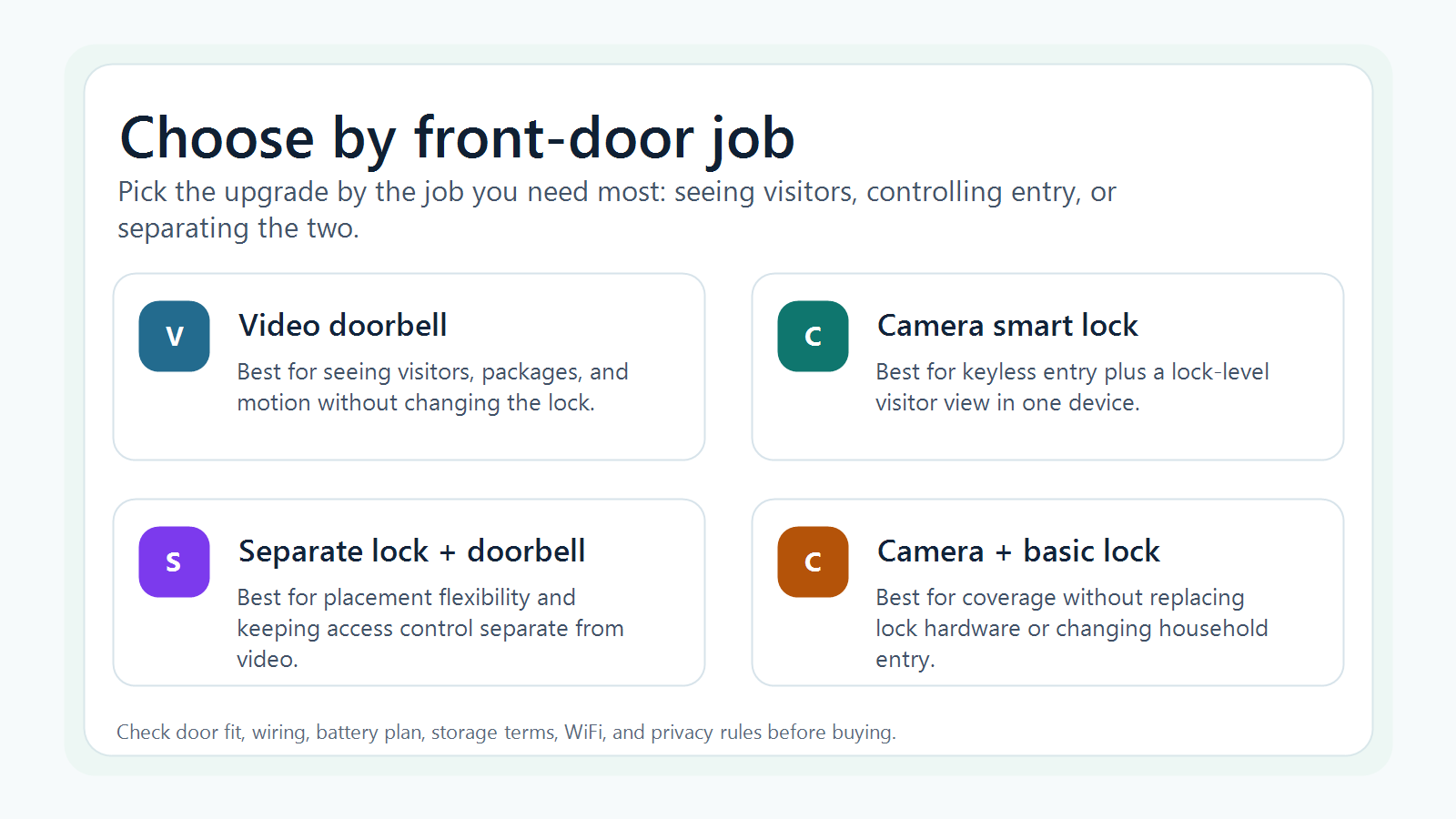
That does not make camera locks bad. It just means the buying question is not “which device has the most features?” It is “which device solves the front-door problem I actually have?”
What A Video Doorbell Does Better
A video doorbell is usually the better first upgrade when you want front-door awareness without changing the lock.
Best for
- Seeing visitors before opening the door.
- Talking to delivery drivers, guests, or service providers.
- Getting motion or doorbell-press alerts.
- Watching the package area when the field of view reaches low enough.
Watch for
- Subscription and storage terms.
- Battery charging or wired power requirements.
- Mounting permission, WiFi range, and privacy zones.
- No built-in lock control unless paired with a compatible smart lock.
Dedicated doorbells also have a placement advantage. You can often use a wedge, angle mount, doorframe placement, or alternate mounting location to improve what the camera sees. A lock camera has to live where the lock fits.
For example, Ring’s current battery doorbell pages emphasize Live View, Two-Way Talk, motion alerts, Head-to-Toe Video, and battery charging. ecobee’s wired doorbell page emphasizes a tall field of view, two-way talk, wired power, WiFi, and ecosystem display features. Those are doorbell jobs.
What A Smart Lock With Camera Does Better
A smart lock with camera makes more sense when entry control is the center of the decision.
It can be useful if you want one device at the door instead of a separate lock and doorbell, keypad or biometric access, temporary codes, entry logs, lock-state notifications, or a visitor-viewing feature at the lock.
The strongest reason to choose a camera lock is not that the camera is always better. It is that the access-control flow can be cleaner. A visitor presses the lock’s doorbell button, you see who is there, and then you decide whether to unlock the door from the same lock ecosystem.
The Nyboer WiFi Video Smart Door Lock is a good example of the combined-device idea. Its official page describes a handle-style smart lock with a camera and doorbell function, app control, fingerprint, passcode, key fobs, and physical keys. SwitchBot Lock Vision is a different kind of example: a deadbolt-focused smart lock with 3D face unlock, built-in WiFi, Matter over WiFi, and multiple unlock methods.
Lock first, camera second: a camera lock must be a good lock before the camera feature matters. If the door does not fit, the latch sticks, or backup access is unclear, skip it.
Where Camera Locks Get Complicated
Camera locks combine two categories that each have their own setup problems.
| Area to check | Why it matters | Common miss |
|---|---|---|
| Lock fit | The device must match the door, latch, backset, bore holes, trim, and swing. | Buying for app features before measuring the door. |
| Camera view | The lock position may not frame faces, packages, or the porch approach well. | Assuming a lock camera sees what a doorbell sees. |
| Power | Battery charging, low-battery alerts, emergency power, and key backup matter. | Relying on one phone, app, or battery. |
| Permission | Renters, condos, HOAs, and shared buildings may restrict lock replacement or recording. | Installing first and asking later. |
Camera locks are still worth comparing when your door is compatible and you want fewer devices. They are weaker choices when door measurements are uncertain, the lock hardware is unusual, you rent and cannot replace the lock, or you care deeply about getting the best possible visitor camera angle.
Where Video Doorbells Get Expensive
Video doorbells can look simpler at first, but subscription and wiring details can surprise buyers.
Ring is the cleanest example. Ring support says Live View is available without a subscription, and users can respond to alerts as they happen. But Ring also says a subscription is required to review recorded video. Events are only recorded after subscribing, and saved video history depends on Ring plan terms.
ecobee has a different setup. Its doorbell is wired, so there is no doorbell battery to recharge, but it requires compatible doorbell wiring and transformer support. ecobee’s product page says its Smart Doorbell Camera (wired) needs a 16-24 VAC transformer, 10VA minimum, high-speed internet, and a compatible doorbell system. ecobee also ties package detection, rich notifications, and 30-day video clip storage to Smart Security terms.
For a deeper look at camera storage tradeoffs, see the AIHA guide to security cameras without subscription.
Subscription And Storage Tradeoffs
Do not compare front-door devices only by the hardware.
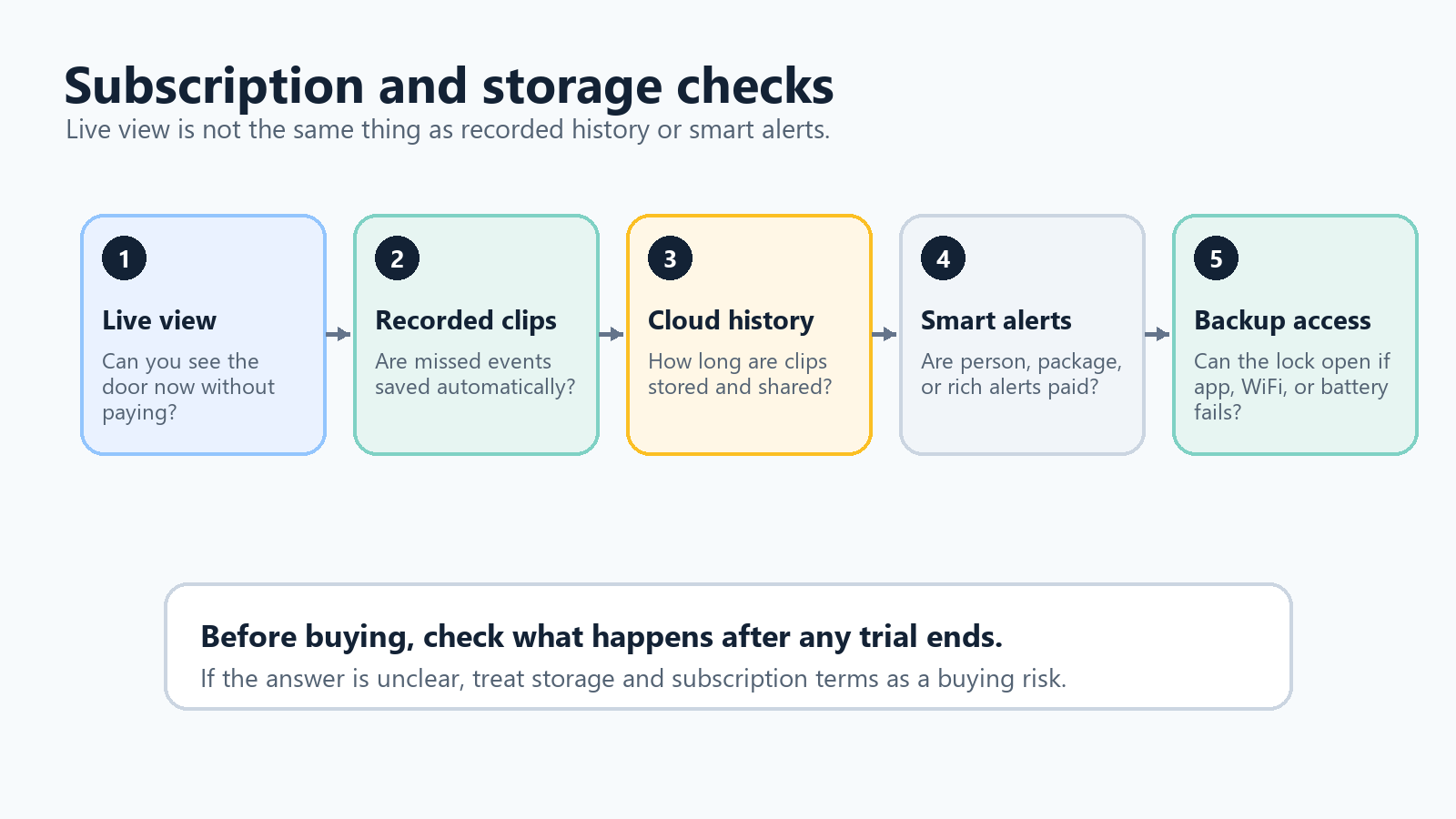
For a video doorbell, the subscription question often decides whether the device is just a live camera or a useful event history tool. Live view is useful when you answer in the moment. Video history is useful when you miss the event.
For a camera lock, the storage question can be less obvious. Some camera locks focus on visitor calls, snapshots, entry logs, or app notifications. Others may support video playback or cloud/local storage. The terms are not as standardized as mainstream doorbells, so you need to check the exact product’s app and storage behavior.
- Can I use live view without paying?
- Are motion clips or doorbell presses recorded?
- Is there cloud history, local storage, or only app notifications?
- Can I download or share clips?
- Are package, person, or rich alerts included or paid?
- What happens after a trial ends?
Door Fit, Wiring, Battery, Backup Access, And WiFi Checks
The front door is not the place to buy on vibes. A good product can be the wrong product for your door.
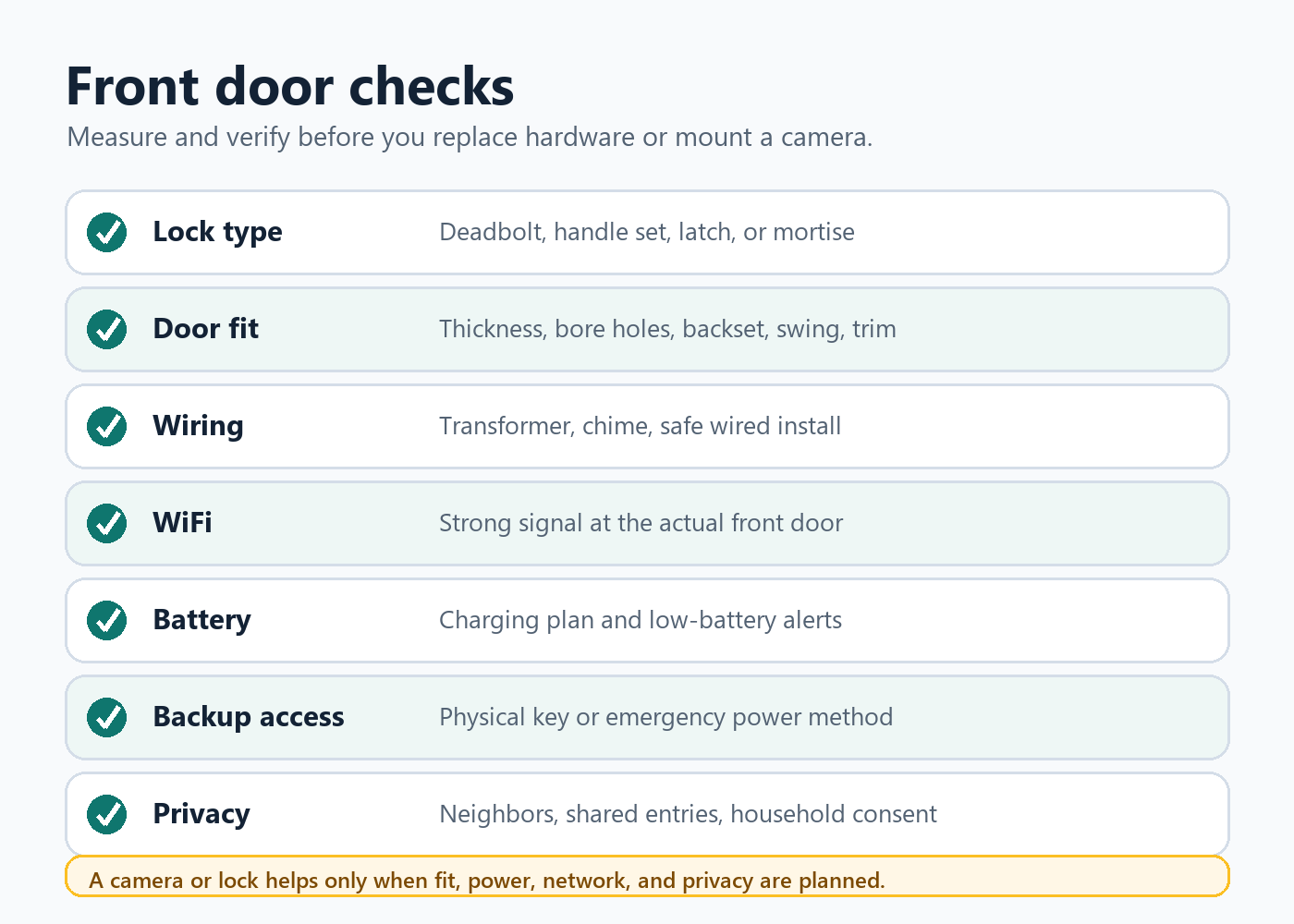
For smart locks and camera locks, check the mechanical fit first. Confirm whether the device replaces a deadbolt, a handle set, a latch, or a mortise lock. Measure door thickness, bore hole spacing, handle spacing, backset, and the distance to trim or glass. Check left/right swing and whether the existing strike plate and latch line up cleanly. If your current door sticks, fix that before installing a smart lock.
For video doorbells, check power and mounting. Battery doorbells still need a charging plan. Wired doorbells need compatible wiring, a compatible transformer, and chime compatibility. If the installation involves wiring, drilling into masonry, or ladder work, follow the manufacturer’s instructions and use qualified help when needed.
For every front-door device, check WiFi at the actual mounting spot. A strong signal inside the living room does not prove the porch has enough signal. Walls, brick, metal doors, glass, and distance can weaken the connection.
For every lock, check backup access. A smart lock should never leave your household dependent on one phone, one app, one cloud service, or one battery.
Front Door Products To Compare Before You Replace Hardware
The product cards below are included only after verifying the product IDs, local product data, affiliate links, product images, shortcode support, review-pattern files, and current manufacturer/platform sources. These are comparison starting points, not ranked review picks.
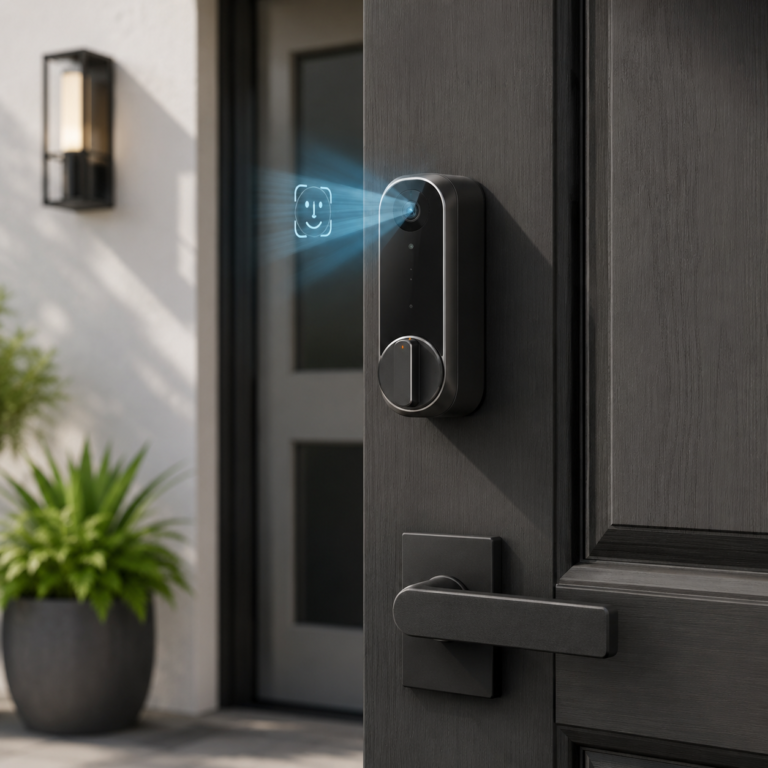
SwitchBot Lock Vision Smart Lock
A smart deadbolt upgrade to compare when keyless entry and biometric/vision unlock matter more than replacing a dedicated visitor camera.
- Good fit: Homeowners with compatible deadbolt hardware who want a smart lock centered on access control, Matter over WiFi, and multiple unlock methods.
- Watch out for: Do not treat the lock position as automatically equal to a dedicated video doorbell view. Confirm camera/vision behavior and backup entry before relying on it.
As an Amazon Associate I earn from qualifying purchases.
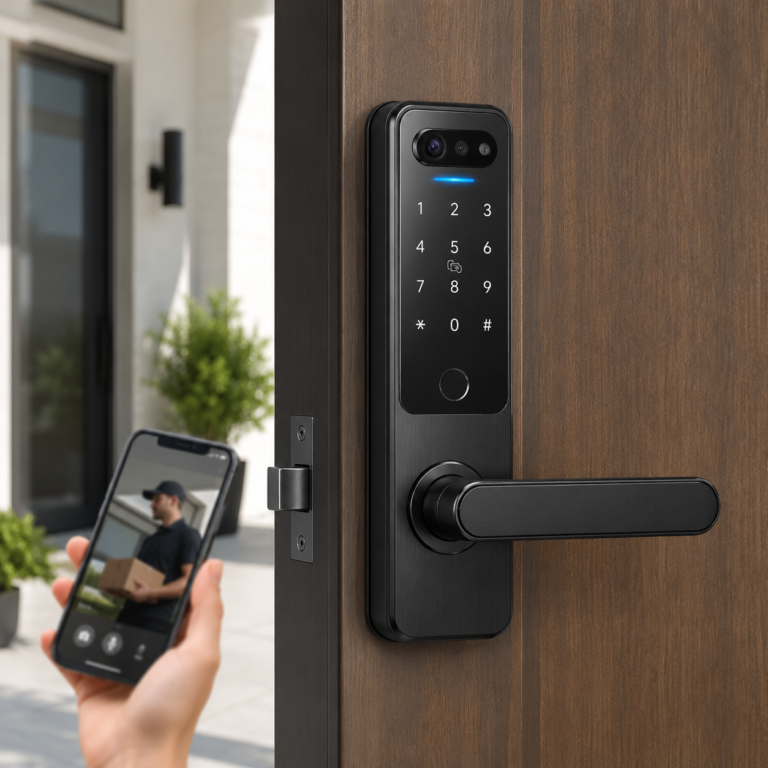
Nyboer WiFi Video Smart Door Lock
A handle-style camera lock to compare if you want the lock, keypad, fingerprint access, app control, camera, and doorbell function in one device.
- Good fit: Homes replacing a handle set where the existing holes, handle spacing, door swing, and lock direction match the product.
- Watch out for: This is more involved than adding a doorbell. Skip it if door measurements, renter permission, app behavior, storage terms, or backup access are unclear.
As an Amazon Associate I earn from qualifying purchases.
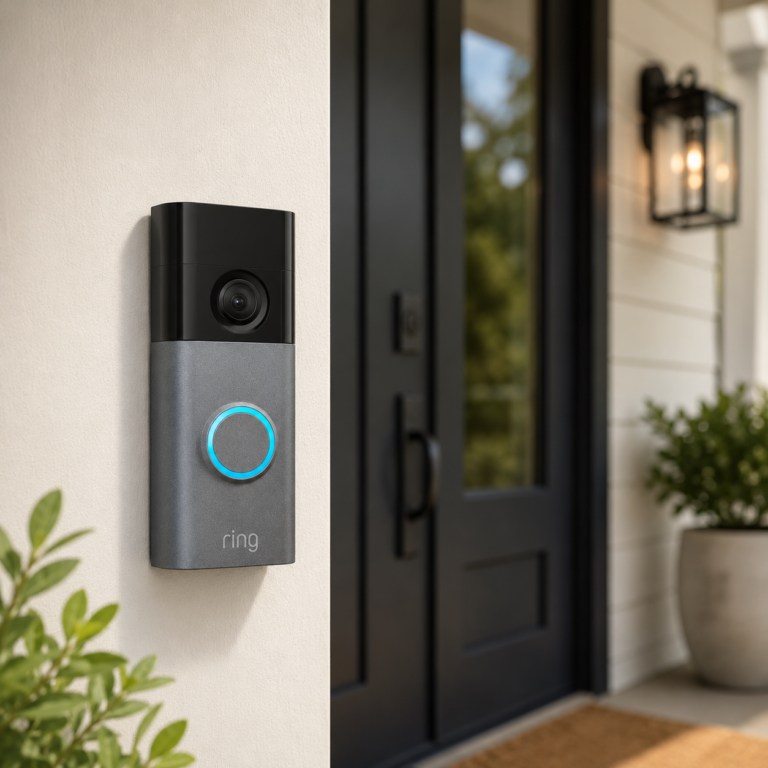
Ring Battery Doorbell Plus
A Ring battery doorbell to compare when visitor video, two-way talk, and front-door alerts matter more than changing the lock hardware.
- Good fit: Ring households that want a battery-powered video doorbell and are comfortable checking Ring plan terms before relying on saved clips or advanced alerts.
- Watch out for: Ring support says recorded video review requires a subscription. Without a plan, Live View can still work, but missed-event history is limited by Ring terms.
As an Amazon Associate I earn from qualifying purchases.
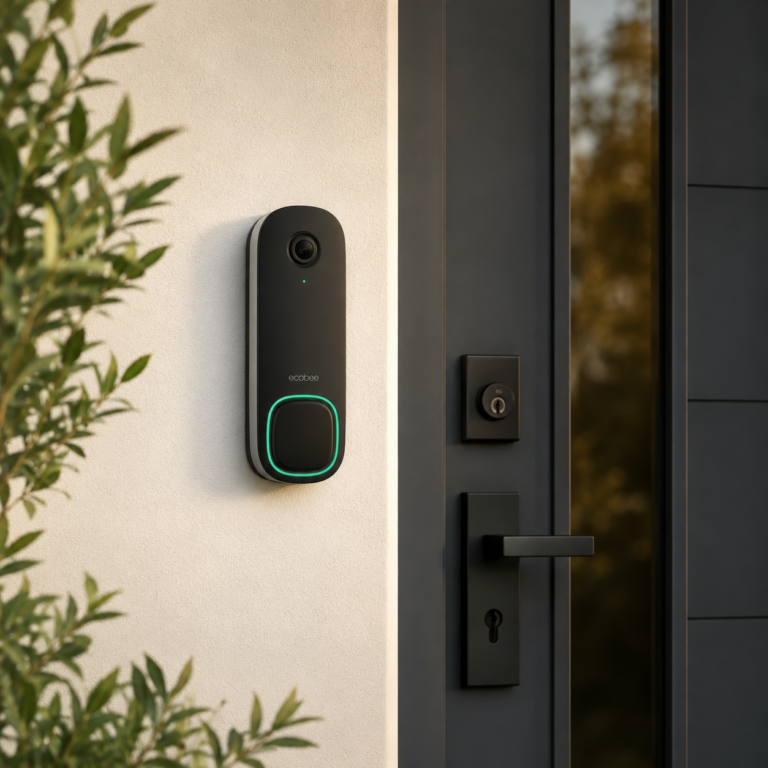
ecobee Smart Video Doorbell Camera Wired
A wired video doorbell to compare if you already use ecobee or want a doorbell that fits a compatible wired setup.
- Good fit: Homes with compatible doorbell wiring, transformer support, strong WiFi, and interest in ecobee, Alexa, Apple HomeKit, or Google Home integrations.
- Watch out for: ecobee ties package detection, rich notifications, and 30-day video clip storage to Smart Security terms. Check wiring before buying.
As an Amazon Associate I earn from qualifying purchases.
Which Setup Fits Your Home?
Setup 1: Video Doorbell Only
Choose a video doorbell only if the main job is seeing visitors and packages. This is the cleanest path when your existing lock works fine, you do not want to replace hardware, or you rent and have mounting permission but not lock-replacement permission.
Best for: visitors, doorbell presses, motion alerts, package-area visibility, two-way talk, and simpler door hardware.
Cautions: it does not control the lock by itself, recording and advanced alerts may require a plan, battery models need charging, wired models need compatible wiring, and camera angle/privacy matter.
Setup 2: Smart Lock With Camera
Choose a camera lock if access control is the main job and the door is a known match. This setup is attractive when you want one front-door device with keypad, app, biometric, and visitor-viewing features.
Best for: keyless entry, fingerprint or face access, temporary codes, fewer mounted devices, and homes where the lock position gives a usable camera view.
Cautions: door measurements matter, camera placement may be less flexible than a doorbell, batteries and backup access matter, and biometric privacy needs household consent.
Setup 3: Smart Lock Plus Separate Video Doorbell
Choose separate devices if you want the clearest separation of jobs. The doorbell watches the porch. The lock controls entry. Each device can be placed and selected for its own purpose.
Best for: better camera placement, stronger access planning, guest codes plus visitor video, and homes where packages need a different camera angle than the lock.
Cautions: more devices can mean more batteries, wiring, apps, subscriptions, notifications, and privacy settings.
Setup 4: Separate Camera Plus Basic Lock
Choose a separate camera plus a basic lock when you need front-door coverage but should not replace the lock. This can make sense for renters, unusual door hardware, historic doors, shared buildings, or homes where camera placement matters more than keyless entry.
Best for: camera coverage without lock replacement, more flexible camera angle, and existing lock hardware that already works.
Cautions: no keyless access unless you add a smart lock, storage and subscription terms still matter, mounting permission still matters, and a camera does not make weak lock hardware stronger.
Privacy And Safety Notes For Front-Door Devices
Front-door cameras are not private just because they face outside. They can capture neighbors, shared hallways, sidewalks, building entries, delivery workers, children, and household routines.
Use the narrowest useful camera angle. Avoid pointing into neighbor windows, patios, yards, or private areas. Use privacy zones if the app supports them. In shared buildings, check building rules before installing a doorbell or camera lock.
Indoor household expectations matter too. If a doorbell feed appears on a smart display or thermostat inside the home, make sure household members understand who can view it and when. Remove old shared users. Review temporary codes. Do not leave guest access active after it is no longer needed.
Biometric locks need an extra privacy conversation. Face recognition, fingerprint access, palm/vein access, entry logs, and camera events involve sensitive household routines. Make sure adults in the home understand the settings, and avoid creating access methods for people without their consent.
Keep expectations grounded: cameras and smart locks can help you monitor, answer, and control compatible front-door devices. They are not a safety guarantee, do not stop crime by themselves, do not protect packages, do not replace proper locks, lighting, alarms, or emergency services, and do not make unsafe installation work safe.
FAQ
Is a smart lock with camera better than a video doorbell?
Not automatically. A smart lock with camera is better when access control is the main job and the door is compatible. A video doorbell is usually better when visitor viewing, package area visibility, and two-way talk are the main jobs.
Can a smart lock with camera replace a video doorbell?
Sometimes, but not always. A camera lock can replace a doorbell only if its camera angle, live view, alerts, recording/storage, doorbell button, and app behavior match what you expect from a dedicated video doorbell.
Should I buy a video doorbell or a smart lock first?
Buy the video doorbell first if you want to see and talk to visitors. Buy the smart lock first if you want keyless entry, guest access, or remote locking. Buy both as separate devices if you want each job handled cleanly.
Do smart locks with cameras need a subscription?
It depends on the product. Some camera locks may include app access or local features, while others may use cloud storage or app services. Check the exact model’s live view, recording, video playback, and storage terms before buying.
Do video doorbells need a subscription?
Many video doorbells work for live view without a subscription, but saved recordings, video history, package detection, rich notifications, or advanced alerts may require a plan. Ring and ecobee both have plan-tied features to check before buying.
Can I use a smart lock and video doorbell together?
Yes. In many homes, that is the most flexible front-door setup. The doorbell handles visitors and packages, while the smart lock handles entry. Just remember that separate devices can also mean more apps, batteries, subscriptions, and privacy settings.
Can renters install a smart lock with camera?
Only if the lease, landlord, building rules, and local rules allow it. A camera smart lock usually changes door hardware and may involve a camera facing a shared area. Renters should get permission before replacing locks, drilling, or recording shared spaces.
What should I check before buying a camera smart lock?
Check deadbolt or handle compatibility, door thickness, bore holes, handle spacing, door swing, latch alignment, WiFi, battery charging, backup access, app requirements, biometric privacy, storage terms, and installation permission.
What should I check before buying a video doorbell?
Check battery vs wired power, transformer and chime compatibility for wired models, mounting space, WiFi strength, field of view, privacy zones, subscription terms, smart display support, and whether it can see the package area.
Do camera locks work if WiFi goes out?
Do not assume every feature works. Many smart locks still need a local unlock method such as a key, keypad, fingerprint, NFC, or emergency power option. Remote live view, app alerts, cloud features, and remote unlock may depend on WiFi or internet.
What happens if the smart lock battery dies?
That depends on the lock. Check for a physical key, emergency charging port, backup battery, low-battery alerts, or another manufacturer-supported fallback before buying. Do not rely on a single phone/app unlock method.
Is facial recognition safe for a front door lock?
It depends on the product, settings, and household expectations. Check how face data is enrolled, managed, deleted, and shared. Use strong account security, avoid enrolling people without consent, and keep a backup access method.
Sources
Official product and support sources used for product and capability claims: SwitchBot Lock Vision, Nyboer WiFi Doorbell Smart Lock with Camera H3B PRO, Ring Battery Doorbell Plus, Ring Battery Doorbell, Ring Protect subscriptions, Ring Live View, ecobee Smart Video Doorbell Camera Wired, and Tuya smart lock solution background.
Independent sources used for buyer context, placement, and privacy/security cautions: FTC home security camera advice, Homebuilding camera placement advice, T3 smart lock buyer feature context, and The Verge video doorbell buyer context.