Smart Plug With Energy Monitoring: What to Check Before You Buy
A smart plug with energy monitoring can help you see watts, kWh, and usage trends for suitable plug-in devices. The trick is knowing when the feature is actually present, when Alexa or Matter can see it, and when a smart plug is the wrong tool for the appliance.
A good energy-monitoring plug is useful for understanding patterns. It is not a magic safety adapter. Before buying, check the exact model, the load rating, the app features, and the appliance type.
Buy Energy Monitoring Only When You Need Measurement
If your goal is “turn this lamp on at sunset,” you probably do not need energy monitoring. A basic smart plug can be enough for simple remote control and schedules.
If your goal is “show me how many watts this device is pulling” or “help me notice when a cycle changes state,” then you need a plug whose current official product page specifically says it supports energy monitoring. Do not assume that every smart plug from the same brand has the same feature.
Safety first: Do not use a smart plug to exceed product ratings, bypass appliance instructions, or remotely control high-wattage, heating, refrigeration, medical, pump, motor, or safety-critical devices.
What Energy Monitoring Actually Measures
Energy monitoring usually means the smart plug can report power use for whatever is plugged into it. Depending on the model and app, that may include current power draw in watts, accumulated energy use in kWh, charts by time period, cost estimates, or power-threshold features.
Those features are helpful, but they are not the same as a utility bill. A consumer smart plug can be good for understanding patterns, comparing devices, or spotting standby draw. It should not be treated as a billing-grade meter unless the manufacturer specifically says it is certified for that use.
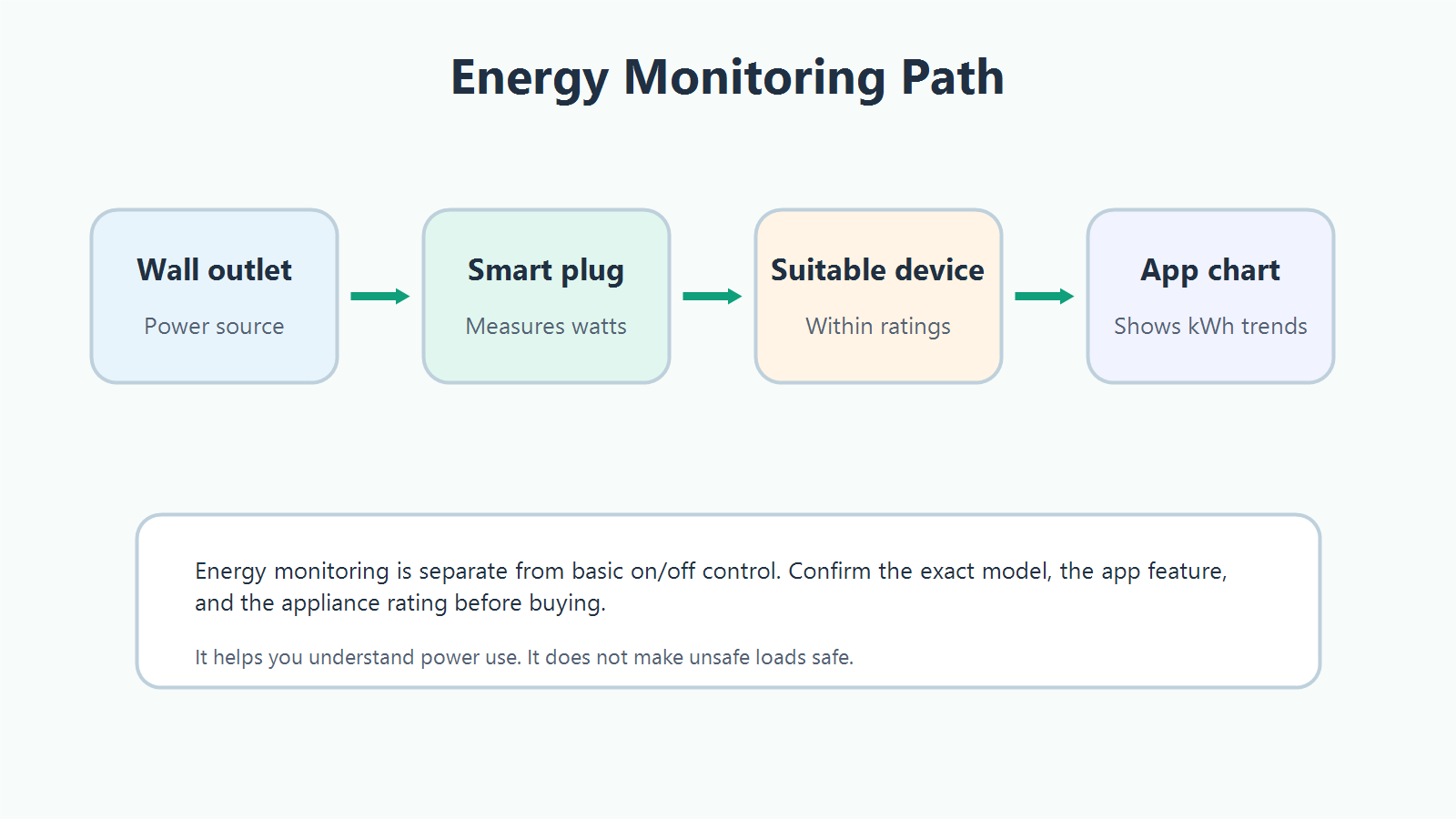
Basic smart plug
Turns power on and off, supports schedules, and may work with Alexa or Google for voice control. It may not measure anything.
Energy-monitoring plug
Adds measurement hardware and app support for watts, kWh, trends, and sometimes power-threshold features.
Before buying, look for energy language on the official product page, not only in a marketplace title or search result. Terms to look for include “energy monitoring,” “power monitoring,” “wattage,” “kWh,” “consumption,” or “usage charts.”
Alexa, Washer Alerts, And The Fine Print
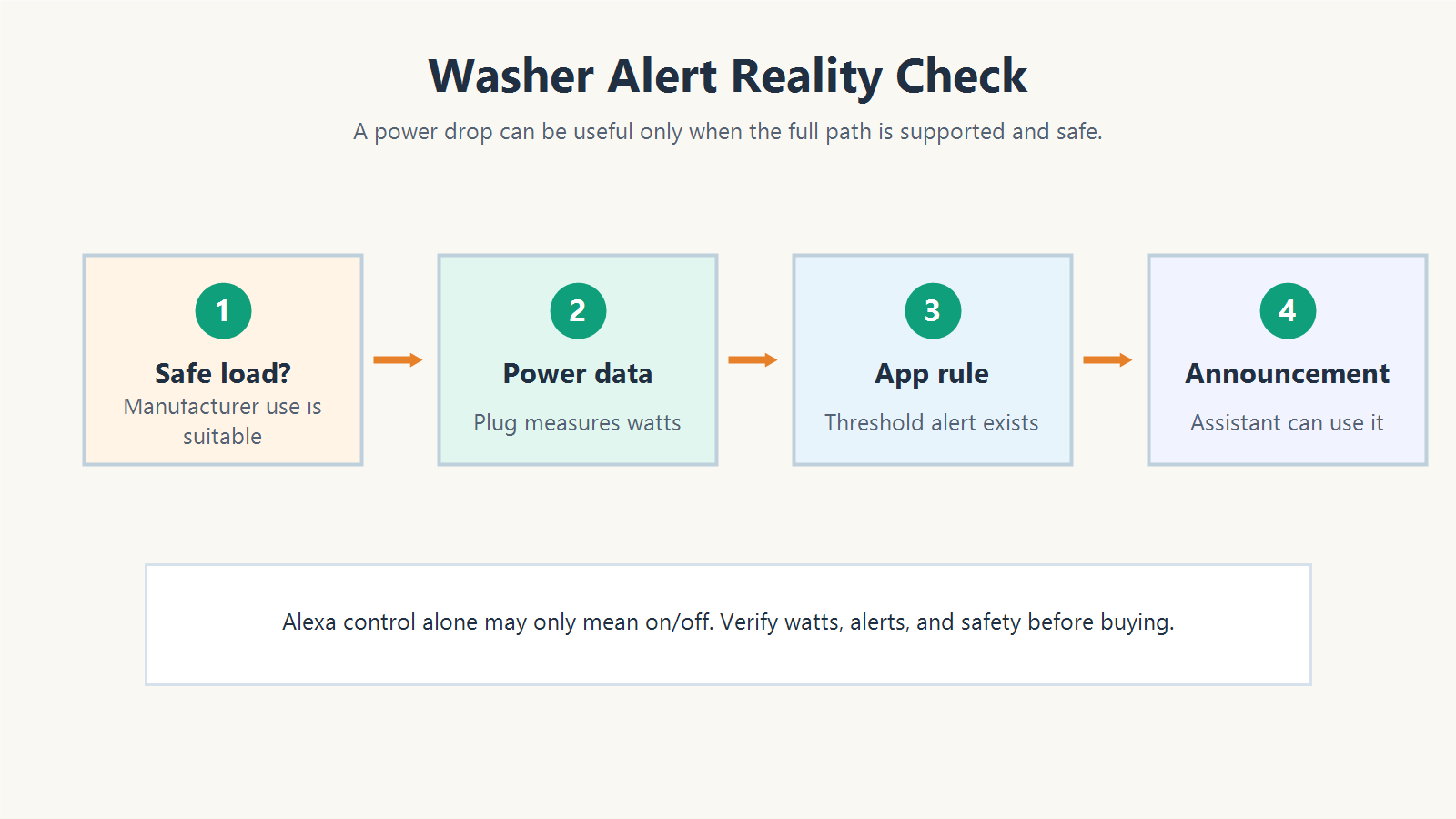
A common reason people search for an energy-monitoring smart plug is the washer alert idea: if the washer’s power drops after a cycle, can Alexa announce that laundry is done?
Sometimes a manufacturer app can create notifications from power thresholds. Sometimes a smart home platform can use an exposed power measurement. But Alexa support on a smart plug often means something simpler: Alexa can turn the plug on or off. Amazon’s Alexa.PowerController documentation describes the interface for turning devices on and off, with powerState as the primary property.
That means you should not buy a plug only because it says “works with Alexa” and assume Alexa can see wattage, kWh, or a washer-finished state. Check the plug’s app, automation options, Alexa skill behavior, and recent support documentation. If the alert is the reason you are buying, verify that exact alert path before purchase.
Washing machines and dryers are motorized, high-load appliances. If your goal is only to observe energy use, avoid any setup that could interrupt a safety-critical or appliance-critical load. Use a device and method the manufacturer says is suitable for that appliance.
Matter Energy Reporting Is Promising, But Not Automatic
Matter is moving in the right direction for energy data. The Connectivity Standards Alliance announced Matter 1.3 with energy reporting capabilities, including measurements such as instantaneous power, voltage, current, and energy consumption over time.
The important buyer detail is the next step: manufacturers and platforms still need to implement, test, certify, and ship those features. A product can be a Matter smart plug and still not expose the exact energy features you expect in every app.
- Does this exact model support energy monitoring?
- Does its Matter implementation expose energy data, or only on/off control?
- Does the app you use show watts and kWh?
- Does your controller support the relevant Matter energy features?
- Are the features available now, or promised for a future update?
- Will the product still do what you need without Matter energy reporting?
Matter can reduce ecosystem lock-in, but it does not replace model-by-model checking.
Appliance Safety: What Not To Guess About
The safest smart plug use cases are simple, lower-risk plug-in devices that stay within the plug’s rating and behave predictably when power is cut and restored. Think lamps, holiday lights within rating, some chargers, and small electronics where the device manual does not forbid plug control.
Be much more cautious with devices that heat, cool, pump, compress, or protect something important. Independent safety sources repeatedly warn against casual smart plug use with high-wattage, heating, refrigeration, medical, pump, motor, and safety-critical devices.
Avoid using a standard smart plug to automate or remotely power space heaters, heating pads, heated blankets, irons, hair dryers, kettles, refrigerators, freezers, washers, dryers, dishwashers, portable air conditioners, water heaters, sump pumps, aquarium pumps, oxygen equipment, CPAP devices, medical equipment, security systems, garage doors, or any load that must remain continuously powered.
The amp and watt number is only part of the story. A plug’s maximum general/resistive load may not equal its motor-load rating. If a device has a compressor, motor, heating element, high startup surge, or safety role, treat it as a special case.
Do not exceed the smart plug’s rating. Do not use a smart plug to bypass appliance instructions. Do not use extension cords, power strips, or adapters to make an unsuitable setup fit. When in doubt, choose a safer appliance-specific device or ask a qualified electrician.
What To Check Before You Buy
Use this checklist before comparing brands.
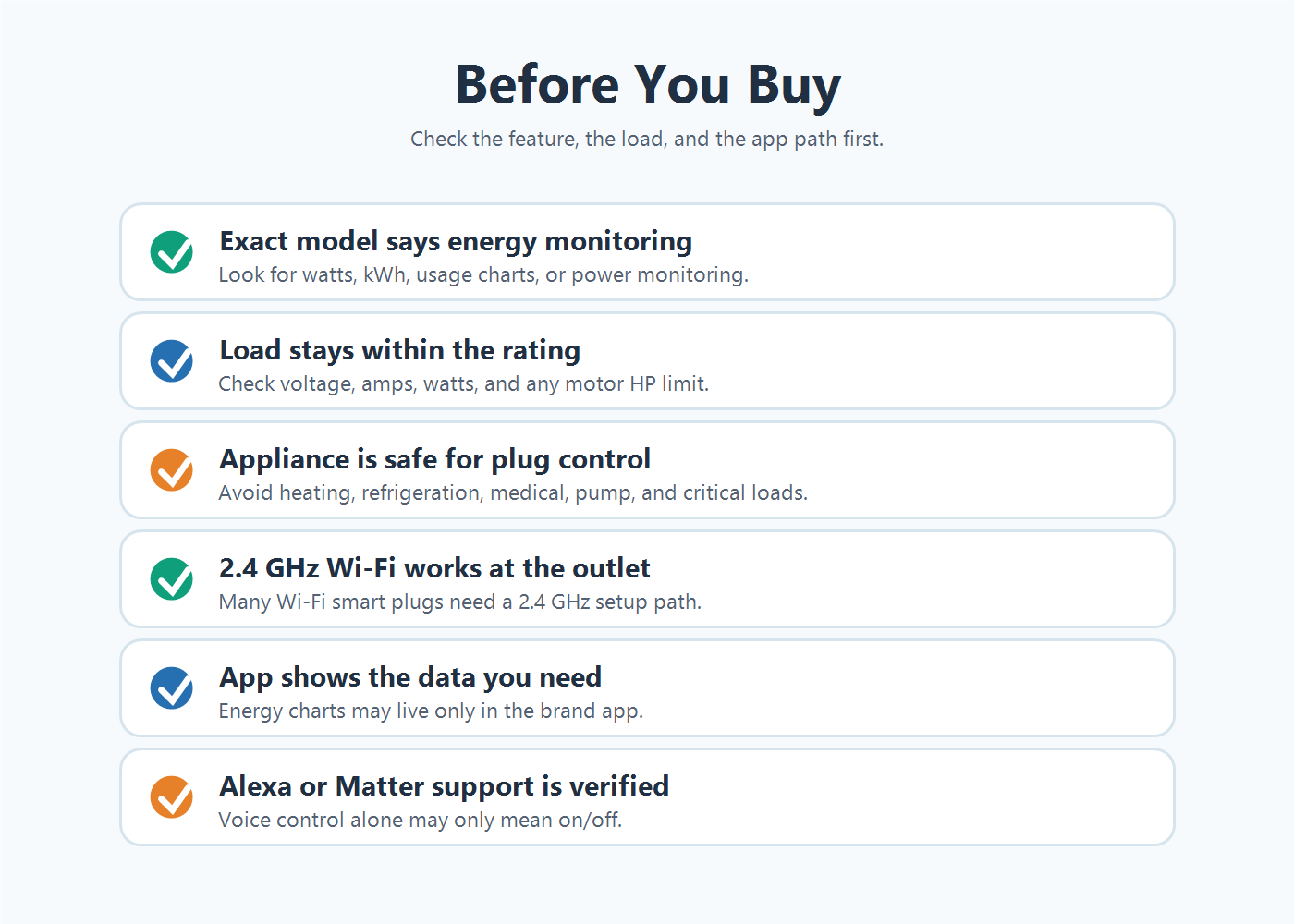
| Check | Why it matters | What to verify |
|---|---|---|
| Exact model | Similar-looking plugs can have different features. | The official page says energy monitoring, watts, kWh, power monitoring, or usage charts. |
| Ratings | Voltage, amps, watts, and motor limits are not interchangeable. | 100-120V or 100-125V, 15A, 1800W, motor HP rating, and appliance manual limits. |
| Appliance type | Heating, refrigeration, pump, motor, and critical loads need more caution. | The appliance maker and plug maker both support the use case. |
| Connectivity | Many Wi-Fi plugs require 2.4 GHz setup. | Your router and phone can complete setup on the required network. |
| App and alerts | Energy data may live only in the brand app. | The app can show the chart, threshold, or notification you want. |
| Voice assistant | Alexa or Google support often means on/off control. | Whether energy data is exposed, not just plug control. |
| Matter | Matter support does not automatically prove energy reporting in every app. | Exact Matter feature support for your controller and app. |
| Outlet fit | Some plugs block the second outlet or crowd furniture. | Plug size, orientation, and whether a multi-pack makes sense. |
Smart Plugs To Compare After You Know What You Need
These are not ranked as “best overall.” They are product cards only after local product data, affiliate data, images, shortcode support, and source support were checked. The safer way to compare them is by role.
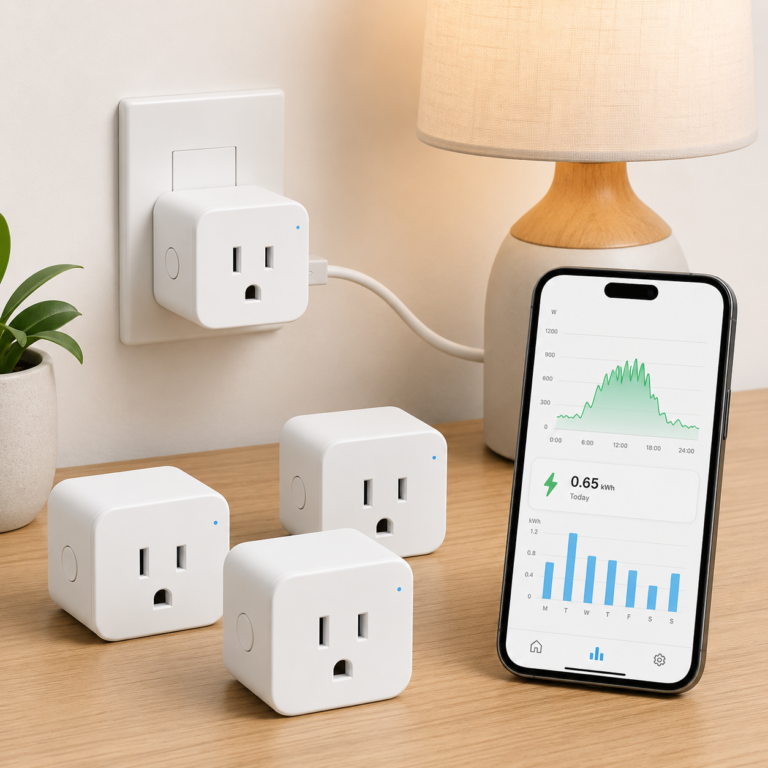
TP-Link Tapo P115 Smart Plug Energy Monitoring 4 Pack
A smart plug pack to compare when you specifically want app energy tracking, schedules, timers, and smart plug control for suitable plug-in devices.
- Good fit: Readers who want to see wattage and energy-use trends for lower-risk plug-in devices after checking load ratings.
- Watch out for: Do not exceed 15A/1800W general/resistive load, and do not assume Alexa can use wattage data as a routine trigger.
As an Amazon Associate I earn from qualifying purchases.
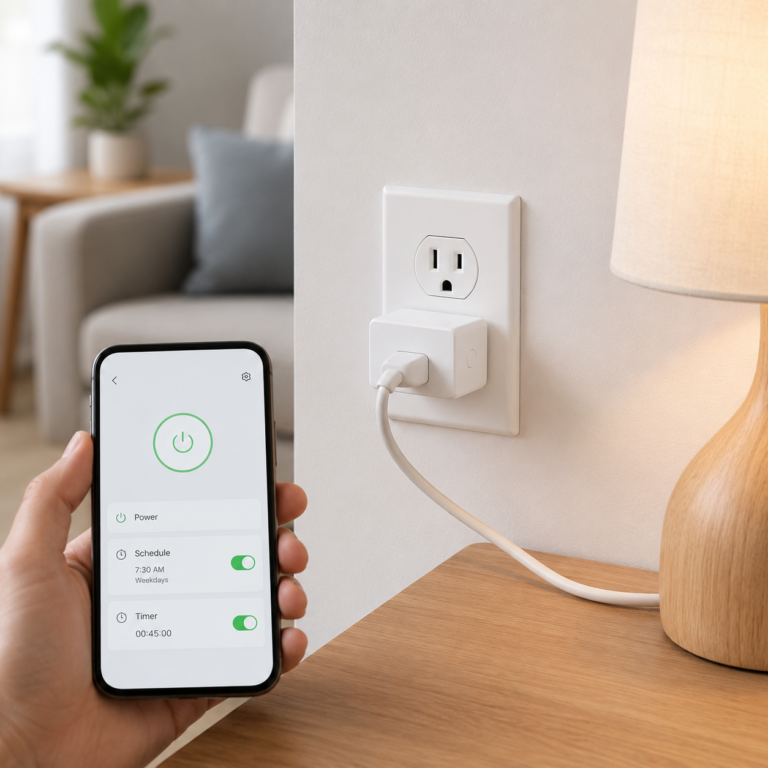
Kasa Smart Plug Ultra Mini EP10
A compact smart plug to compare when you only need app, schedule, timer, and Alexa or Google on/off control instead of energy monitoring.
- Good fit: Lamps, holiday lights within rating, and simple routines where energy tracking is not required.
- Watch out for: Do not buy this as an energy-monitoring plug. EP10 is a basic model, and appliance ratings still matter.
As an Amazon Associate I earn from qualifying purchases.
When Energy Monitoring Is Worth Paying For
Energy monitoring is worth considering when you have a specific question: which mode uses more power, how much standby draw a device has, whether a suitable device ever fully turns off, how often a device cycles, or whether a suitable, non-critical device changed from active use to idle.
It is less compelling if you only want a schedule. In that case, a basic smart plug may do the job, provided the connected device is safe to control with plug power.
It is also less compelling when the device you want to monitor is not a good smart plug candidate. A refrigerator, freezer, pump, heater, medical device, or critical appliance may need a different type of monitoring or a purpose-built smart appliance rather than a plug that can cut power.
How To Read Product Listings Without Getting Tripped Up
- “Works with Alexa” means the plug can be controlled through Alexa in some way. It usually does not prove energy data is available in Alexa.
- “No hub required” means the plug connects through Wi-Fi or another direct setup path. It does not prove energy monitoring.
- “Matter” means the product supports the Matter standard. It does not automatically prove the energy reporting feature is exposed in your preferred platform.
- “15A” or “1800W” means a rating limit under specific conditions. It does not make a plug appropriate for every 15A appliance.
- “Mini” or “compact” describes size. It does not describe measurement features.
The safest habit is simple: match the exact model number, read the official page, check the specs, then decide whether the feature is truly present.
FAQ
What is a smart plug with energy monitoring?
It is a smart plug that can measure power use for the connected device and show that data in an app. Common measurements include watts and kWh. Some apps also estimate cost or show charts.
Is energy monitoring the same as remote control?
No. Remote control turns the plug on and off. Energy monitoring measures electricity use. A plug can support remote control without supporting energy monitoring.
Can Alexa tell me when my washer is done?
Do not assume that from the Alexa badge alone. Alexa smart plug support often covers on/off control. A washer-finished alert requires the exact plug, app, skill, and routine path to expose usable power-threshold data. Also check whether the washer is a safe and supported load for that plug.
Does Matter guarantee energy monitoring?
No. Matter 1.3 includes energy reporting capability, but manufacturers and platforms still need to implement and expose it. Confirm the exact plug and app support before buying.
Does Kasa EP10 have energy monitoring?
Do not buy EP10 for energy monitoring. Kasa’s official EP10 page does not list energy monitoring, Kasa’s product listing labels other models as energy-monitoring plugs, and TP-Link support/community describes EP10 as a basic model without energy monitoring.
Can I use an energy-monitoring smart plug with a space heater?
Do not use a standard smart plug to automate a space heater. Heating appliances are a major caution category, and safety sources advise plugging space heaters directly into outlets and not leaving them unattended.
Can I monitor a refrigerator or freezer with a smart plug?
Be very cautious. Refrigeration equipment is safety-sensitive because accidental shutoff can spoil food and some compressors have startup and motor-load considerations. Do not use a smart plug that can interrupt power unless the appliance and plug maker both support that use.
Is 15A / 1800W enough for any household appliance?
No. That number is not a universal permission slip. You still need to check voltage, continuous load, startup surge, motor rating, appliance instructions, and whether the load is heating, refrigeration, pump, medical, or safety-critical.
Related AIHA Guides
Sources
Official product and platform sources used for product and capability claims: TP-Link Tapo P115, Kasa EP10, Kasa smart plug listing, TP-Link community EP10 support note, Matter 1.3 announcement from the Connectivity Standards Alliance, and Amazon Alexa.PowerController documentation.
Independent safety and buyer-caution sources used for real-world limitations: Tom’s Guide appliance caution, Better Homes & Gardens smart plug caution, and WIRED space heater safety tips.