
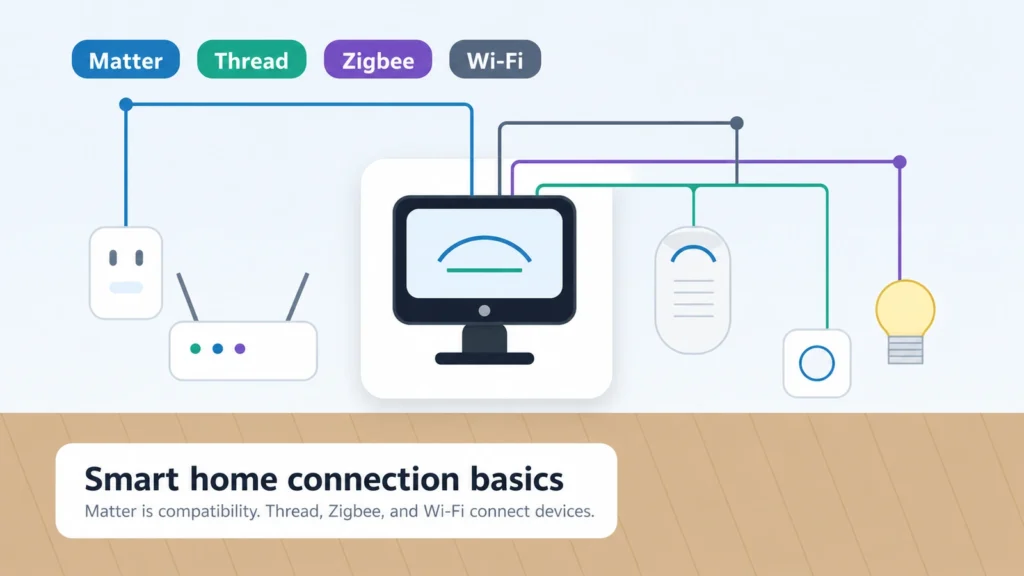
Smart home product pages can make a simple purchase feel like a wiring diagram. One box says Matter. Another says Thread. Another says Zigbee hub required. A fourth uses Wi-Fi but still needs a manufacturer app.
The practical answer is simpler than the labels make it sound: Matter is the compatibility layer, Thread and Zigbee are low-power mesh networks, and Wi-Fi still matters for many everyday devices. The best choice depends on the device type, the hub or controller you already own, and the ecosystem you want to use.
If you are still building the basics, start with Start Here and AI Home Automation Basics. If you are choosing an Alexa-centered setup, read this with Smart Home Hubs and Alexa Control.
Quick answer
Matter
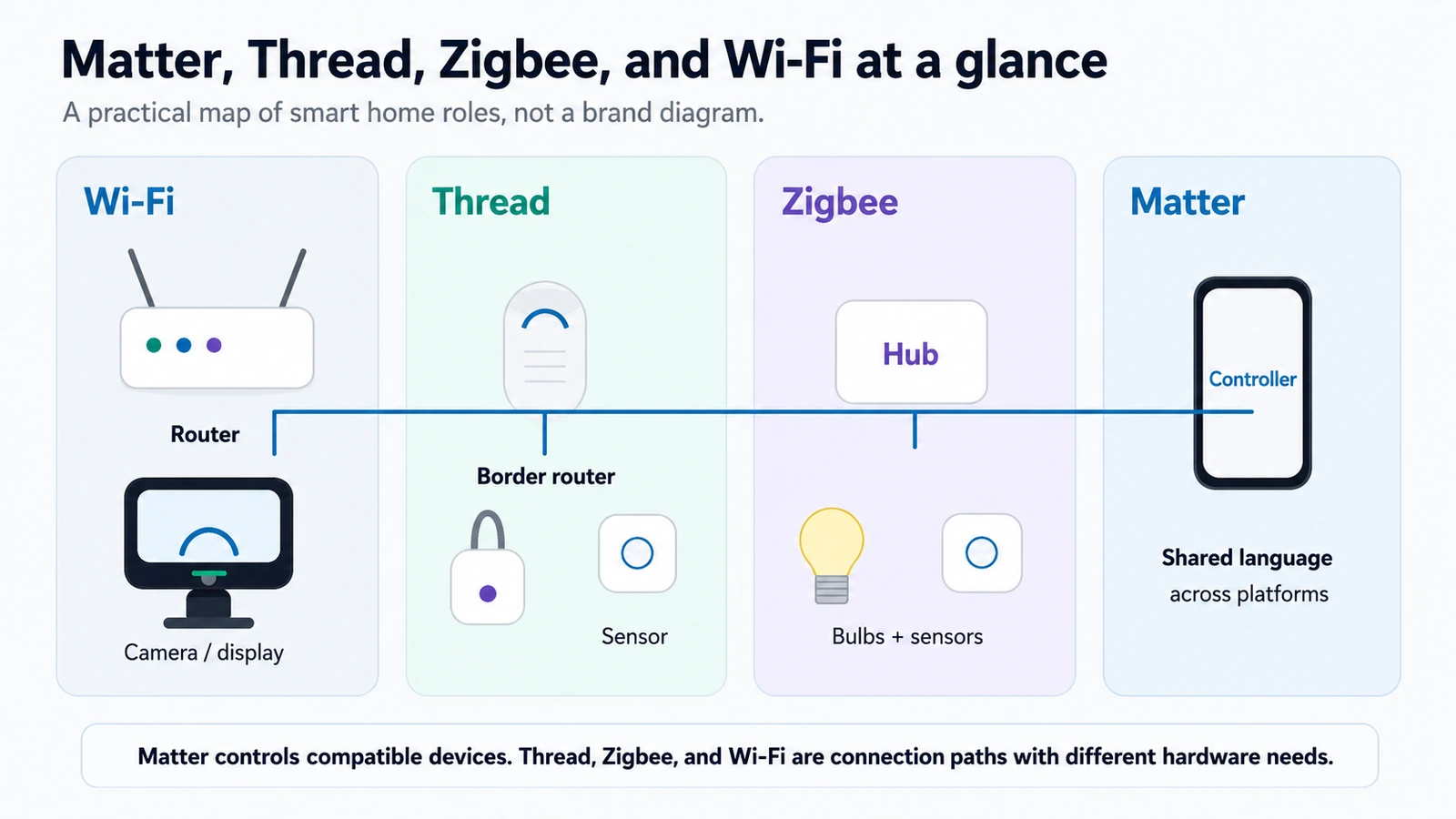
Matter helps compatible smart home devices speak a shared language across supported platforms such as Alexa, Google Home, Apple Home, and SmartThings. It can reduce ecosystem friction, but it does not guarantee every feature works everywhere.
Thread
Thread is a low-power mesh network often used by newer Matter devices. It can be a strong fit for small battery accessories, but Thread devices need a Thread border router.
Zigbee
Zigbee is a mature low-power mesh network used by many sensors, bulbs, buttons, switches, and hubs. It usually needs a Zigbee hub or bridge.
Wi-Fi
Wi-Fi is still normal for cameras, doorbells, displays, many smart plugs, thermostats, and devices that need more bandwidth or simple router-based setup.
Beginner rule: do not buy by protocol label alone. Check the device type, setup app, hub or border-router needs, and whether your preferred platform supports the features you care about.
Simple comparison table
| Option | What it is | Best for | Needs hub or border router? | Alexa relevance | Buyer caution |
|---|---|---|---|---|---|
| Matter | Compatibility standard | Cross-platform control | Needs a Matter controller; may use Wi-Fi, Ethernet, or Thread | Alexa can support Matter devices when the category and hardware are supported | Matter does not mean every advanced feature appears in Alexa |
| Thread | Low-power mesh network | Sensors, buttons, locks, and small battery devices | Needs a Thread border router | Some Echo devices can help with Thread, but not every model | Check the exact Echo model and generation |
| Zigbee | Mature low-power mesh network | Sensors, bulbs, buttons, switches, and hub systems | Usually needs a Zigbee hub or bridge | Some Echo devices include Zigbee support; many do not | “Works with Alexa” does not always mean hub-free |
| Wi-Fi | Standard home network connection | Cameras, displays, plugs, thermostats, and appliances | Usually no smart home hub, but app or cloud setup may apply | Alexa can control many Wi-Fi devices through skills or Matter | Too many small Wi-Fi accessories can make setup and router management messy |
What Matter actually does
Matter is best understood as a shared smart home language. A compatible device can be added to a compatible platform and controlled in a more standardized way than older one-brand integrations.
But Matter is not a radio by itself. A Matter device still needs a way to communicate. Some Matter devices use Wi-Fi or Ethernet. Others use Thread. A product may be Matter over Wi-Fi or Matter over Thread, and those setups have different requirements.
Matter also does not promise that every manufacturer feature appears in every app. A light might expose basic on/off, brightness, or color controls in one platform while keeping advanced effects in the manufacturer app. A lock, thermostat, camera, or sensor may have platform-specific limitations depending on the device category and implementation.
The practical rule is: Matter may help with compatibility, but you still need to check the device category, setup app, controller requirements, and the features that matter to you.
What Thread actually does
Thread is a low-power mesh network. Instead of every small device talking directly to your Wi-Fi router, Thread devices can pass signals through a mesh of nearby Thread devices. That can be useful for small accessories that need modest data, such as contact sensors, motion sensors, buttons, some locks, and certain leak sensors.
The part beginners miss is the Thread border router. A Thread border router connects the Thread mesh to your home network and smart home platform. It might be built into a smart speaker, display, hub, router, or other supported device, but it is not automatically present just because you have Wi-Fi.
Thread is usually not the right answer for cameras, video doorbells, or smart displays because those devices need more bandwidth and power. They typically use Wi-Fi or Ethernet.
What Zigbee actually does
Zigbee is older than Thread, but older does not mean useless. Zigbee has a long track record in smart lighting, sensors, switches, buttons, and hub-based ecosystems. A strong Zigbee setup can still be practical, especially when a home already has a reliable hub or bridge.
The tradeoff is that Zigbee usually needs a Zigbee hub, bridge, or controller. For example, a brand lighting bridge, a SmartThings-compatible hub, or certain Echo devices may provide Zigbee control, depending on the exact model.
That is why “Zigbee” on a box should make you ask one question immediately: what hub or bridge does this device expect?
Matter controller vs Thread border router vs Zigbee hub
These roles get mixed together because one physical product can sometimes do more than one job. The roles are still different.
| Role | What it does | Why it matters |
|---|---|---|
| Matter controller | Adds and controls Matter devices inside a platform such as Alexa, Google Home, Apple Home, or SmartThings | Needed so your platform can commission and control supported Matter devices |
| Thread border router | Connects Thread devices to your home network and smart home platform | Needed for Matter-over-Thread devices to communicate beyond the Thread mesh |
| Zigbee hub | Connects Zigbee devices to an app, bridge, or smart home platform | Needed for most Zigbee sensors, bulbs, buttons, and switches |
The same device may be a Matter controller and a Thread border router. Another device might be a Matter controller but not a Thread border router. A different hub may support Zigbee but not Thread. That is why product model numbers matter.
How this works with Alexa
Alexa can be the control surface for many smart home devices, but Alexa support is not one single thing. A basic Echo speaker, an Echo Show, an Echo Hub, and a compatible third-party hub may have different smart home capabilities.
For Alexa buyers, check four things before buying a Matter, Thread, or Zigbee device:
- Does your exact Echo or Alexa-compatible hub support Matter?
- If the device is Matter over Thread, do you have a compatible Thread border router?
- If the device is Zigbee, do you have a compatible Zigbee hub or Echo model with Zigbee support?
- After setup, which features are actually available inside Alexa?
“Works with Alexa” can be useful, but it is not the same as “this device connects directly to any Echo with no other hardware.” When in doubt, check the exact Echo model, generation, and the product’s setup requirements.
For more Alexa-specific context, see Smart Home Hubs and Alexa Control and the Alexa+ smart home hub guide.
Which should you choose by device type?
Smart bulbs
Zigbee remains common for smart lighting, especially where a bridge or hub is already part of the setup. Matter bulbs can be useful if you want broader platform compatibility. Wi-Fi bulbs are simple for a few rooms but can get harder to manage at scale.
Smart plugs
Wi-Fi smart plugs are common and beginner-friendly. Matter-over-Wi-Fi plugs can make platform setup easier when supported. Zigbee or Thread plugs may make sense in a hub-based setup.
Contact and motion sensors
Low-power mesh is usually a better fit than Wi-Fi for small battery sensors. Zigbee is mature here. Thread can also be a good fit when you already have a Thread border router.
Water leak sensors
Leak sensors should be chosen carefully. Look for alert behavior, app requirements, battery type, placement needs, and whether the sensor uses Wi-Fi, Zigbee, Thread, or another hub system. A sensor may help you notice water sooner, but it does not prevent leaks or damage by itself.
Smart locks
Locks are one place where compatibility and reliability matter a lot. Check the exact protocol, whether a bridge is required for remote access, and which features work in your preferred platform.
Thermostats
Many thermostats still use Wi-Fi because they need app control, cloud services, reports, voice assistant support, and firmware updates. Before buying, check HVAC compatibility, C-wire requirements, app setup, platform support, and subscription terms if any.
Cameras and doorbells
Cameras and video doorbells usually use Wi-Fi or Ethernet because video needs bandwidth. Do not expect Thread or Zigbee to handle live video.
Smart displays and hubs
Smart displays and hubs are often the devices that provide controller, hub, or border-router roles. Read model specifications carefully instead of buying by brand name alone.
Related AIHA guides: Smart leak detection, Energy Automation, and AI Home Security.
Product examples to compare after you know your setup
These are not rankings, guarantees, or one-size-fits-all protocol picks. They are three locally verified product-card examples that illustrate common beginner paths: a mixed-protocol hub, a simple Alexa voice-control endpoint, and a Wi-Fi smart plug. Before buying, check current compatibility, app requirements, hub or border-router needs, Wi-Fi requirements, subscriptions, and which features work in your preferred smart home platform.
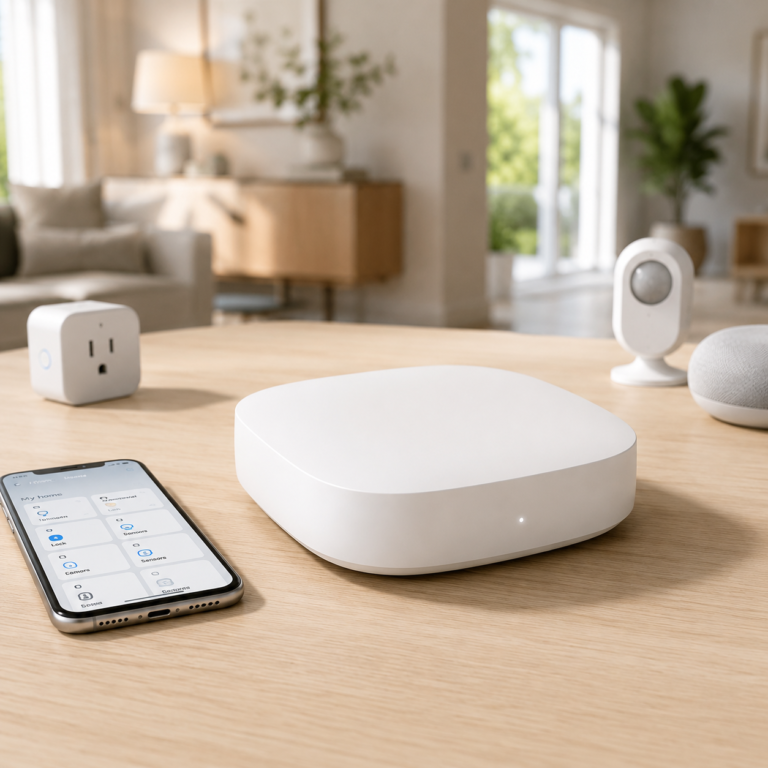
Aeotec Smart Home Hub
A SmartThings-compatible hub to compare if your home uses more than basic Wi-Fi devices and you want one place to connect supported Zigbee, Z-Wave, Matter, Alexa, Google Assistant, and mixed smart home accessories.
- Good fit: Homes that already have or plan to add hub-based sensors, switches, lighting, or mixed-protocol accessories.
- Watch out for: Compatibility still depends on the exact devices and protocols in your home. Check setup requirements before buying.
As an Amazon Associate I earn from qualifying purchases.
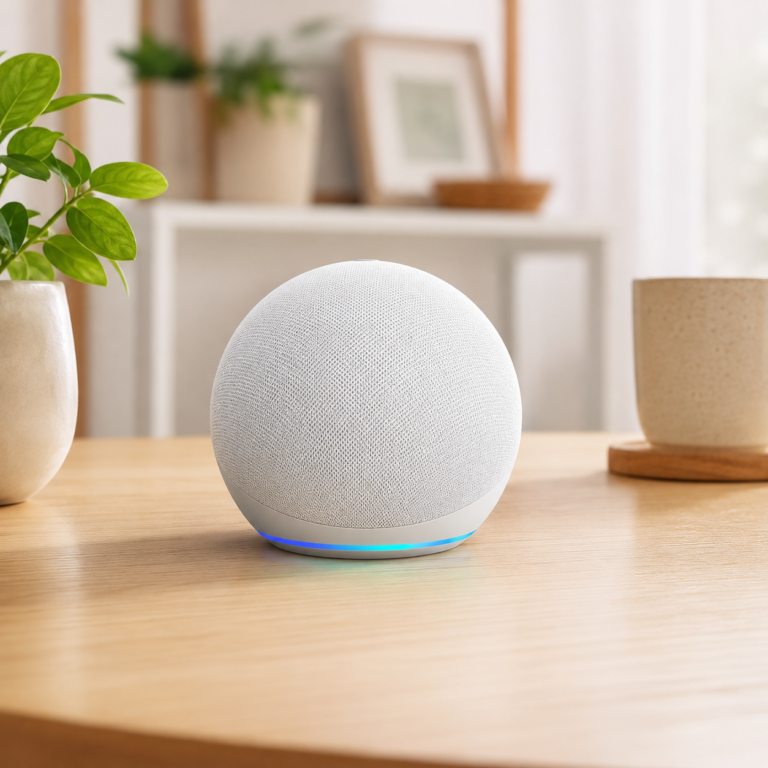
Amazon Echo Dot Glacier White
A compact Alexa speaker to compare if you mainly want voice commands, routines, timers, reminders, music, and basic compatible smart home control without adding a screen.
- Good fit: Beginners who want simple room voice control after confirming their smart devices work with Alexa.
- Watch out for: This should not be treated as a universal Matter, Thread, or Zigbee hub. Check your exact device setup, Wi-Fi coverage, account needs, and privacy settings.
As an Amazon Associate I earn from qualifying purchases.
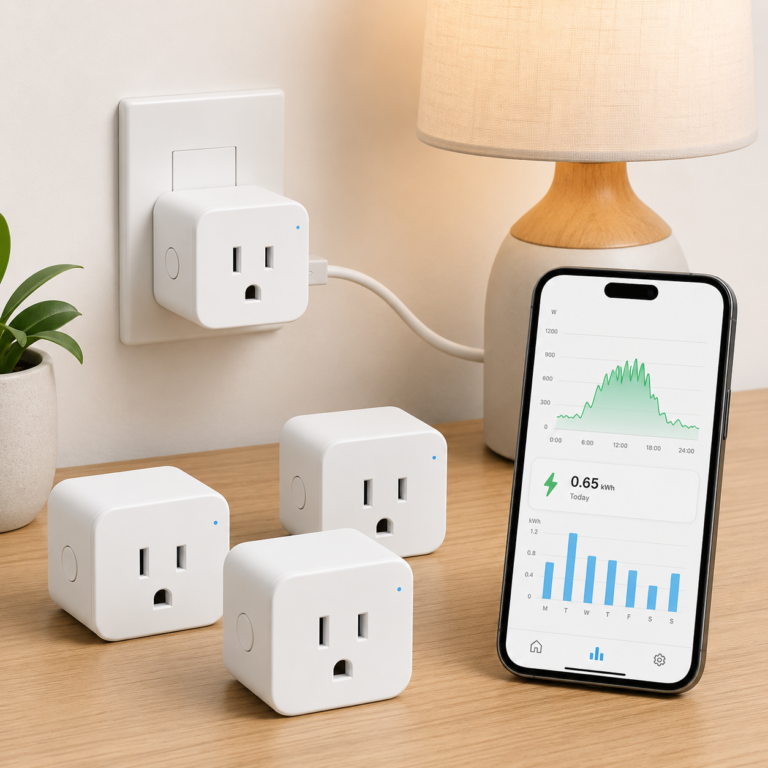
TP-Link Tapo P115 Smart Plug Energy Monitoring 4 Pack
A Wi-Fi smart plug pack to compare when router-based setup is enough and you want app control, scheduling, voice assistant support, and energy monitoring for suitable plug-in devices.
- Good fit: Lamps, small appliances, fans, and everyday plug-in devices where Wi-Fi setup and energy monitoring fit the goal.
- Watch out for: It is 2.4 GHz Wi-Fi only, so setup depends on the router network being configured correctly. Check device load limits before use.
As an Amazon Associate I earn from qualifying purchases.
If you already own a working hub, speaker, or bridge, you may not need to buy anything immediately. First confirm what your current device already supports, then choose accessories that match that setup.
Buyer checklist before buying
Use this checklist before buying any smart home device that mentions Matter, Thread, Zigbee, Wi-Fi, hub, bridge, or Alexa.
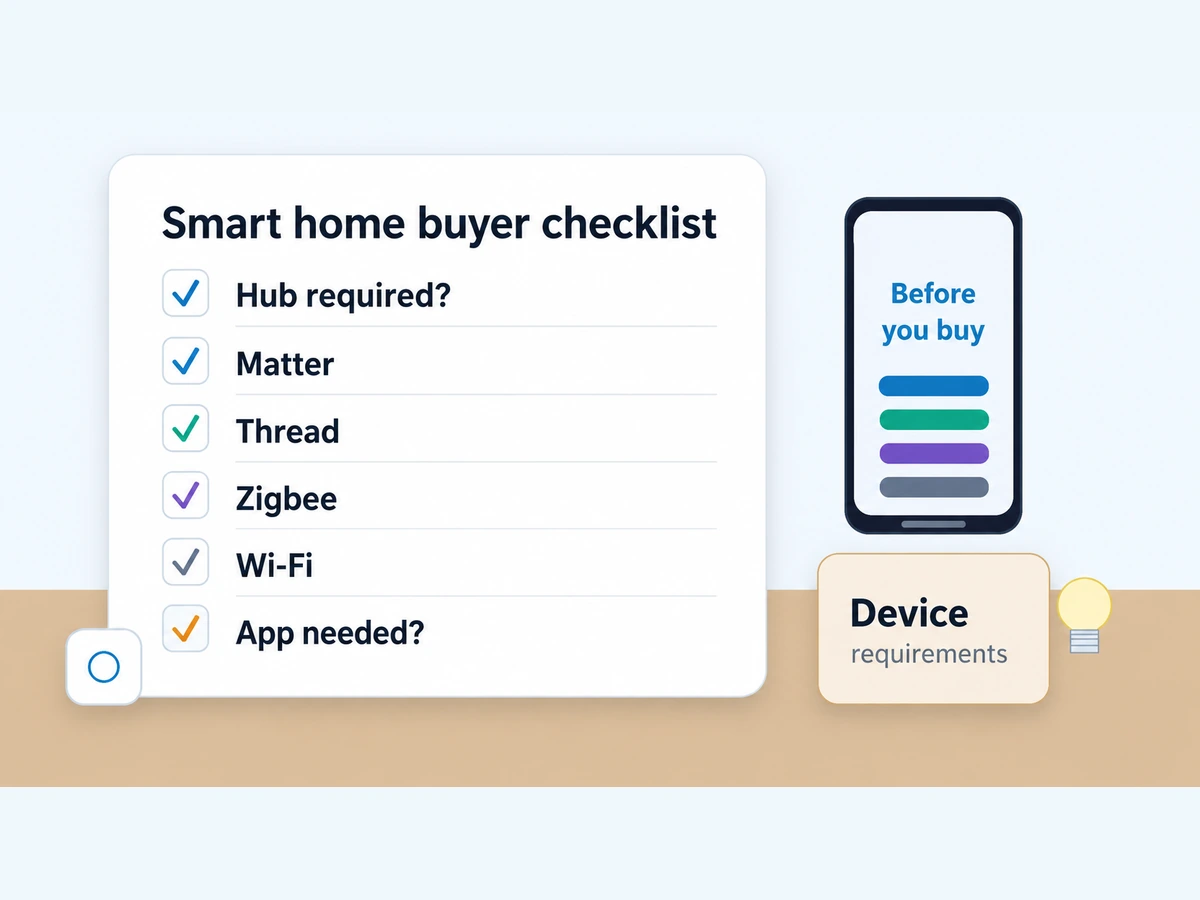
- Does the listing say hub required, bridge required, or sold separately?
- Is it Matter over Wi-Fi or Matter over Thread?
- If it uses Thread, do you already own a Thread border router?
- If it uses Zigbee, what Zigbee hub or bridge does it need?
- Does your exact Alexa, Google Home, Apple Home, or SmartThings setup support the device category?
- Which app is required for first setup?
- Which features work in your preferred app after setup?
- Does the feature you care about need cloud access?
- Does the device need a subscription for alerts, history, storage, or advanced features?
- If you rent, does setup require wiring, drilling, or router changes?
Common beginner mistakes
Buying a Thread device without a border router
A Thread device may be excellent, but it still needs the right Thread network support. If your home does not have a compatible border router, setup may fail or require another purchase.
Assuming Matter means no manufacturer app
Matter can make cross-platform control easier, but a manufacturer app may still be required for setup, firmware updates, advanced features, account settings, or support.
Assuming every Echo has Zigbee or Thread
Echo model support varies. A small Echo speaker may be great for voice commands but may not provide the hub or border-router capability you need.
Using Wi-Fi sensors everywhere
Wi-Fi can be simple, but small battery sensors often make more sense on a low-power mesh network. Too many tiny Wi-Fi accessories can also complicate router management.
Replacing stable Zigbee just because Matter exists
If your Zigbee setup is reliable, there may be no urgent reason to rip it out. Matter and Thread are useful, but they are not automatic upgrades for every home.
FAQ
Is Matter the same as Thread?
No. Matter is a smart home compatibility standard. Thread is a low-power mesh network. Some Matter devices use Thread, but Matter can also run over Wi-Fi or Ethernet.
Do Matter devices need a hub?
They need a compatible Matter controller, which may be a smart speaker, display, hub, phone ecosystem, or app/platform. Matter-over-Thread devices also need a Thread border router.
What is a Thread border router?
A Thread border router connects Thread devices to your regular home network and smart home platform. It is the bridge between the low-power Thread mesh and the rest of the network.
Is Zigbee outdated?
Zigbee is older, but it is not useless. It remains common in sensors, lighting, buttons, and hub ecosystems. It is often a practical choice when you already own a reliable Zigbee hub or bridge.
Which one works best with Alexa?
It depends on your exact Echo model and device type. Alexa can support many Wi-Fi, Matter, Thread, and Zigbee setups, but not every Echo device has the same hub, Zigbee, Matter, or Thread capability.
Should beginners buy Matter devices now?
Matter can be a good sign when the product category and platform support match your home. Beginners should still check setup requirements, app support, hub needs, and which features work in their preferred platform.
Why does a Matter device still need another app?
The manufacturer app may be needed for first setup, firmware updates, advanced features, account settings, or support. Matter can improve control across platforms, but it does not remove every manufacturer-specific step.
Is Wi-Fi bad for smart homes?
No. Wi-Fi is still useful for cameras, displays, doorbells, plugs, thermostats, and devices that need more bandwidth. The caution is that small battery sensors may work better on low-power mesh networks like Zigbee or Thread.
Final recommendation
Do not choose Matter, Thread, or Zigbee as if one label wins every time. Choose based on the device type and the smart home setup you already have.
If you are an Alexa household, check the exact Echo model before buying Matter-over-Thread or Zigbee devices. If you are building a sensor-heavy home, Zigbee or Thread may make more sense than filling every room with Wi-Fi sensors. If you are buying cameras, displays, or doorbells, expect Wi-Fi or Ethernet to stay important.
The best beginner move is simple: buy devices that match the controller, hub, border router, or bridge you already own. Then check the setup app, platform support, subscriptions, and feature limits before buying.
Next: review your current hub, app, and voice assistant before adding more devices.
Sources and further reading
This guide was researched from official standards and platform documentation, including the Connectivity Standards Alliance Matter overview, CSA Zigbee overview, Thread Group overview, Amazon Alexa Matter support, Amazon Alexa Thread support, Google Nest Matter and Thread support, and independent implementation notes such as Home Assistant Matter documentation.