
Alexa+ is Amazon’s generative-AI upgrade to Alexa. For smart homes, the important change is not just a chattier assistant. It is the shift from short, rigid voice commands toward a more conversational helper that can understand follow-ups, use context, work across screens and apps, and support more natural smart home routines.
Quick answer
Alexa+ is Amazon’s AI-enhanced version of Alexa. It is designed to understand more natural requests, remember selected personal context with permission, help across Echo devices, the Alexa app, and Alexa.com, and make smart home control feel less like memorizing exact commands.
For beginners, the biggest practical change is this: Alexa+ may make Echo speakers and Echo Show displays better at multi-step home requests, follow-up questions, routines, planning, reminders, and screen-based dashboards. It does not make every device compatible, does not fix weak WiFi, and does not replace every smart home hub.
What this article covers
What is Alexa+?
Alexa+ is Amazon’s newer generative-AI assistant experience for Alexa. In plain English, it is meant to make Alexa behave less like a device that waits for exact commands and more like a home assistant that can follow a conversation, understand context, and help with connected services.
Amazon describes Alexa+ as a more conversational and personalized assistant. The smart home version of that promise is especially important. Instead of saying one short command, waiting, then saying another, the goal is to let you ask for a more natural outcome: dim the living room lights, leave the hallway on, adjust the thermostat, and start music in the kitchen.
That does not mean Alexa+ magically controls everything. It still depends on compatible devices, linked accounts, stable WiFi, the Alexa app, device names, supported skills, and any hubs or bridges those devices require. Think of Alexa+ as a smarter control layer, not a magic replacement for the smart home setup underneath it.
Current availability note: Amazon says Alexa+ is rolling out to millions of U.S. customers, is included for Prime members, and is available to non-Prime customers for $19.99 per month. Amazon also describes limited free web access in some countries. Because this is a live service, check Amazon’s current Alexa+ page and your Alexa app before making a buying or subscription decision.
Alexa before Alexa+: useful, but command-shaped
Before Alexa+, Alexa was already useful for simple smart home tasks. It could turn a named light on or off, start music, set timers, answer basic questions, show a camera feed on a screen, and trigger routines that you built ahead of time. For many households, that was enough to make an Echo speaker feel helpful.
The friction showed up when requests became more human. If a room name was slightly different, a device was offline, a third-party skill behaved oddly, or a routine had not been configured ahead of time, old Alexa could feel brittle. You learned the phrasing Alexa expected instead of speaking the way you naturally think.
That mattered for beginners. A new smart home user does not want to memorize whether the lamp is called “living room lamp,” “sofa lamp,” or “light one.” They want to say what they mean and have the assistant either do it or explain what is missing. Alexa+ is Amazon’s attempt to close that gap.
What changed with Alexa+
The headline change is conversation. Alexa+ is designed to handle longer requests, follow-up questions, and more personal context. That matters in a home because home automation is rarely just one command. It is a chain of small intentions: make the room calmer, get dinner started, remind me about tomorrow, check the front door, and turn off everything except the hallway.
Amazon also emphasizes memory with permission. In practical terms, that means Alexa+ can be used for household preferences and planning: vegetarian meals, school pickup details, family recipes, vacation notes, reminders, calendars, shopping lists, and other context that makes a home assistant more useful. The permission part is important. If an assistant can remember more, the household should be more deliberate about what it remembers, who can access it, and how shared devices are placed.
Alexa+ also expands the role of screens. Echo Show displays are not just voice speakers with a screen attached. Amazon is positioning them as command centers for calendars, recipes, shopping, camera views, reminders, and smart home dashboards. That makes displays more interesting for kitchens, family rooms, and shared areas where voice plus visual confirmation is easier than voice alone.
Old Alexa vs Alexa+
| Smart home task | Regular Alexa pattern | Alexa+ direction | Beginner caution |
|---|---|---|---|
| Turn devices on or off | Works best with exact room and device names. | More natural phrasing and follow-up context may help. | Device names and room groups still need to be clean. |
| Control several devices | Often requires separate commands or a prebuilt routine. | Can support more natural multi-step requests when devices are compatible. | Unsupported or offline devices still break the chain. |
| Use a display | Can show timers, cameras, recipes, and simple widgets. | More screen-based command-center behavior for home dashboards and planning. | Camera, calendar, and household placement settings matter. |
| Create routines | Usually built manually in the Alexa app. | Amazon has described more natural ways to create or adjust routines. | Verify whether voice-created routine features are live for your account. |
| Remember preferences | Limited personalization and account-level history. | Memory with permission can support household preferences and context. | Review privacy, voice, profile, and shared-device settings. |
What Alexa+ means for Echo speakers
For a basic Echo speaker, Alexa+ does not turn the speaker into a screen, a full home server, or a guaranteed local automation hub. The improvement is in the conversation layer. A speaker becomes more useful when you can ask for a home outcome instead of reciting one exact command at a time.
For example, a regular voice assistant might work well if you say, “Turn on the living room lamp.” Alexa+ aims to be more useful when you say something closer to, “Make the living room cozy, but leave enough light near the hallway.” If your room groups, lights, and routines are set up clearly, that style of request can feel more natural.
Speakers are still best for quick, hands-free moments: cooking, carrying groceries, getting ready for bed, asking for a reminder, starting a playlist, or turning off lights when your hands are full. They are not the best choice when you need visual confirmation, camera feeds, calendar boards, or shared household dashboards.
If you are buying for a first smart home, choose a speaker when the main job is simple voice control. Choose a display when you want to see lists, cameras, recipes, calendars, timers, and smart home status. Choose a real hub or platform-specific bridge when your devices require one.
What Alexa+ means for Echo Show displays
Echo Show displays are where Alexa+ becomes easier to understand. A screen gives Alexa+ a place to show what it is doing: calendars, timers, reminders, recipe steps, shopping lists, compatible camera views, music, weather, and smart home controls. That makes the assistant less invisible.
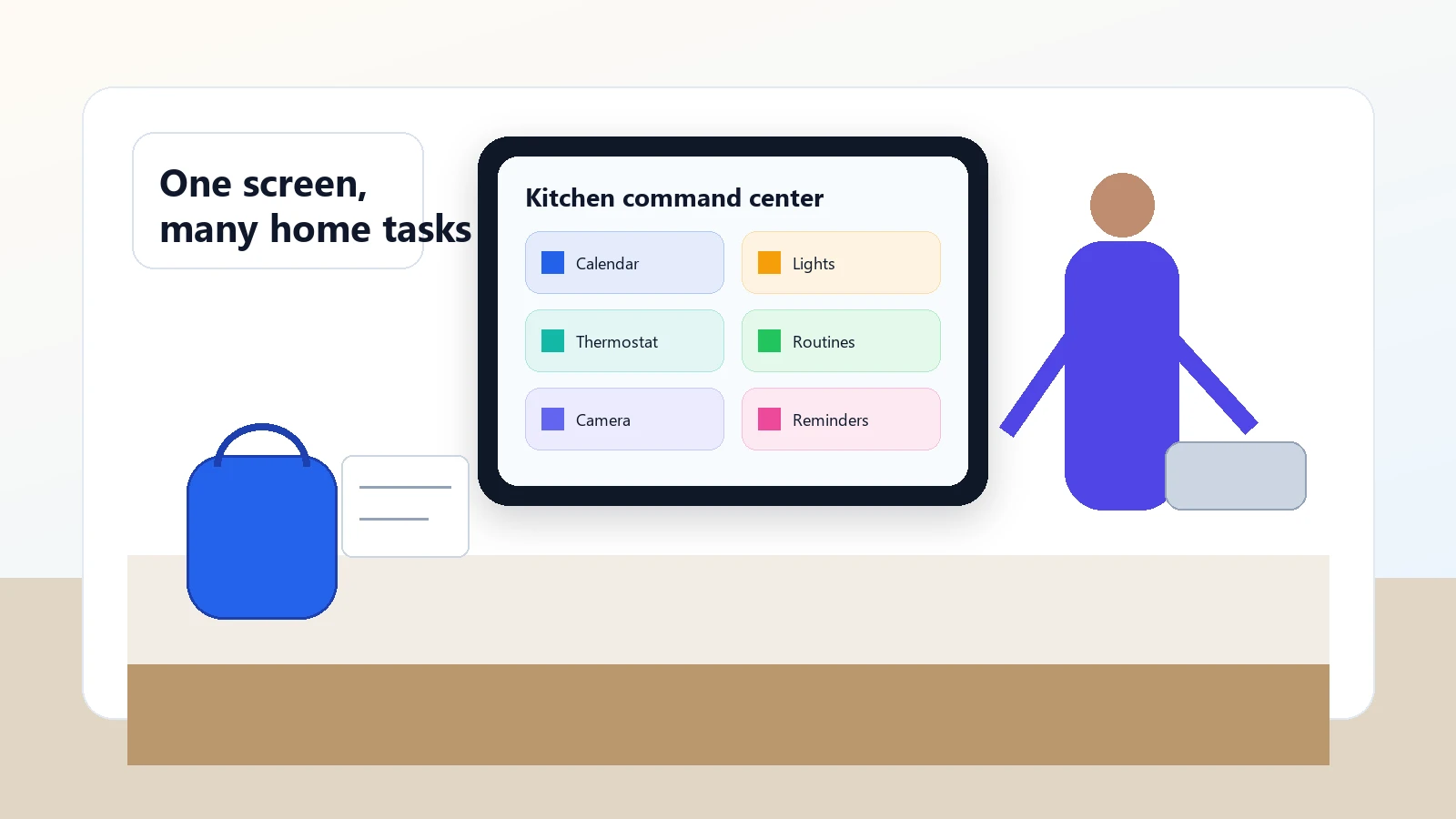
A kitchen display is a good example. You might ask Alexa+ to help plan dinner, keep a grocery list, show a recipe, check the front-door camera, remind a child about practice, and lower the thermostat. Some of those tasks are voice-first. Others are better when you can see the result.
The screen also raises the privacy stakes. A display in the kitchen or family room is visible to more people. If it shows calendars, camera feeds, delivery updates, reminders, or shopping information, the household should decide what belongs on that screen and who can see it. Camera shutters, microphone controls, household profiles, and content settings are not side details; they are part of the setup.
What Alexa+ means for smart home hubs
Alexa+ can make Alexa feel more hub-like, but it is not the same thing as a dedicated smart home hub in every setup. This distinction matters because “hub” is one of the most confusing smart home words.
A voice assistant is the control interface. A hub or bridge is often the connection layer. Some devices connect over WiFi. Some use Matter. Some use Thread. Some use Zigbee or Z-Wave through a separate hub. Some depend on a brand bridge. Some work through cloud APIs or Alexa skills. Alexa+ can improve how you ask for things, but it cannot erase those underlying requirements.
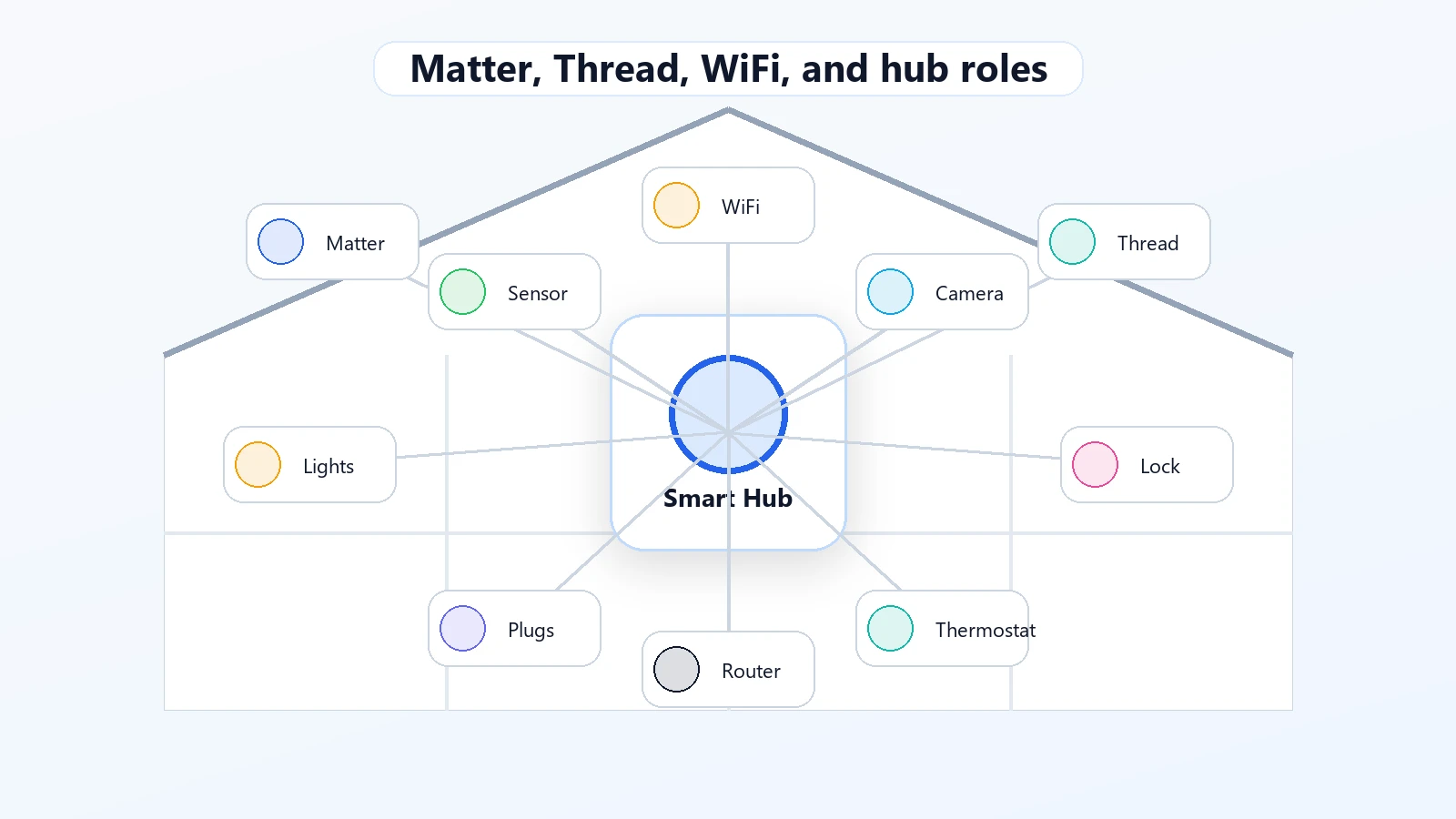
Amazon’s developer documentation confirms Alexa support for Matter and Thread concepts, but that is not the same as saying every Matter or Thread device will support every feature through every Echo. Beginners should check three things before buying: the device protocol, the controller or hub requirement, and the feature you actually want Alexa to control.
For example, a smart bulb may pair directly through WiFi. A Thread sensor may need a compatible Thread border router. A Zigbee or Z-Wave device may need a separate hub. A camera may show a feed on a display but still require its own app account or subscription for advanced features. Alexa+ can sit above those pieces, but it does not replace all of them.
Alexa+ devices worth comparing before you upgrade
You do not need to replace every Alexa device to understand Alexa+. A safer upgrade path is to choose the room where Alexa+ would change daily use the most: a display for visual smart home control, or a speaker for simple room voice control, reminders, routines, and music.
These are not rankings or guarantees. They are two locally verified product-card examples to compare after you check current Alexa+ support, privacy settings, account requirements, WiFi needs, smart home compatibility, and subscription terms.
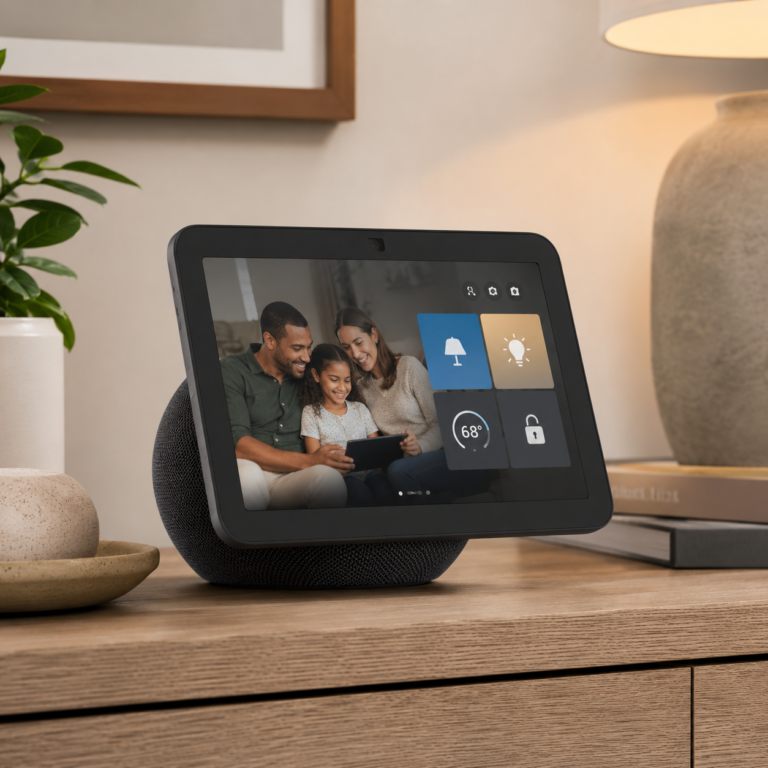
Amazon Echo Show 8
A mid-size Echo display to compare if you want Alexa+ on a screen for compatible smart home controls, camera views, reminders, lists, and household dashboard use.
- Good fit: Homes that want visual confirmation for Alexa routines, lists, timers, and compatible smart home controls.
- Watch out for: Check current Alexa+ support, camera and microphone privacy settings, room placement, WiFi strength, and whether your devices work with Alexa.
As an Amazon Associate I earn from qualifying purchases.
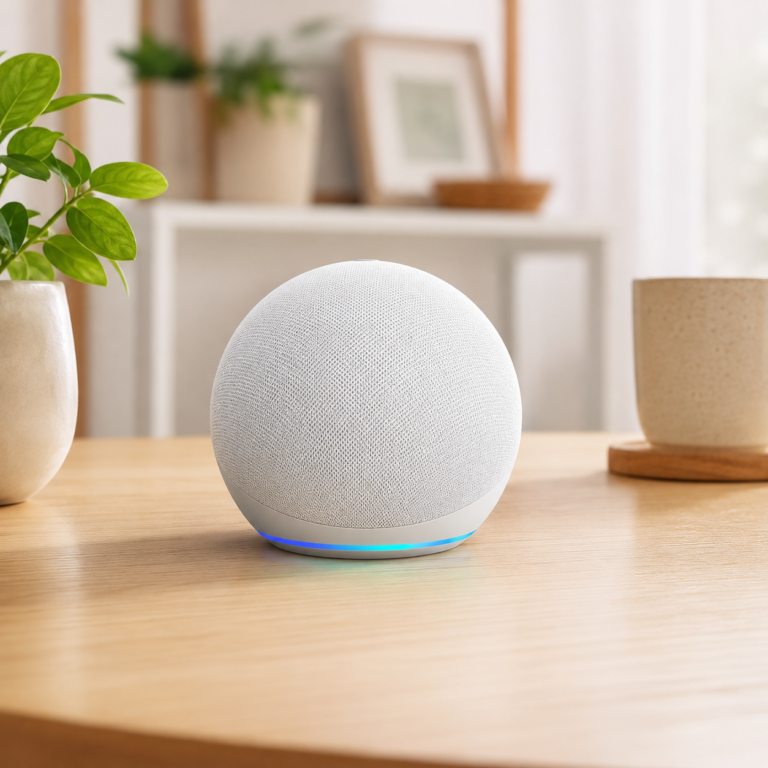
Amazon Echo Dot Glacier White
A compact Echo speaker to compare if you mainly want room voice control, reminders, routines, music, and simple Alexa-supported device commands without adding a screen.
- Good fit: Beginners who want simple room voice control rather than a shared display.
- Watch out for: Check current Alexa+ support, WiFi coverage, microphone privacy settings, and whether your lights, plugs, thermostat, or other devices work with Alexa.
As an Amazon Associate I earn from qualifying purchases.
If you already own compatible Echo devices, you may not need to buy anything immediately. Start by cleaning up room names, testing routines, reviewing privacy settings, and checking current Alexa+ support in the Alexa app.
What Alexa+ can support in practical smart home terms
| Where you use it | Useful beginner example | What to check first |
|---|---|---|
| Echo speaker | Ask for a natural room outcome, such as dimming lights, starting music, or setting a reminder while your hands are busy. | Room names, device names, microphone settings, WiFi coverage, and account setup. |
| Echo Show display | Use a kitchen screen for recipes, timers, calendar, shopping list, compatible camera views, and smart home dashboard controls. | Screen placement, camera privacy, calendar visibility, household profiles, and supported widgets. |
| Alexa app | Continue setup, review routines, check device groups, and adjust privacy or smart home settings from your phone. | App version, sign-in account, permissions, notification settings, and linked services. |
| Alexa.com | Continue an assistant conversation from a browser when you are away from the Echo device. | Country support, sign-in status, Prime/non-Prime access, and feature availability. |
| Matter or Thread setup | Connect supported devices through compatible controllers or Thread border-router hardware. | Exact protocol, controller support, device type, firmware, and whether the feature works through Alexa. |
| Routines | Create bedtime, morning, cooking, or away routines that combine lights, reminders, thermostat changes, and music. | Whether voice routine creation is supported for your account and whether each device can perform the action. |
What Alexa+ can do now, in realistic language
The most helpful Alexa+ examples are ordinary, not futuristic. A beginner does not need an AI butler fantasy. They need a way to make daily home tasks easier without fighting their own setup.
Multi-device home requests
You might ask Alexa+ to dim the living room lights, turn on the porch light, adjust the thermostat, and start music. This works only when those devices are compatible, online, named clearly, and linked to Alexa.
Follow-up context
A follow-up such as “make it warmer” or “turn off the lights except the hallway” is the kind of natural phrasing Alexa+ is meant to handle better than older command-only interactions.
Household planning
With permission, Alexa+ can support preferences and household context, such as meal preferences, school pickup reminders, recipes, vacation planning, or shopping lists.
Screen-based command centers
On a supported display, Alexa+ can be more useful when it shows calendars, reminders, camera views, recipes, lists, and smart home controls instead of answering only by voice.
What Alexa+ still cannot do reliably or universally
Alexa+ is a smarter assistant, not a cure for every smart home problem. The assistant still sits on top of your devices, accounts, networks, and services. If one of those pieces is weak, the AI layer may still fail.
- It cannot control unsupported devices. If a device does not work with Alexa or needs a bridge you do not own, Alexa+ cannot simply invent support.
- It cannot fix a device that is offline. A disconnected light, camera, sensor, or thermostat still needs network or power troubleshooting.
- It cannot guarantee every announced feature is live for you. Independent reporting during Early Access documented missing or delayed features. Amazon has continued rolling out more capability, but account and device support can vary.
- It does not make every automation local. Many Alexa experiences still depend on cloud services, linked accounts, and third-party integrations.
- It does not remove privacy decisions. A more personal assistant can be more useful, but it also makes microphone, camera, memory, profile, and household settings more important.
If you remember one limitation, make it this: Alexa+ can make a good smart home easier to talk to, but it cannot make an incompatible or poorly organized smart home magically reliable.
Privacy, cloud processing, memory, and household accounts
Alexa+ is more personal by design. Amazon has described examples where Alexa+ can remember preferences or household details with permission. That can be genuinely useful. It can also be uncomfortable if a shared home has not agreed on what the assistant should know.
Before turning Alexa+ into a household helper, review the basics: microphone controls, camera settings on displays, voice history controls, household profiles, children’s settings, contact and calendar connections, notification permissions, and any memory or personalization features Amazon exposes in the Alexa app.
Shared spaces deserve extra care. A kitchen display can be helpful for calendars and reminders, but not every household wants personal appointments, camera feeds, shopping suggestions, or delivery details visible on a shared screen. A bedroom device may need different settings than a kitchen display. A caregiver setup may require clear consent from the person being supported.
The safest beginner approach is to start with limited permissions, then add more only when there is a clear benefit. If a feature feels too personal, leave it off until the household agrees.
Device compatibility and older Echo limitations
Do not assume Alexa+ works the same way on every Echo. Amazon initially emphasized Echo Show devices during Early Access and later described broader access across Alexa-enabled devices, the Alexa app, and Alexa.com. That does not mean every old speaker or every feature is supported in the same way.
Before buying an Echo device because of Alexa+, check Amazon’s current compatibility information, your country and language support, whether your account has Alexa+ access, and whether the device type supports the feature you care about. A display-focused feature may not matter on a speaker. A smart home dashboard may require a screen. A Thread feature may require the right hardware.
For existing Echo owners, the same caution applies. The question is not only “Do I have Alexa+?” It is “Does this device, in this room, with this account, support the thing I want Alexa+ to do?”
Alexa+ versus hubs, Home Assistant, Google Home, Apple Home, and SmartThings
Alexa+ is easiest to understand when you separate interface from infrastructure. Alexa+ is becoming a stronger interface: voice, chat, screen, planning, reminders, and natural language. A smart home platform or hub is the infrastructure that connects and automates devices.
| Option | Best role | Beginner caution |
|---|---|---|
| Alexa+ | Conversational control, Echo devices, reminders, routines, shopping, display dashboards, and Amazon-connected services. | Still depends on device compatibility, account settings, and cloud/service support. |
| Traditional smart home hub | Connecting protocols such as Zigbee, Z-Wave, Matter, Thread, or brand-specific accessories. | May still need Alexa, Google, Apple, or another interface for voice control. |
| Home Assistant | Advanced local control, custom dashboards, and deep automation for technical users. | More setup responsibility and troubleshooting than most beginners want. |
| Google Home | Google account households, Nest devices, Android users, and Google Assistant habits. | Different ecosystem strengths; compare device support before switching. |
| Apple Home | Apple households that value HomeKit, privacy controls, iPhone integration, and Apple hubs. | Device selection can be narrower; Matter helps but does not solve everything. |
| Samsung SmartThings | Mixed-device homes that need broad hub/platform support and automation tools. | Still requires compatibility checks and may pair with Alexa for voice. |
Who should care about Alexa+ now?
Alexa-first households
If your home already uses Echo speakers, Alexa routines, Ring devices, Fire TV, Amazon shopping lists, or Amazon household features, Alexa+ is a natural upgrade to understand.
Families using shared displays
Kitchen and family-room displays become more interesting when they can combine reminders, lists, calendars, timers, camera views, and smart home controls.
Beginners who hate exact commands
If your biggest frustration is remembering exact phrasing, Alexa+ may make voice control feel less brittle when the underlying setup is compatible.
Who should wait?
Some readers should be cautious. If you need fully local automations, dislike cloud assistants, do not want microphones or cameras in shared rooms, use older unsupported Echo devices, or have many devices outside the Alexa ecosystem, Alexa+ may not be the reason to buy new hardware yet.
You may also want to wait if the non-Prime subscription does not make sense for your household, if the feature you want is still rolling out, or if your current smart home already works well through another platform. Alexa+ is important, but it is not automatically urgent for every home.
Beginner buying guidance without the hype
Do not buy an Echo device just because it says AI. Buy based on the job you need the device to do in a specific room.
- Choose a speaker when you want voice control, timers, music, reminders, and simple routines without a screen.
- Choose a display when you want to see calendars, recipes, timers, lists, compatible cameras, and smart home controls.
- Choose a hub or bridge when your devices require Matter, Thread, Zigbee, Z-Wave, or brand-specific connectivity beyond basic WiFi.
- Choose nothing yet if your current Echo works, your devices are compatible, and you only need simple voice commands.
For a product-focused comparison, use Smart Home Hubs and Alexa Control. If you are still learning the basics of Matter, routines, apps, and hubs, start with AI Home Automation Basics.
What to check before using Alexa+ for smart home control
Device and room setup
- Use clear device names.
- Group devices into accurate rooms.
- Remove duplicate or old devices from the Alexa app.
- Check each device works manually before blaming Alexa+.
Network and platform setup
- Check WiFi coverage where devices sit.
- Confirm whether a hub, bridge, or Thread border router is required.
- Update firmware and app versions.
- Verify linked account permissions and subscriptions.
Privacy setup
- Review microphone and camera controls.
- Check household profiles and shared-screen content.
- Review memory and personalization settings.
- Use consent and restraint in shared or caregiving spaces.
Expectation setup
- Start with simple routines.
- Test one room before expanding.
- Keep manual controls available.
- Assume feature rollout can vary by account and device.
Frequently asked questions about Alexa+
What is Alexa+?
Alexa+ is Amazon’s generative-AI upgrade to Alexa. It is designed to be more conversational, more personalized with permission, and more useful across Echo devices, displays, the Alexa app, and Alexa.com.
Is Alexa+ free with Amazon Prime?
Amazon says Alexa+ is included for U.S. Prime members and available to non-Prime customers for $19.99 per month. Subscription terms can change, so verify current details with Amazon before subscribing.
Does Alexa+ work on every Echo device?
No. Do not assume every Echo device supports every Alexa+ feature. Check current Amazon compatibility information, your Alexa app, your country and language support, and the specific device feature you want.
Does Alexa+ replace a smart home hub?
Not always. Alexa+ can improve the control interface, but some devices still need WiFi, Matter, Thread, Zigbee, Z-Wave, a brand bridge, a hub, a cloud integration, or a separate app account.
Can Alexa+ control Matter and Thread devices?
Alexa supports Matter and Thread in supported hardware and device contexts. That does not guarantee every device or feature works. Check the device protocol, required controller, firmware, and Alexa support before buying.
What can Alexa+ do that regular Alexa could not?
Alexa+ is designed for more natural conversation, follow-up context, personalized help with permission, improved planning, and richer display experiences. The exact features available can vary by device, account, country, and rollout status.
What are the biggest Alexa+ limitations?
The biggest limitations are compatibility, rollout variability, privacy choices, cloud/service dependence, and ordinary smart home setup issues like weak WiFi, confusing device names, missing hubs, and offline devices.
Should beginners buy an Echo speaker, Echo Show, or smart hub for Alexa+?
Choose by room job. A speaker fits simple voice control. A display fits calendars, lists, recipes, timers, and camera views. A hub or bridge fits devices that require specific protocols or platform support.
Sources used for this guide
This guide was researched from current official Amazon sources, Amazon developer documentation, and independent coverage. Key sources include Amazon’s Alexa+ announcement, Amazon’s availability and subscription update, Amazon’s Alexa.com article, Amazon Developer Matter documentation, Amazon Developer Thread documentation, The Verge’s early-access limitation reporting, WIRED’s rollout coverage, and TechCrunch’s Alexa+ web/app coverage.
Where to go next
Start Here
New to the site? Use Start Here to choose a beginner path.
Smart Home Hubs and Alexa Control
Compare hub, speaker, and display roles on Smart Home Hubs and Alexa Control.
AI Home Security
For cameras, doorbells, sensors, and alert routines, read AI Home Security.
Energy Automation
For thermostat and energy routines, visit Energy Automation.
Affiliate Disclosure
Learn how the site handles affiliate links on the Affiliate Disclosure page.
Contact
If you spot a compatibility detail that has changed, use the Contact page.
Final takeaway
Alexa+ is a real shift for Amazon’s smart home ecosystem. It makes Alexa more conversational, more screen-aware, and potentially more useful for everyday home routines. But the smartest buying decision is still practical: choose the device that fits the room, confirm compatibility before buying, review privacy settings, and keep your expectations grounded.
If you are brand new, start with one room and one simple routine. If you already use Alexa, clean up your device names and room groups before judging Alexa+. A smarter assistant works best when the smart home underneath it is organized.