
Best security camera without subscription for most buyers
The best security camera without subscription is not always the camera with the loudest “no monthly fee” wording. The real question is whether the camera can record and let you review useful clips without a paid plan, or whether it only gives you live view and basic alerts after the trial ends.
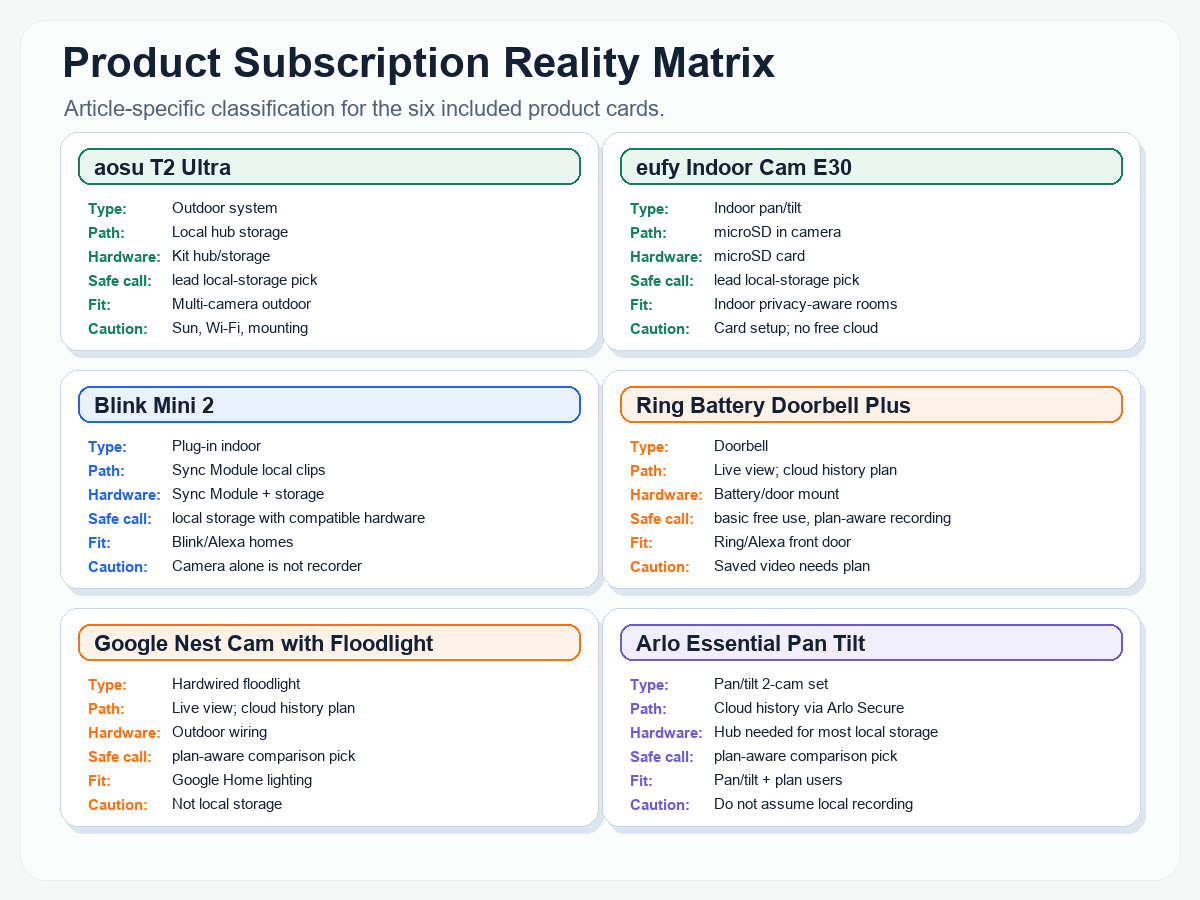
For most no-subscription shoppers, the strongest starting point in the current AI Home Automation Hub inventory is a local-storage-first camera or system. The aosu T2 Ultra is the strongest outdoor system candidate, eufy Indoor Cam E30 is the strongest indoor local-storage candidate, and Blink Mini 2 is a conditional budget option only if you set up compatible Blink local storage. Ring, Google Nest, Arlo, myQ, and ecobee can still be good cameras, but several of their most useful recording, history, or advanced detection features may move behind a paid plan.
Best security camera without subscription for most buyers
Choose aosu T2 Ultra if you want a multi-camera outdoor system built around local storage. Choose eufy Indoor Cam E30 if you want an indoor camera with microSD local recording and no required monthly plan for core recording. Choose Blink Mini 2 only if you understand that local clip storage depends on a compatible Sync Module and storage media. Use Ring, Google Nest, and Arlo as comparison picks when their ecosystem matters more than free recording history.
No subscription does not always mean free recording
Some cameras in this guide are local-storage or no-subscription candidates. Others are included because buyers often compare them and need to know which features may require a paid plan. Do not assume motion clips, saved video, smart alerts, package detection, familiar face alerts, AI summaries, cloud history, or 24/7 recording are free unless the exact manufacturer source confirms that for the exact model and setup.
How we evaluated security cameras without subscription
This guide compares cameras by storage type, subscription limits, live view, recording access, installation, indoor/outdoor fit, app requirements, smart alerts, privacy controls, and buyer fit. Official manufacturer documentation was checked for storage and subscription claims. Public owner-use patterns were used internally to identify common setup and daily-use friction, but this guide does not claim hands-on testing unless a product section specifically says so.
This article follows the AI Home Automation Hub editorial standards for source-backed product guidance, affiliate transparency, and correction updates.
Best security cameras without subscription at a glance
| Camera | Best role | Classification | Storage or plan reality |
|---|---|---|---|
| aosu T2 Ultra 4K Solar Security Camera System | Best outdoor local-storage system candidate | No-subscription/local-storage candidate | Official aosu source says local storage and no subscription required; check Wi-Fi, solar exposure, mounting, and exact kit match. |
| eufy Security 4K Indoor Camera E30 | Best indoor local-storage camera | No-subscription/local-storage candidate | Official eufy source says local storage uses a microSD card sold separately; cloud storage is optional. |
| Blink Mini 2 Home Security and Pet Camera | Best conditional budget indoor option | Conditional no-subscription candidate | Blink local storage requires compatible Sync Module hardware and storage media. The camera alone is not the local recorder. |
| Ring Battery Doorbell Plus | Best Ring/Alexa doorbell comparison pick | Limited-free but paid recording/history | Ring live view and real-time answering can work without a subscription, but saved/replayed recorded video requires a compatible Ring subscription. |
| Google Nest Cam with Floodlight | Best Google Home floodlight comparison pick | Limited-free but paid recording/history | Live view is available, but longer event history, 24/7 history, and newer premium features depend on Google Home Premium and model eligibility. |
| Arlo Essential Pan Tilt Security Camera 2K 2-Camera Set | Best pan/tilt comparison pick if you are open to a plan | Plan-heavy comparison product | Arlo Secure enables cloud recording, advanced object detection, cloud activity zones, and related cloud features. Do not treat it as a top no-subscription recording pick. |
How we evaluated no-subscription security cameras
A useful no-subscription camera has to answer one practical question: if something happens and you miss the notification, can you review the video later without paying every month?
We separated cameras into five buckets: strong no-subscription/local-storage candidates, conditional no-subscription candidates, limited free use with paid recording or advanced features, plan-heavy comparison products, and skipped or cautious products where official storage terms need more verification.
Recording path
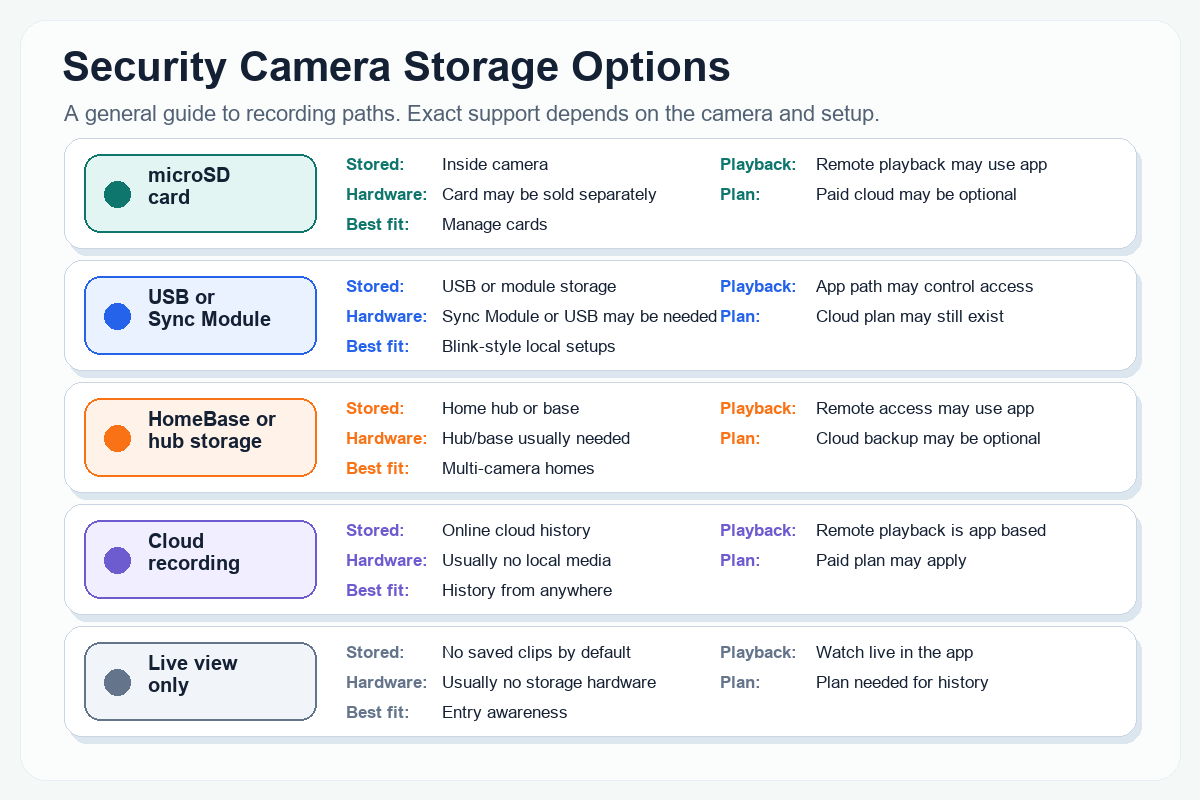
We checked whether the camera records to local SD, hub/base storage, USB storage, cloud history, or an unclear path.
Subscription boundary
We separated live view and alerts from recorded clips, longer history, smart detection, package alerts, and 24/7 recording.
Install friction
We weighed wiring, battery charging, solar exposure, outlet access, chime compatibility, Sync Module setup, and mounting permission.
Daily-use friction
We considered Wi-Fi strength, notification noise, privacy zones, app sharing, local storage handling, and what happens when a trial ends.
Official storage and subscription sources checked include aosu, eufy, Blink, Ring, Google Nest, Arlo, myQ, and ecobee documentation. Owner-pattern research was used only to shape practical buyer guidance, not as quoted evidence.
Best no-subscription and local-storage candidates
Best outdoor no-subscription system: aosu T2 Ultra 4K Solar Security Camera System
Classification: No-subscription/local-storage candidate.
Best for: homeowners who want a multi-camera outdoor system with local storage first, optional cloud backup, and fewer recurring-fee decisions.
Skip it if: your mounting locations have weak Wi-Fi, poor sun exposure, limited permission to drill, or you want a tiny single-camera setup.
aosu is the strongest outdoor no-subscription candidate in this inventory because the official SolarCam T2 Ultra System page identifies the exact SolarCam T2 Ultra System and states local storage with no required subscription. The same official source describes a local-hub style system with included built-in storage, expandable storage, and optional cloud backup.
The buyer tradeoff is setup. Solar cameras still need smart placement, usable sunlight, stable Wi-Fi, proper mounting height, privacy-aware angles, and realistic alert expectations. A local-first system reduces subscription pressure, but it does not remove power, network, storage, or privacy work.
Check before buying: exact model/kit match, number of cameras, base or hub storage, Wi-Fi range at each mounting point, sun exposure, family sharing needs, Alexa/Google display expectations, and whether optional cloud backup matters.
Official source checked: aosu SolarCam T2 Ultra System product page and aosu no-subscription camera article, last checked July 1, 2026.
aosu T2 Ultra 4K Solar Security Camera System
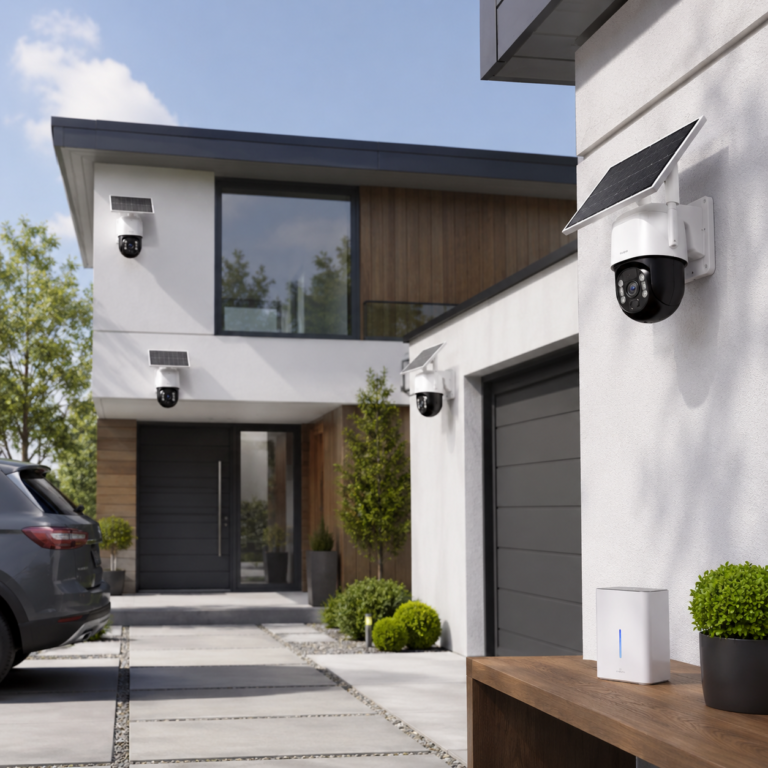
The aosu T2 Ultra 4K Solar Security Camera System is a multi-camera outdoor setup for covering more than one side of a home. It is a stronger fit for homeowners who want camera coverage without planning a wired power run for every mounting point.
- Good fit: Best for homeowners who want a multi-camera outdoor setup without running power wires to every camera.
- Watch out for: Solar cameras still need careful placement and enough sun exposure to work well long term.
As an Amazon Associate I earn from qualifying purchases.
Best indoor no-subscription camera: eufy Security 4K Indoor Camera E30
Classification: No-subscription/local-storage candidate.
Best for: indoor rooms where local microSD recording, pan/tilt coverage, and app access matter more than cloud history.
Skip it if: household privacy is hard to manage, you do not want to maintain a memory card, or you need cloud backup as the default recording path.
eufy Indoor Cam E30 is the strongest indoor no-subscription pick because eufy’s official product page says it can store footage locally with an SD card sold separately and use its functions without subscription fees. eufy’s support documentation also confirms the Indoor Cam E30 uses a microSD card for video recordings and continuous recordings, and that cloud storage is optional.
The microSD detail is important. This is not “free cloud storage”; it is local storage inside the camera. Budget for a compatible card, format it in the eufy Security app, and think carefully about camera placement before putting any indoor camera in a shared home.
Check before buying: microSD card compatibility, card formatting, indoor privacy rules, outlet placement, Wi-Fi strength, HomeKit resolution expectations, pan/tilt coverage, and whether optional cloud backup is worth it.
Official sources checked: eufy Indoor Cam E30 product page, eufy microSD specification support page, and eufy E30 local-storage support page, last checked July 1, 2026.
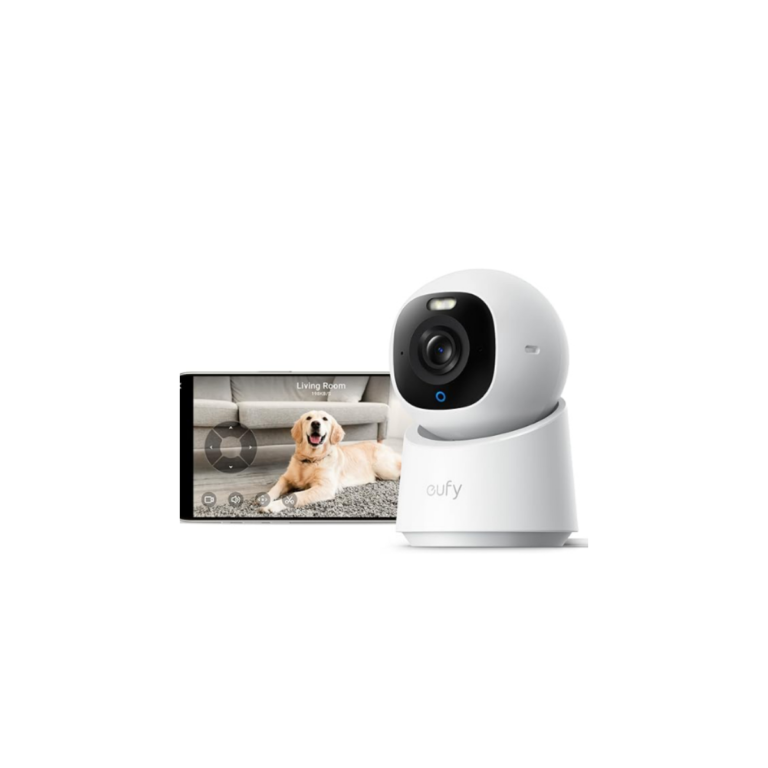
eufy Security 4K Indoor Camera E30
Check price on AmazonAs an Amazon Associate I earn from qualifying purchases.
Best conditional indoor option: Blink Mini 2 with local storage setup
Classification: Conditional no-subscription candidate.
Best for: Alexa/Blink households that want a compact plug-in indoor camera and are willing to set up the right local-storage hardware.
Skip it if: you expect the camera by itself to be a self-contained local recorder.
Blink Mini 2 can be a good budget-style comparison point, but only with the right framing. Blink support says Local Storage is optional and uses a USB drive with Sync Module 2 or a microSD card with Sync Module XR. Blink’s Sync Module 2 FAQ also says eligible cameras can record and store motion clips when a compatible USB drive is inserted.
That makes Blink Mini 2 a conditional no-subscription option, not a simple “camera alone records locally” option. For local recording, plan the Sync Module, the storage media, the same Wi-Fi network requirement, and what happens if the storage device is missing or full.
Check before buying: Sync Module version, USB or microSD requirements, same-network setup, Wi-Fi upload speed, outlet placement, local clip access, trial behavior, removable-storage privacy, and Alexa display needs.
Official sources checked: Blink Local Storage with Sync Module and Blink Sync Module 2 FAQ, last checked July 1, 2026.
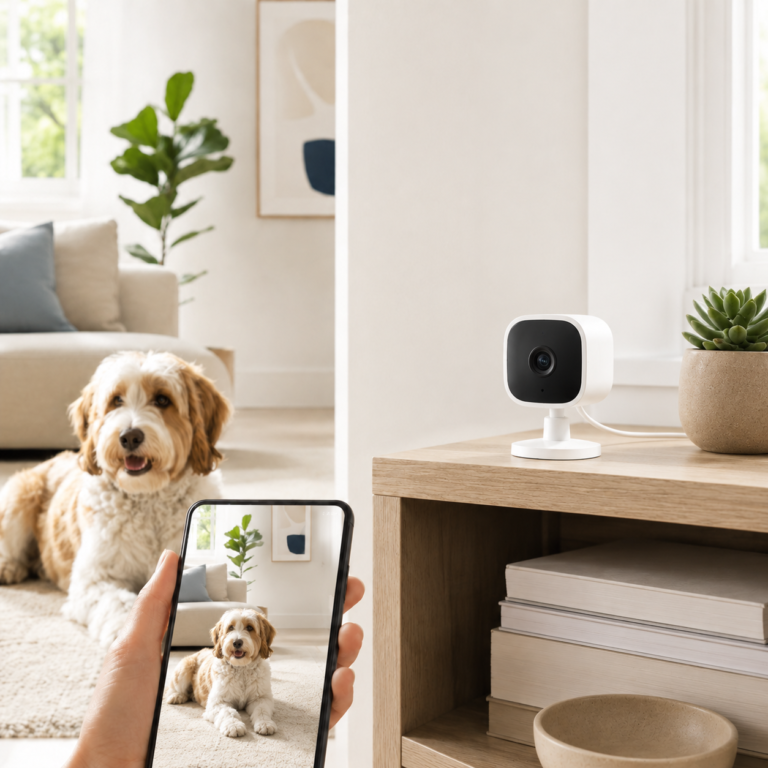
Blink Mini 2 Home Security and Pet Camera
Blink Mini 2 is a compact plug-in camera that can work as a simple pet check-in camera for a crate area, pet bed, food bowl, or doorway. It is a better fit when a fixed view is enough and the setup needs to stay small.
- Good fit: Best for a simple fixed-view pet camera near a crate, pet bed, food bowl, or doorway.
- Watch out for: Outdoor use requires the proper weather-resistant power adapter, and clip storage features may depend on the Blink setup.
As an Amazon Associate I earn from qualifying purchases.
Popular cameras that may still need a plan
Best Ring comparison pick: Ring Battery Doorbell Plus
Classification: Limited-free but paid recording/history.
Best for: Ring and Alexa households that mainly want live view, real-time front-door alerts, two-way talk, and a familiar Ring doorbell path.
Skip it if: the main reason you are buying is no-plan recorded history after missed events.
Ring is useful without a plan for real-time use, but it should not be described as a no-subscription recording pick. Ring support says devices do not require a subscription for real-time video and answering doorbell notifications, while saving, reviewing, and sharing recordings requires a compatible Ring subscription.
Ring’s product page also ties replaying missed moments and intelligent recognition features to compatible Protect plans. That makes Ring a strong ecosystem comparison pick, not the strongest match for buyers who want stored video without recurring fees.
Check before buying: battery charging, doorframe space, Wi-Fi at the front door, chime expectations, neighbor-facing privacy, Ring subscription terms, and whether live view alone is enough.
Official sources checked: Ring product FAQ, Ring Live View support, and Ring Battery Doorbell Plus product page, last checked July 1, 2026.
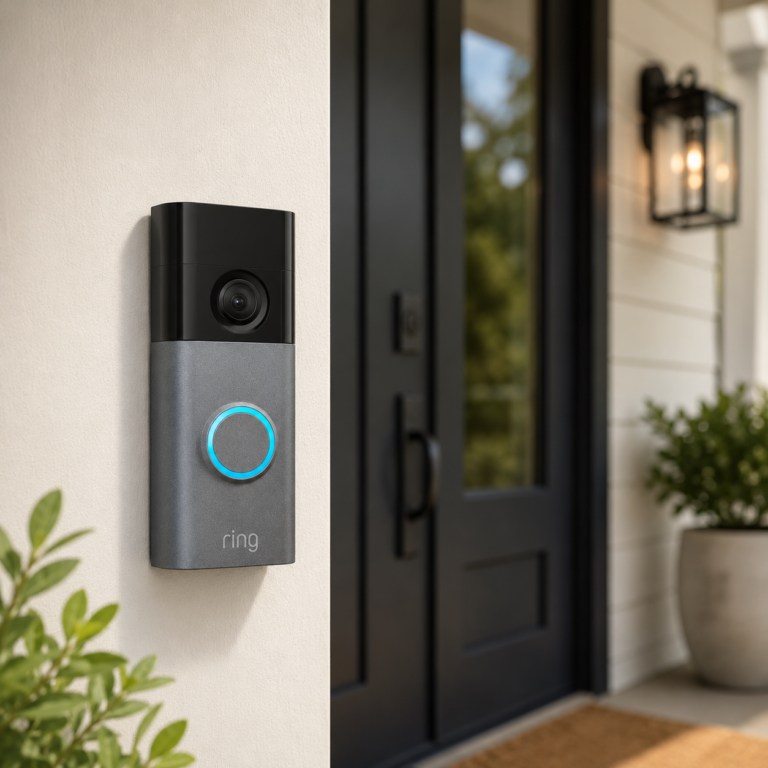
Ring Battery Doorbell Plus
A battery-powered Ring video doorbell with 2K video, wide-angle viewing, enhanced zoom, night vision, and a quick-release battery design for compatible front-door setups.
- Good fit: Homes or renters who want a Ring doorbell with stronger video detail and battery flexibility.
- Watch out for: Check doorframe space, WiFi strength, battery charging expectations, chime compatibility, mounting needs, and Ring subscription terms before buying.
As an Amazon Associate I earn from qualifying purchases.
Best Google Home comparison pick: Google Nest Cam with Floodlight
Classification: Limited-free but paid recording/history.
Best for: Google Home households replacing an existing wired floodlight and wanting outdoor lighting plus camera coverage.
Skip it if: you want local storage, no wiring work, or a clear no-plan recording system.
Google Nest Cam with Floodlight is a strong Google Home comparison pick because it combines a wired floodlight installation with Nest camera live view, app control, and outdoor-lighting coverage. Google support lists 1080p HDR video, 24/7 live view, a 130-degree diagonal field of view, floodlight motion sensors, and hardwired floodlight power requirements for this model.
The subscription boundary is the reason it is not a primary no-subscription recording pick. Google support says live video is available regardless of subscription, but event video history, longer history, 24/7 history, and advanced detection can depend on Google Home Premium, exact camera model, and installation type.
Check before buying: existing floodlight wiring, electrical comfort level, Google Home app setup, Google account requirements, Wi-Fi quality, included event-history rules for the exact model, Google Home Premium needs, and whether you need 24/7 history.
Official sources checked: Google Nest camera technical specs, Google event and 24/7 video history support, Google Home Premium page, and Nest Cam with Floodlight installation support, last checked July 1, 2026.
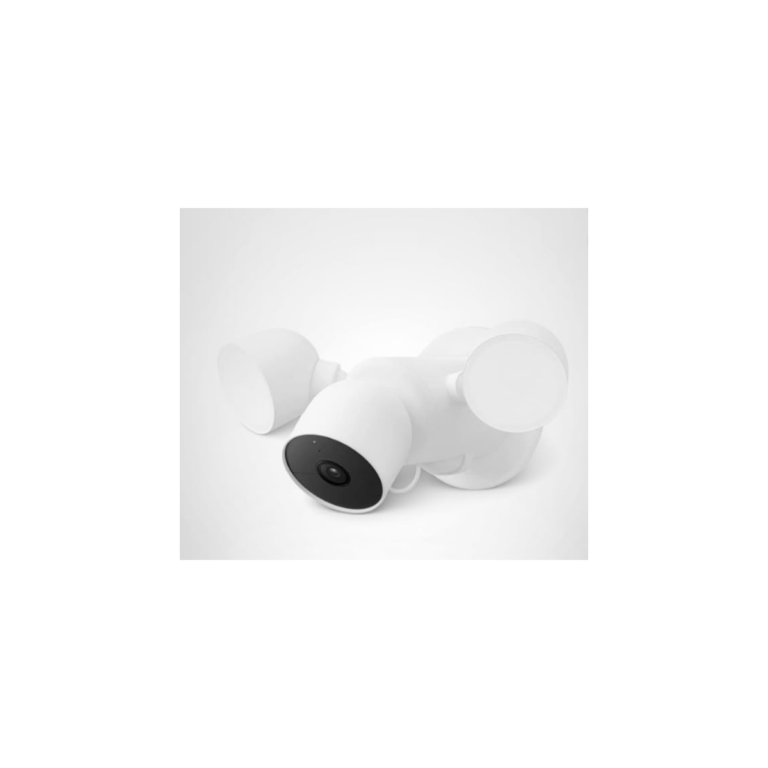
Google Nest Cam with Floodlight
Check price on AmazonAs an Amazon Associate I earn from qualifying purchases.
Best pan/tilt comparison pick if you are open to a plan: Arlo Essential Pan Tilt Security Camera 2K 2-Camera Set
Classification: Plan-heavy comparison product.
Best for: buyers who want pan/tilt coverage and are comfortable using Arlo Secure for cloud recording and advanced cloud features.
Skip it if: you are trying to avoid cloud-plan dependency for recorded history and advanced detection.
Arlo is useful in this guide because buyers often compare it against no-subscription cameras. Arlo’s support documentation says Arlo Secure enables cloud recording, advanced object detection, cloud activity zones, and more. It also says that when a trial ends, buyers can choose not to have a service plan, but continuing features like cloud recording requires a plan.
Some Arlo setups can involve local storage, but the support page notes local storage requires an Arlo SmartHub or Base Station for most Arlo cameras. Because exact local-storage support for this 2-camera set was not verified as a simple built-in no-subscription recording path, this article treats it as a plan-heavy comparison product.
Check before buying: Arlo Secure trial end date, cloud recording needs, SmartHub/Base Station local-storage requirements, outdoor power routing, pan/tilt coverage, Wi-Fi strength, privacy controls, and advanced detection expectations.
Official sources checked: Arlo Secure page, Arlo subscription/cloud recording FAQ, Arlo Essential Pan Tilt product page, and Arlo Essential user manual, last checked July 1, 2026.
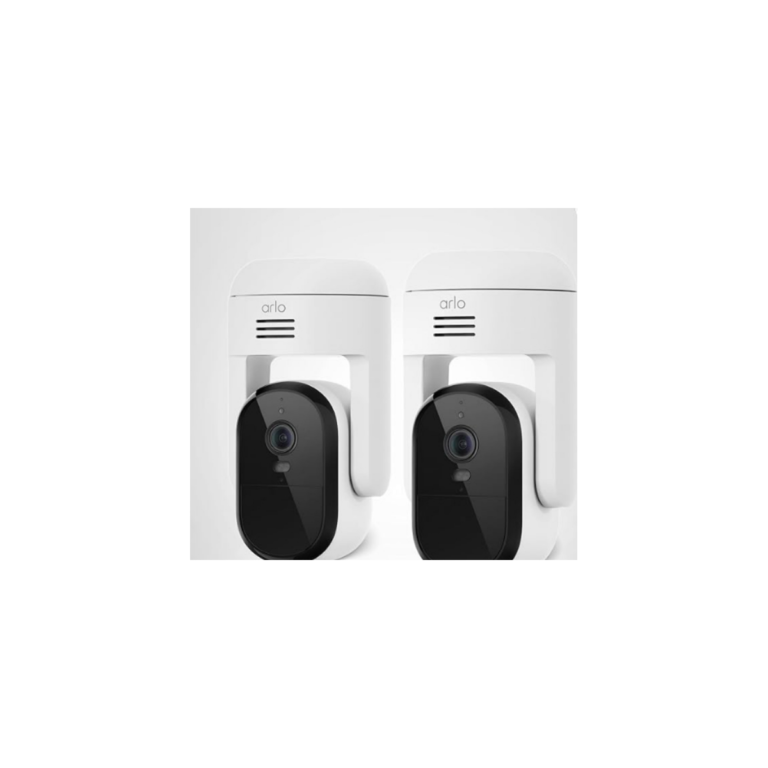
Arlo Essential Pan Tilt Security Camera 2K 2-Camera Set
Check price on AmazonAs an Amazon Associate I earn from qualifying purchases.
Doorbell cameras without subscription: what to check first
Doorbells are where subscription confusion hurts most. A front-door camera is often meant to capture activity when you are not available. If your doorbell only gives live view without saved clips, it may not help with missed deliveries, late-night motion, or events you notice after the fact.
Live answering
Ring and myQ both have official language supporting free live viewing or live app use, but that does not automatically include saved event history.
Saved doorbell events
Check whether rings, motion, package events, and missed activity are stored locally, stored in the cloud, or only saved with a paid plan.
Power and chime fit
Battery models need charging. Wired models need transformer, chime, and installation compatibility checks.
Privacy and angle
A doorbell camera can capture sidewalks, shared entries, and neighbors. Use careful aiming and privacy settings where available.
For a dedicated doorbell comparison, the existing smart lock with camera vs video doorbell guide is a useful companion. For this article, the key rule is simple: do not buy a doorbell for no-plan recording unless the exact product’s official source confirms how missed events are saved.
Indoor vs outdoor vs doorbell vs full system
Indoor cameras are the easiest to place, but they need the strictest privacy rules. Choose eufy E30 if local microSD recording and indoor coverage matter. Skip indoor cameras in private rooms or shared spaces where people have not clearly agreed to them.
Outdoor cameras need power, Wi-Fi, mounting, weather, privacy, and theft/damage planning. Choose a local-storage system like aosu if no monthly recording fees are a priority. Choose Google Nest, Ring, or Arlo only after accepting the plan tradeoff for history and advanced features.
Doorbell cameras are about entry awareness. They are useful for live answering and visitor alerts, but saved doorbell history is often where plans matter. Check recording terms before choosing any doorbell as a no-subscription pick.
Full systems make sense when you want multiple camera views, shared storage, and consistent app behavior. They take more setup planning, but they can be cleaner than mixing several unrelated cameras and subscriptions.
What still works without a subscription?
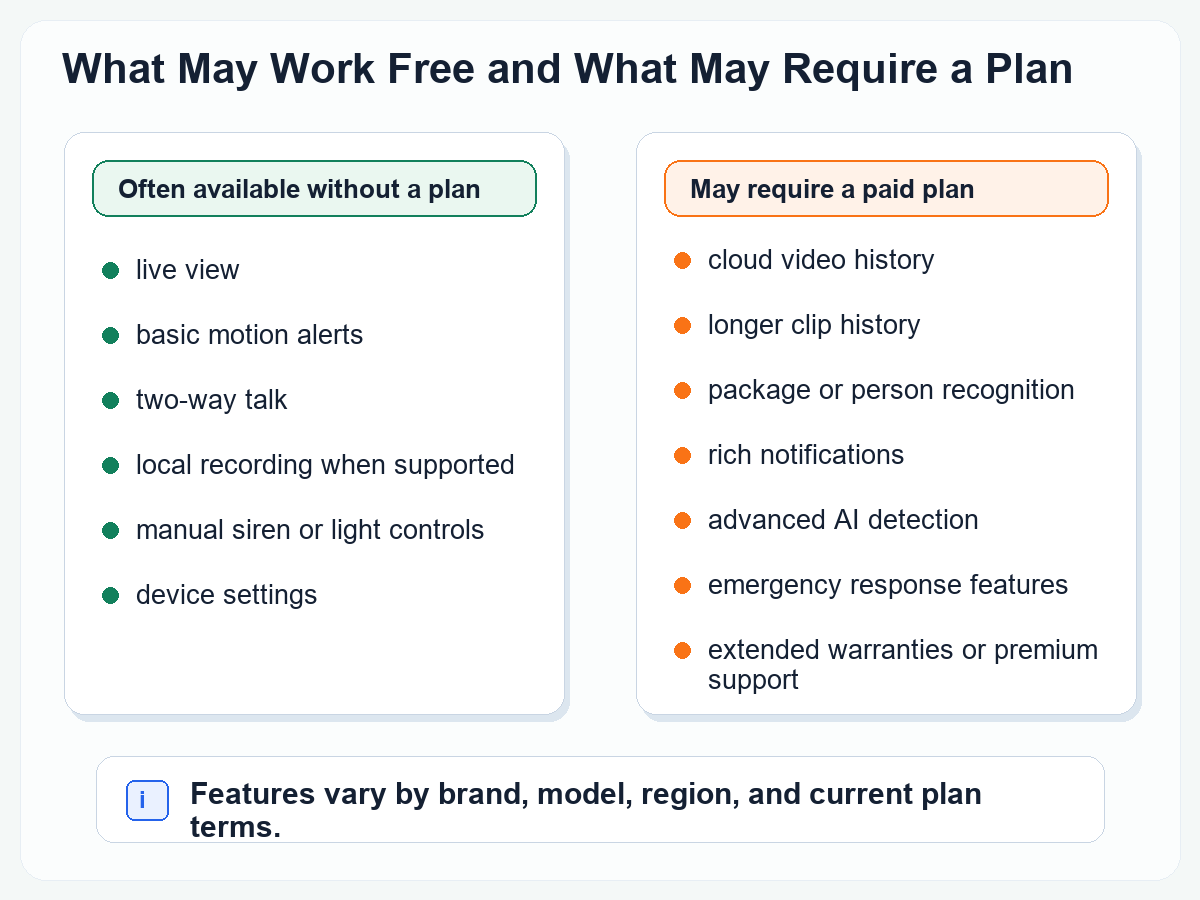
Depending on the brand and exact model, no-plan use may still include live view, basic motion alerts, two-way talk, manual siren or light control on supported cameras, basic app settings, local recording to configured storage, camera sharing, and voice-assistant display viewing.
The key is that “still works” is not the same as “records everything you need.” A camera can be useful for live awareness and still be weak for after-the-fact review. If you need evidence later, verify recording and history before buying.
What usually moves behind a paid plan?
Plan terms vary, but the recurring pattern is clear. Cloud recording, longer event history, 24/7 video history, AI summaries, familiar face alerts, package detection, object detection, descriptive notifications, cloud activity zones, searchable video history, preview notifications, and easy sharing or downloads are commonly tied to subscription tiers.
That does not make plan-heavy cameras bad. It only means they are a different buying decision. If you are comfortable paying for cloud history and advanced alerts, Ring, Nest, Arlo, ecobee, or myQ may fit well. If the goal is recording without a monthly fee, start with local-storage candidates first.
Which one should you buy?
Buy aosu T2 Ultra if you want the strongest outdoor no-subscription system candidate in the current inventory and can handle multi-camera placement, solar exposure, and local hub/storage setup.
Buy eufy Indoor Cam E30 if you want the strongest indoor local-storage candidate and are comfortable managing a microSD card and indoor privacy rules.
Buy Blink Mini 2 if you want a small indoor camera and are willing to set up Sync Module local storage. Do not buy it assuming the camera alone saves local clips.
Buy Ring Battery Doorbell Plus if Ring/Alexa fit, live answering, and front-door alerts matter more than free recorded history.
Buy Google Nest Cam with Floodlight if Google Home and hardwired floodlight coverage are the priority, and you are willing to check Google Home Premium rules for history and advanced features.
Buy Arlo Essential Pan Tilt if pan/tilt coverage and Arlo Secure are acceptable. Skip it if the whole goal is a simple no-subscription recording setup.
Other cameras we considered
Google Nest Cam Outdoor Wired 2nd Gen 2025
Useful Google Home outdoor comparison product with 2K wired outdoor positioning, but it overlaps with the Nest floodlight section and depends on Google Home Premium boundaries for richer history and Gemini-related features.
Google Nest Cam Outdoor or Indoor Battery 2 Count
Flexible Google Home battery option, but battery charging, mount placement, accessory power, and subscription boundaries make it a comparison product rather than the top no-subscription recording pick.
Chamberlain myQ Video Doorbell
myQ can be useful for live viewing and notifications, and official myQ product pages tie enhanced detection and history features to Video Monitoring plans. It is not a primary no-subscription recording pick.
myQ Indoor Plug-in Security Camera Gen 2
Good myQ ecosystem comparison for garages or indoor check-ins, but plan language and official support-page access were not strong enough to make it a lead no-subscription recommendation.
ecobee Smart Video Doorbell Camera Wired
Best suited to ecobee thermostat households. ecobee’s official page ties package detection and 30-day video storage to Smart Security subscription tiers, so it belongs in the plan-aware comparison bucket.
Extra Ring and Blink variants
Ring Outdoor Cam, Ring Indoor Cam models, Ring Battery Doorbell, Blink Mini Pan-Tilt, and similar variants were skipped to keep the guide decisive. Their storage and subscription tradeoffs are better covered through the main Ring and Blink examples.
Frequently asked questions
What is the best security camera without subscription?
For outdoor multi-camera coverage, aosu T2 Ultra is the strongest no-subscription/local-storage candidate in this inventory. For indoor use, eufy Indoor Cam E30 is the strongest local-storage candidate. For budget indoor Blink buyers, Blink Mini 2 is conditional because local storage requires compatible Blink storage hardware.
Can security cameras record without a subscription?
Yes, but only when the exact camera and setup support local recording or another no-plan recording path. That may mean a microSD card, USB drive, local hub, base station, or built-in storage. Some popular cameras still require a plan for recorded history.
Do Ring cameras work without a subscription?
Ring cameras and doorbells can work without a subscription for real-time video and answering notifications. Ring support says saving, reviewing, and sharing recorded video requires a compatible Ring subscription.
Does Blink Mini 2 record locally without a subscription?
Blink Mini 2 can be part of a local-storage setup, but the camera alone is not the whole storage system. Blink local storage depends on compatible Sync Module hardware and storage media, such as Sync Module 2 with USB storage or Sync Module XR with microSD storage.
Does eufy Indoor Cam E30 need a subscription?
eufy’s official E30 sources support treating it as a strong no-subscription/local-storage indoor camera because it can store recordings to a microSD card sold separately. Cloud storage is optional and requires an active cloud subscription if used.
Is Google Nest a no-subscription security camera?
Google Nest cameras can be useful without a subscription for live viewing, and some models include limited event previews or history. They are not local-storage cameras, and longer event history, 24/7 video history, and many premium features depend on Google Home Premium and exact model eligibility.
Is local storage better than cloud storage?
Local storage is better if you want fewer monthly fees and more control over where clips live. Cloud storage is better if easy remote review, sharing, and off-camera backup matter more. Local storage still needs hardware protection, card or drive maintenance, and privacy care.
Can a no-subscription camera still send alerts?
Often, yes. Many cameras can send basic motion alerts without a paid plan, but richer alerts such as package detection, familiar face alerts, object detection, AI summaries, and descriptive notifications may require a plan.
Can security cameras record when Wi-Fi goes out?
Do not assume they can. Some local-storage systems may keep recording if power and local storage remain available, but app access, alerts, remote viewing, and cloud recording usually depend on Wi-Fi and internet. Check the exact camera’s outage behavior.
What should I check before buying a camera without subscription?
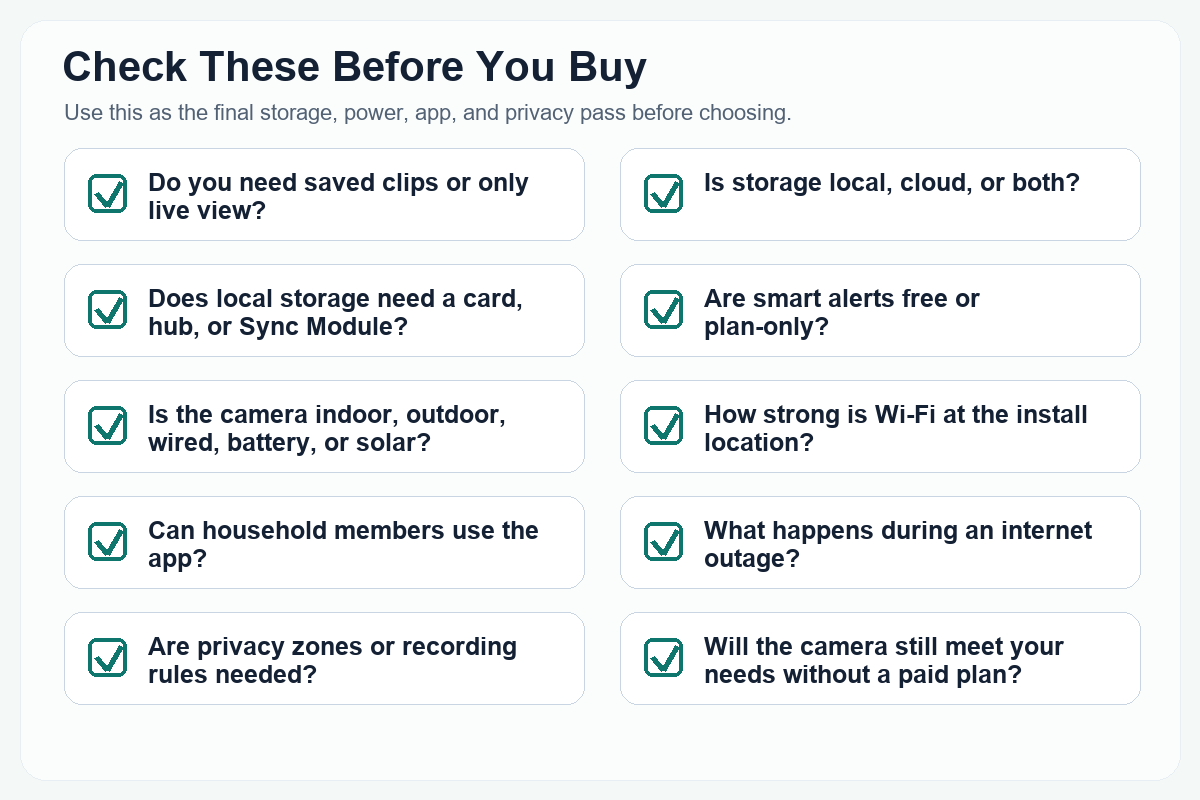
Check the recording path, storage hardware, trial limits, paid-plan features, Wi-Fi requirements, power source, installation permission, privacy zones, app sharing, and whether you need recorded history or only live awareness.