

A smart thermostat can be a great upgrade, but the purchase should start with your wiring, not the app features. If your current thermostat does not have a C wire, the right answer depends on your HVAC type, voltage, wire labels, and whether the thermostat maker supports an adapter or power accessory for your exact setup.
The practical question is not just “does this thermostat work without a C wire?” It is “will this thermostat have a safe, supported power path in my home?”
Quick answer: can you use a smart thermostat without a C wire?
Yes, you can use some smart thermostats without a C wire in some homes. But “no C wire needed” is not a universal promise.
A smart thermostat purchase should start with your wiring and HVAC system, not the thermostat’s app features. A model that works well in one house can be wrong in another house if the system is heat-only, cool-only, a heat pump, dual fuel, line voltage, zone controlled, or missing the right power path.
If you have a normal low-voltage heating and cooling system with compatible wiring, several smart thermostats may work without a separate C wire. If you have heat-only, cool-only, heat pump, zone-controlled, two-wire, or electric baseboard wiring, slow down and check the official compatibility tool before buying.
The safest first step is not “which thermostat is best?” It is “what does my current thermostat wiring and HVAC system support?”
Safety note before looking at wires
Turn off HVAC power before removing a thermostat cover or touching thermostat wiring. Use the system switch or breaker, and do not work on live wiring. If you are unsure what the wires control, if labels are missing, if the wires are thick, if wire nuts are present, or if the old thermostat mentions 120V or 240V, stop and call an HVAC professional.
This is a buying guide, not a wiring tutorial. It does not replace the thermostat maker’s installation instructions or a licensed pro.
What a C wire actually does
A C wire is the common wire in a low-voltage thermostat system. It gives the thermostat a continuous power path.
That matters because smart thermostats do more than open and close a simple heating circuit. They may keep Wi-Fi connected, run a display, maintain a schedule, talk to an app, monitor humidity, listen for voice commands, support room sensors, or check system status. Those features need dependable power.
Google’s Nest C-wire guidance explains that the C wire does not control heating or cooling; it provides constant power to the thermostat. Amazon’s product page also describes the C wire as a common wire that can provide continuous power for Wi-Fi or color-screen thermostats.
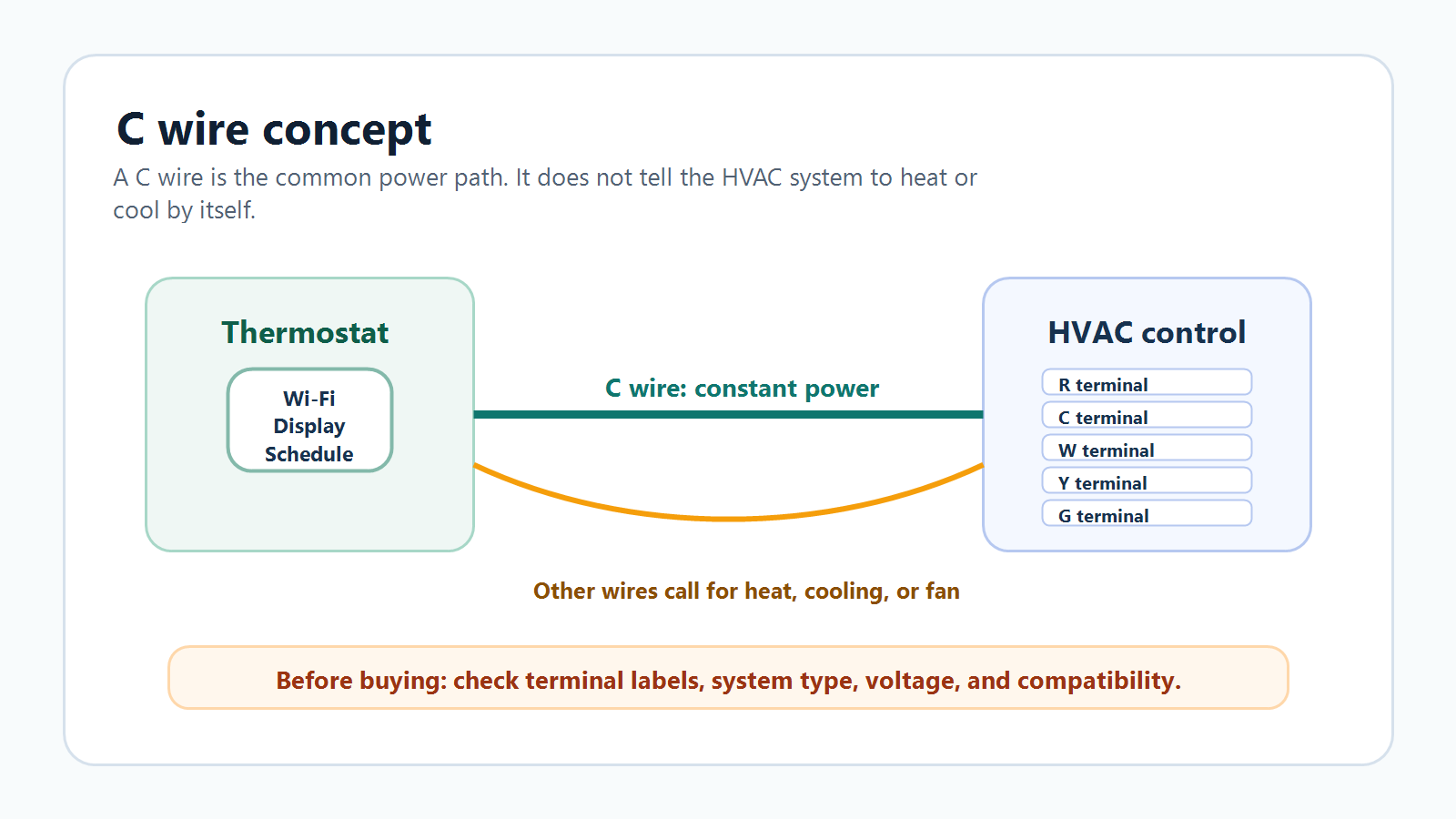
The confusing part is that not every thermostat gets that power the same way. Some smart thermostats can pull enough power from other HVAC wires in many systems. Some use batteries for part of the job. Some require a C wire outright. Some can use a manufacturer-supported accessory.
Why some smart thermostats say they do not need one
Some thermostats are designed to operate in many homes without a dedicated C wire. Google says Nest thermostats use very little power and can often get enough consistent power from heating and cooling wires. Sensi says the Sensi smart thermostat does not require a C wire for most conventional heating and cooling systems.
That does not mean those thermostats ignore power. It means the thermostat has another supported power strategy for certain system types.
The catch is in the words “many,” “most,” and “certain.” A thermostat that works without a C wire on a conventional furnace and central air system may still need a C wire on a heat pump. A model that works in a combined heating and cooling setup may not work well on heat-only wiring. A thermostat that works in a low-voltage system may be completely wrong for electric baseboard heat.
The compatibility checker matters because it asks about the exact wire labels, not just whether one wire happens to be blue or black. Wire color is not reliable. Terminal labels matter.
When no-C-wire setups can still cause problems
A no-C-wire setup can fail when the thermostat cannot get consistent power. The result may look like a Wi-Fi problem, a thermostat problem, or even an HVAC problem.
Google’s C-wire support page lists common low-power symptoms: reduced battery life, a display that will not turn on, Wi-Fi disconnections, unexpected heating or cooling behavior, strange system noises, short cycling, delayed messages, fan problems, and certain error codes.
Sensi gives a practical warning for heat-only and cool-only systems: without a C wire, Wi-Fi can drop after about two hours of operation. That is exactly the kind of real-world problem buyers are trying to avoid.
No-C-wire claims do not solve
- unclear wire labels
- missing compatibility checker results
- heat pump reversing valve questions
- auxiliary or emergency heat setup
- zone systems or dual transformer systems
Power problems may look like
- Wi-Fi drops
- blank display behavior
- short cycling
- fan issues
- unexpected heat or cooling calls
What to check before buying
Before you compare thermostat features, check these items.
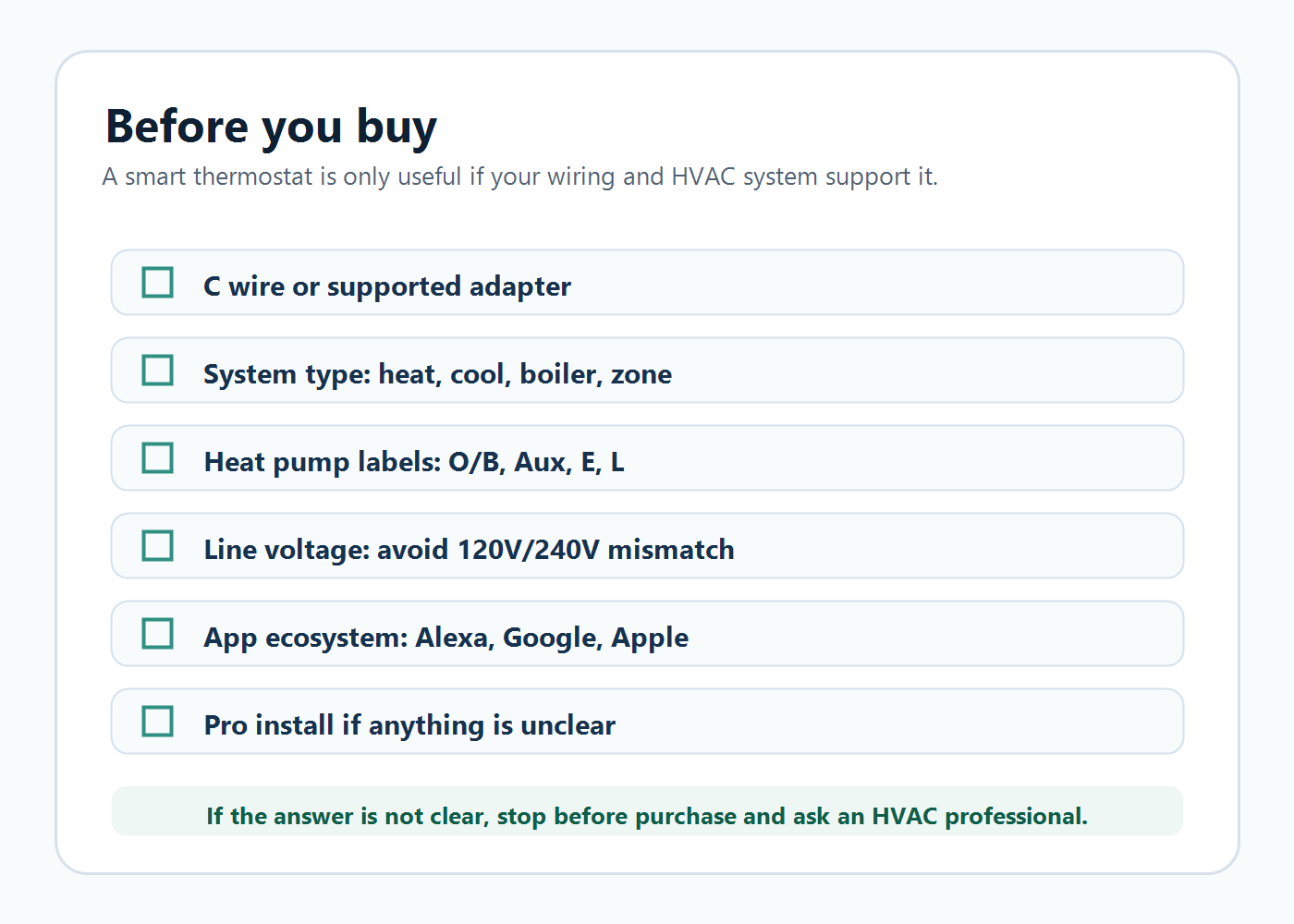
- Voltage: most popular smart thermostats are for low-voltage HVAC systems, not 120V or 240V line-voltage heating.
- Wire labels: photograph the old thermostat wiring with power off, and use terminal labels rather than wire colors.
- System type: identify conventional heat/cool, heat-only, cool-only, heat pump, dual fuel, boiler, radiant, or zone control.
- Compatibility checker: use the maker’s official checker for the exact thermostat family.
- Power path: confirm whether you need a real C wire, C-wire adapter, Nest Power Connector, ecobee PEK, or professional wiring.
- Wi-Fi: check router distance and Wi-Fi band support before assuming the thermostat will stay connected.
- Permission: renters should get permission before replacing a thermostat.
Two-wire heat-only systems
Two-wire heat-only systems are one of the biggest traps in this category.
A traditional heat-only thermostat may have only R and W wires. That can be enough for an old simple thermostat, but a Wi-Fi thermostat often needs steady power. Some products have accessories or transformer options, but the correct path depends on the thermostat and HVAC equipment.
Google says heating-only systems may require a C wire or compatible power accessory. Sensi says heat-only systems require a C wire, and it warns that heat-only or cool-only systems without one can lose Wi-Fi after about two hours. ecobee’s PEK is not a universal two-wire fix; ecobee describes PEK use around supported 24 VAC systems and notes that it is helpful when at least four wires are present at the thermostat.
If you have two-wire heat-only wiring, do not assume a no-C-wire thermostat will work. Run the compatibility checker and be ready for a pro-installed C wire, a supported power accessory, or a different thermostat type.
Heat pumps and auxiliary heat
Heat pumps need extra attention because wiring labels can affect whether the system heats, cools, uses auxiliary heat, or switches the reversing valve correctly.
Google’s Nest compatibility page lists heat pump and dual-fuel systems as areas where C-wire or Nest Power Connector requirements can apply and says some systems need professional installation because the wiring and setup can be complicated. Amazon’s Smart Thermostat FAQ discusses heat pump reversing valve troubleshooting in the Alexa app. Sensi says heat pump systems require a C wire.
If your old thermostat has O/B, Aux, E, or L terminals, slow down. Do not buy on ecosystem alone. The thermostat must support your exact heat pump configuration, and the setup must know how your reversing valve works.
Line-voltage and electric baseboard systems
Line-voltage systems are a hard stop for many common smart thermostats.
Google says high-voltage systems often have 120V or 240V labels and may have thick wires with wire nuts; examples include electric baseboard heaters, and Google says those systems are not compatible with Nest thermostats. Amazon says Amazon Smart Thermostat is not compatible with 110-240V HVAC systems such as electric baseboard heat. Honeywell’s RTH9585WF quick start guide says it works with common 24V systems and will not work with 120/240V systems such as baseboard electric heat. Sensi also lists line-voltage systems as incompatible and says Sensi is only compatible with low voltage.
That does not mean electric baseboard heat can never be smart. It means you need a thermostat designed for that voltage and heating type. Do not try to force a low-voltage smart thermostat into a line-voltage job.
C-wire adapter, PEK, Nest Power Connector, or real C wire?
These terms sound interchangeable, but they are not the same.
Real C wire
A dedicated common wire path from the HVAC equipment to the thermostat. Often the cleanest long-term option when a pro can confirm the control board and wiring.
C-wire adapter
A power accessory. The key question is whether the thermostat maker supports that adapter for your exact model and HVAC system.
Nest Power Connector
Google’s power accessory for supported Nest setups. Google says the app should tell you when a C wire or compatible accessory is needed.
ecobee PEK
An ecobee-specific accessory for supported 24 VAC systems. ecobee says it is not for millivolt, high-voltage, dual-transformer, fan-coil, or communicating units.
The buying lesson is simple: do not buy an adapter because the name sounds right. Use the manufacturer’s compatibility tool for the thermostat and wiring in front of you.
Smart thermostats to compare after you check your wiring
The product cards below are comparison anchors, not a universal ranking. They are only worth comparing after you have checked your wiring, HVAC type, voltage, and manufacturer compatibility.
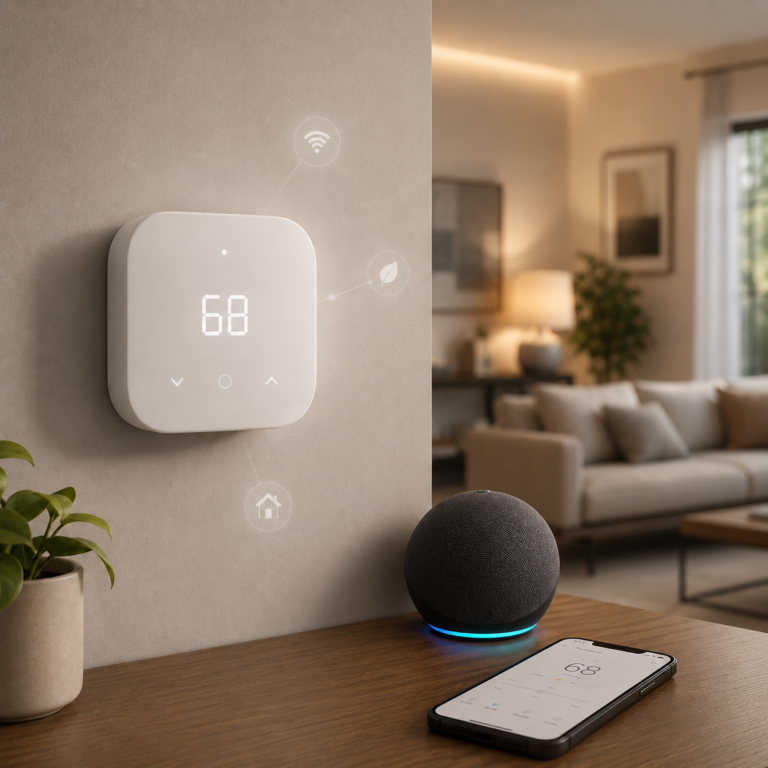
Amazon Smart Thermostat
A smart thermostat to compare if your home is built around Alexa or Ring and your HVAC wiring supports Amazon's C-wire or power-adapter requirements.
- Good fit: Alexa-first households that want app schedules, voice control through Alexa, and a simple thermostat interface after compatibility is confirmed.
- Watch out for: Requires C-wire power or a power adapter kit sold separately, uses 2.4 GHz Wi-Fi, and is not for 110-240V electric baseboard systems.
As an Amazon Associate I earn from qualifying purchases.
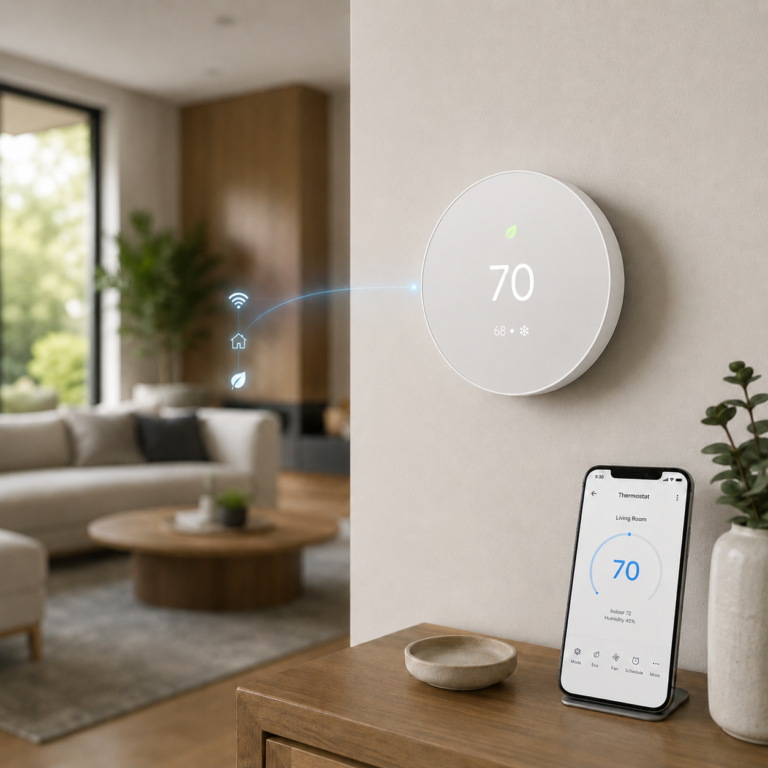
Google Nest Thermostat - Snow
A thermostat to compare if you want Google Home app setup, remote control, scheduling, and compatibility guidance from the Nest checker.
- Good fit: Google Home users who want a simple app-controlled thermostat after confirming wire labels and HVAC compatibility.
- Watch out for: Some heating-only, cooling-only, zone-controlled, and heat pump systems may need a C wire or compatible power accessory.
As an Amazon Associate I earn from qualifying purchases.
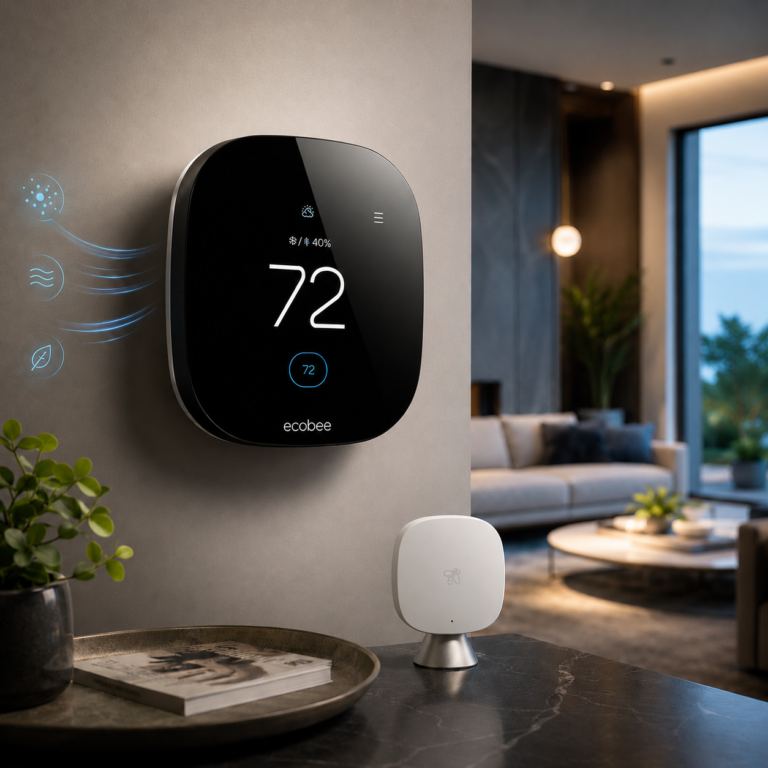
ecobee Smart Thermostat Premium
A premium thermostat to compare if room sensing, broader ecosystem support, and the included ecobee PEK path matter to your setup.
- Good fit: Homes that want room sensing, premium controls, and broad smart-home compatibility after checking HVAC support.
- Watch out for: The PEK is not universal. It does not support high-voltage, millivolt, dual-transformer, fan-coil, or communicating systems.
As an Amazon Associate I earn from qualifying purchases.
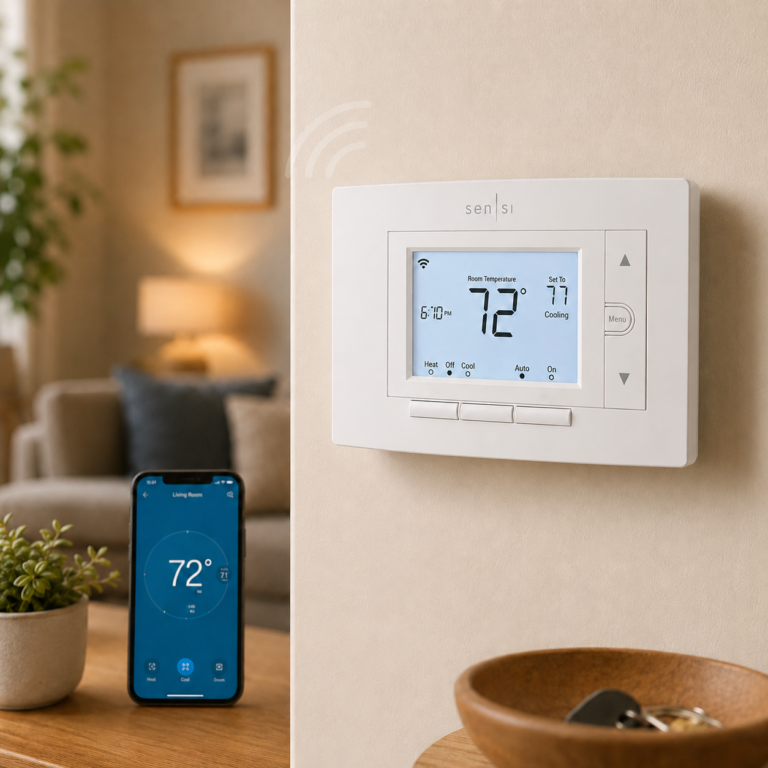
Emerson Sensi Wi-Fi Smart Thermostat ST55
A traditional-layout smart thermostat to compare if you want physical buttons and no-C-wire research for many conventional systems.
- Good fit: DIY-minded buyers who prefer a familiar thermostat shape and want app control without a full touchscreen design.
- Watch out for: No-C-wire support depends on system type. Heat-only, cool-only, heat pump, and zone systems require extra checking and may need a C wire.
As an Amazon Associate I earn from qualifying purchases.
How to choose based on your setup
| Your setup | Best next step | Why it matters |
|---|---|---|
| Conventional low-voltage heat and central air | Run the compatibility checker, then compare ecosystem and features. | This is often the broadest compatibility category, but C-wire support still matters. |
| No C wire, conventional heat/cool | Look for officially supported no-C-wire or adapter paths. | “No C wire needed” usually has system-type limits. |
| Heat-only or cool-only | Expect extra power checking before purchase. | Several manufacturers call out C-wire or accessory requirements for these systems. |
| Heat pump with O/B, Aux, E, or L | Use the official checker and consider pro help. | Reversing valve and auxiliary heat setup can be more complex. |
| Electric baseboard or 120V/240V thermostat | Do not buy a common low-voltage thermostat from this guide. | You need a thermostat designed for line-voltage heating. |
When to call an HVAC pro
Call an HVAC professional before buying or installing if:
- you cannot tell whether the system is low-voltage or line-voltage
- the old thermostat uses thick wires or wire nuts
- wire labels are missing or confusing
- you see separate Rc and Rh wiring and are unsure what it means
- the system is heat pump, dual fuel, multi-stage, zone controlled, or dual transformer
- the compatibility checker says professional help is recommended
- you need a new C wire run
- the thermostat powers on but the HVAC system behaves strangely
Calling a pro is not a failure. It can be cheaper than buying the wrong thermostat, damaging equipment, or living with a smart thermostat that keeps dropping offline.
FAQ
Can I install a smart thermostat without a C wire?
Sometimes. Some smart thermostats can work without a C wire in many low-voltage homes, but compatibility depends on the thermostat model, wire labels, HVAC system type, and whether the thermostat has a supported power accessory path.
What happens if a smart thermostat does not get enough power?
It may lose Wi-Fi, show low battery or blank display behavior, restart, short cycle, delay heating or cooling, behave unpredictably, or trigger error codes. Power issues can look like app problems, but the wiring may be the real cause.
Do I need a C-wire adapter for Amazon Smart Thermostat?
Maybe. Amazon says to check compatibility before purchasing and says the thermostat requires C-wire power or a power adapter kit sold separately. It is not compatible with 110-240V electric baseboard systems.
Does Nest need a C wire?
Not always, but some systems do. Google says Nest thermostats can often get enough power from heating and cooling wires, but some systems need a C wire or Nest Power Connector. Google specifically calls out heating-only, cooling-only, zone-controlled, and heat pump systems as cases where a C wire or compatible power accessory may be required.
Does ecobee work without a C wire?
Many ecobee setups can use the ecobee Power Extender Kit, and Smart Thermostat Premium includes the PEK. But the PEK is not universal. ecobee says it only works with 24 VAC systems and is incompatible with millivolt, high-voltage, dual-transformer, fan-coil, and communicating units.
Is a Power Extender Kit as good as a real C wire?
It can be the supported solution for some ecobee installations, but it is not the same as a real C wire and it is not a universal adapter. A real C wire is a dedicated common wire path. A PEK is an ecobee-specific accessory for supported systems.
Can I use a smart thermostat with only two wires?
Do not assume so. Two-wire heat-only systems often need extra power help. Some setups may use a supported accessory or transformer, but the correct answer depends on the thermostat and HVAC equipment. Run the compatibility checker and consider a pro.
Can I use a smart thermostat with electric baseboard heat?
Most common low-voltage smart thermostats in this guide are not for electric baseboard heat. Look for a thermostat designed for line-voltage heating, or talk to an HVAC or electrical professional.
Which smart thermostat is best for a heat pump?
The best choice is the one that officially supports your exact heat pump wiring, including O/B and auxiliary or emergency heat where present. Do not choose by app ecosystem alone. Run the manufacturer compatibility checker.
Should I install it myself or call an HVAC pro?
If your system is conventional, low-voltage, clearly labeled, and the compatibility checker gives you a clean result, DIY may be reasonable. If voltage, labels, heat pump wiring, dual fuel, zone control, or power accessories are unclear, call a pro.
Related AIHA guides
For broader smart home planning, read Best AI Home Automation Ideas for Beginners. If your thermostat will be part of an Alexa setup, read What Is Alexa+?. For protocol and hub planning, read Matter vs Thread vs Zigbee and Smart Home Hubs and Alexa Control.
Sources
Official sources used for C-wire, HVAC compatibility, product support, adapter, PEK, heat pump, and line-voltage claims: ENERGY STAR smart thermostats, Google Nest thermostat compatibility, Google Nest C-wire guidance, Google Nest older thermostat support change, Amazon Smart Thermostat product page, ecobee Power Extender Kit, ecobee Smart Thermostat Premium, ecobee compatibility checker, Sensi thermostat compatibility, Sensi Smart Wi-Fi Thermostat, Honeywell Home WiFi Smart Color Thermostat, and Honeywell/Resideo RTH9585WF Quick Start PDF.
Final recommendation
Start with the thermostat wiring, not the thermostat brand.
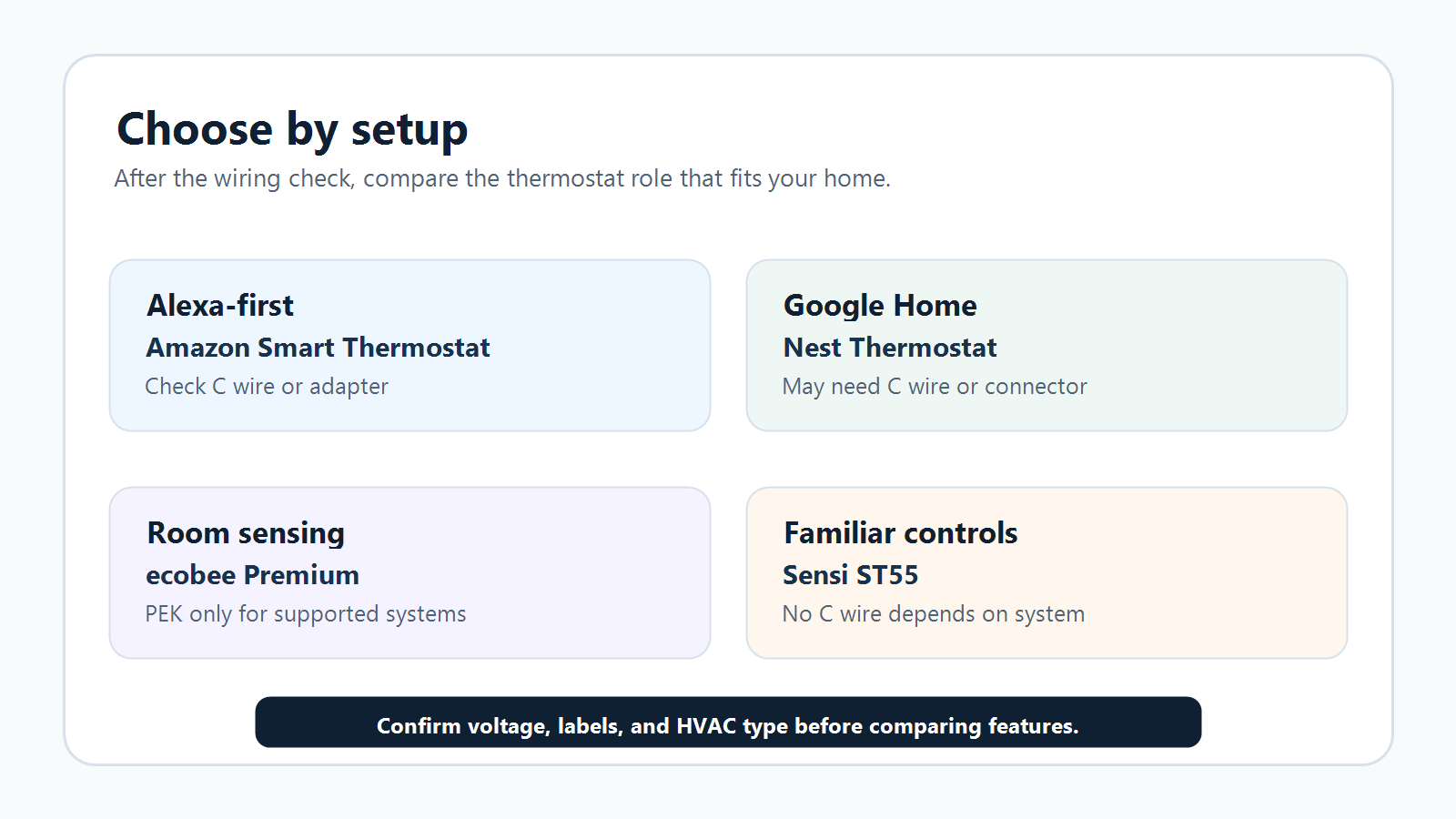
If your wiring is low-voltage, clearly labeled, and compatible, compare the product that fits your household ecosystem. Amazon Smart Thermostat makes sense for Alexa-first homes. Nest is a clean Google Home option. ecobee Premium is strong when room sensing and broad ecosystem support matter. Sensi ST55 is worth comparing when you want familiar controls and no-C-wire research for many conventional systems.
If your system is heat-only, cool-only, heat pump, dual fuel, zone controlled, line voltage, or unclear, slow down. Use the compatibility checker, read the official support page, and call an HVAC pro before buying.
Next: turn off power, photograph labels, then run the manufacturer’s checker before comparing features.